
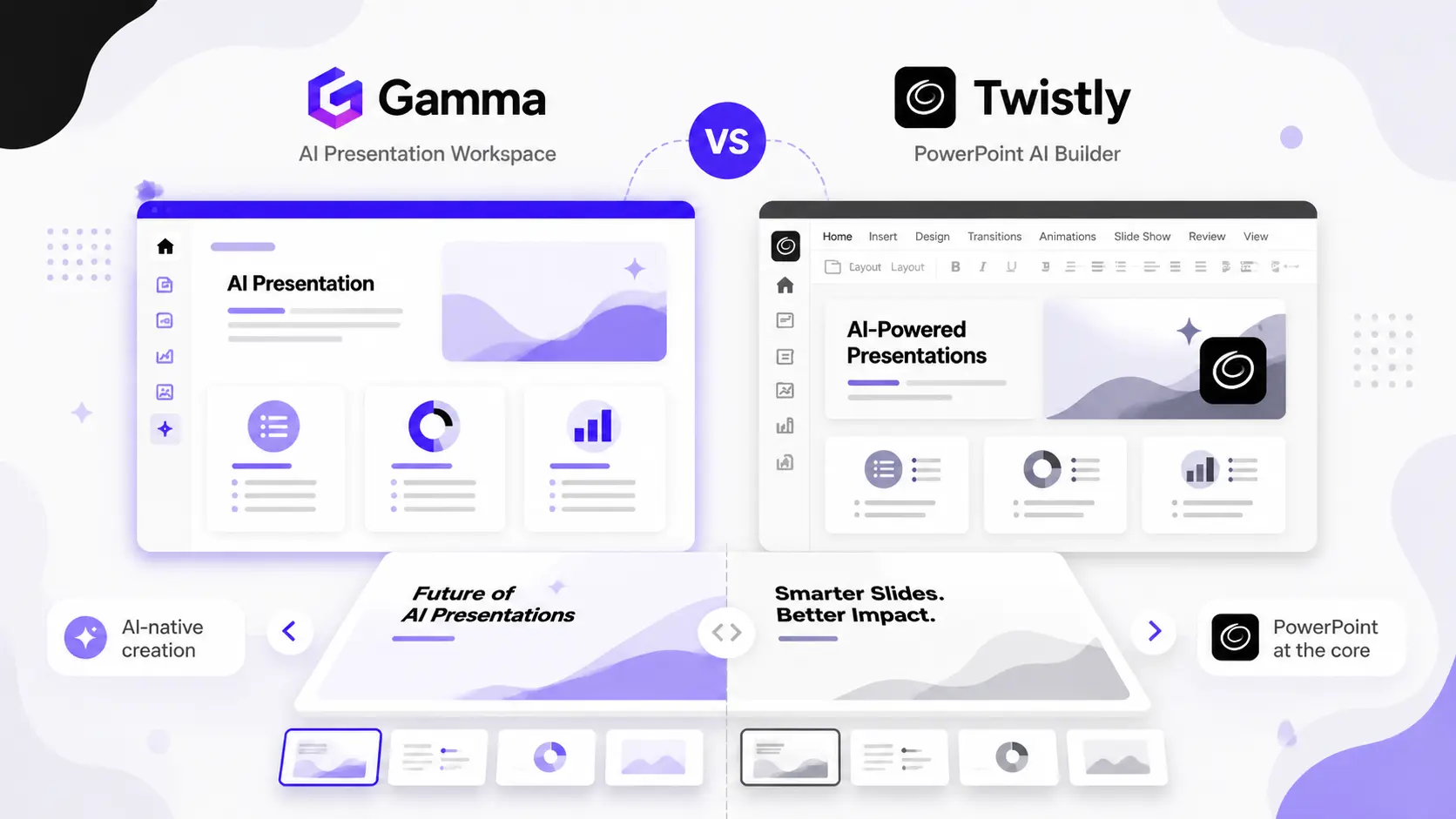
Twistly and Gamma are two popular AI presentation generators for professionals and beginners. Despite being from the same AI family, both tools serve entirely different workflows. Gamma is a web-based, standalone PPT generator, while Twistly AI is a native PowerPoint add-in that works AI into your existing PowerPoint workflow.
With Gamma AI, you must leave PowerPoint and rely on available options only. Twistly integrates ChatGPT-like capabilities into your PowerPoint software and offers the combined power of AI and PowerPoint features.
Twistly has all possible options and AI features offered by Gamma, plus other text and image tools. AI features and native PowerPoint tools make Twistly one of the most powerful AI presentation makers in the market.
Gamma vs Twistly- Quick Overview
Are you looking for the best AI presentation maker, but you are confused between Gamma and Twistly? The choice of the right AI tool for presentations depends on your requirements and expectations.
Here is a quick summary of both AI presentation generators to make a quick decision.
| Feature | Gamma App | Twistly AI |
| Presentation Format | Web-based presentations | Native PowerPoint presentations |
| PowerPoint Integration | Limited export support | Built directly for PowerPoint |
| AI Presentation Generation | Yes | Yes |
| AI Image Generation | Yes | Yes |
| Brand Customization | Moderate | Advanced |
| Workflow for Teams | Good | Excellent |
| Editable in PowerPoint | Requires export | Native editing |
| Best For | Interactive web presentations | Professional business presentations |
Gamma and Twistly have amazing features that entertain different audiences. For a common PowerPoint user, the best AI tool should work inside PowerPoint, just like Twistly.
Gamma vs Twistly – What are These?
You might have seen social media ads about many AI presentation makers where companies claim to help you create professional presentations within seconds. Not all AI tools are created equally. To understand the differences between Gamma and Twistly, let’s start from the very beginning.
What is Gamma AI?
Gamma is an AI-powered presentation and document creation platform that allows users to generate content using prompts. The use of a card-based structure makes Gamma presentations unique.
But this approach may not be acceptable across professional settings. Users can create:
- Presentations
- Reports
- Proposals
- Training materials
- Interactive documents
Pros and Cons of Gamma
| Pros | Cons |
| Easier for beginners | Not optimized for PowerPoint workflow |
| Modern and attractive templates | Additional editing is required to use Gamma presentations in PowerPoint |
| Presentation formats are interactive | Limited control over slide-level design |
| No prior experience is required | Less suitable for organizations and businesses |
What is Twistly AI?
Twistly is an AI-powered PowerPoint add-in designed specifically for professionals who create presentations regularly. The best thing about Twistly is that, instead of replacing PowerPoint like Gamma, it brings AI capabilities to PowerPoint. Millions of users prefer using Twistly due to seamless integration with PowerPoint.
There is no need to learn any new tool or AI platform, as Twistly lives and works inside PowerPoint. Users maintain full control over editing, branding, formatting, and presentation structure. Users can generate:
- Sales presentations
- Marketing decks
- Business proposals
- Investor pitch decks
- Training presentations
- Client reports
- Educational presentations
Pros and Cons of Twistly
| Pros | Cons |
| Works inside PowerPoint, no switching between apps and websites | Some users may need to update their PowerPoint version |
| Seamless AI integration for PowerPoint workflow | Free trial is available for a limited time only |
| Powerful AI features that enhance the overall presentation experience | The web-based version may require you to download the final output presentation |
| Significantly reduces workflow disruption |
User Experience Comparison
How does it feel to interact with the product? Which tool is easier to use and which one offers more options? User experience comparison will offer true insights to choose the winner between Gamma and Twistly.
Gamma
The user interface is clean and simple, but for a first-time user, exploring all essential features may take some time. There is a learning curve, but you will get over it in no time.
Users accustomed to PowerPoint may find the workflow unfamiliar. Gamma introduces a different presentation philosophy, and some users may not like that.
Twistly
Twistly feels familiar immediately because it operates within PowerPoint.
Even a first-time user can easily create a professional presentation with Twistly. From slide creation to content writing, design and image generation, everything happens inside PowerPoint.
Verdict: For existing PowerPoint users, Twistly offers the smoothest ride, with no additional learning or post-editing.
Who Should Choose What?
The right tool depends entirely on your role, workflow, and presentation goals.
| Profile | Recommended Tool | Why |
|---|---|---|
| Corporate executive/manager | Twistly | Full PowerPoint control, branding, executive deck templates |
| Marketing team/agency | Twistly | Custom brand colors, reusable templates, team workflow |
| Freelancer/solo creator | Gamma | Fast output, no PowerPoint required, modern visual style |
| Educator/trainer | Gamma | Interactive format, easy sharing via link, no software needed |
| Startup/pitch deck creator | Twistly | Investor-ready structure, business presentation templates |
| Casual / beginner user | Gamma | Minimal learning curve, browser-based, no installation |
If your work is rooted in PowerPoint and professional business presentations, Twistly eliminates the friction of switching between tools while giving you full AI capabilities. If you need a quick, standalone solution with no software dependency, Gamma gets the job done with minimal setup.
AI Presentation Generation Capabilities
The quality of the output is a major decision factor for many users. If presentations are not top-notch, there is no point in trying AI tools for PPTs.
Gamma
A single prompt can give you a final presentation, but the output may need lots of manual editing.
One thing you might notice with AI presentations generated by Gamma is the visual quality. Gamma mainly focuses on visuals, not the content and structure.
Twistly
Twistly focuses on generating presentation content that aligns with traditional business presentation structures.
There are multiple AI PowerPoint templates that you can choose, or you can even upload your own. Users spend less time converting and refining the final deck.
Millions of users prefer Twistly over standalone presentation makers like Gamma due to these features.
Design Flexibility
Presentation design is an important factor that determines the worthiness of a presentation maker.
Gamma
Instead of offering more customizations, designs are kept simple in Gamma. Advanced users may feel restricted when trying to implement specific design requirements.
Twistly
There are no design limitations with Twistly, as you have all-time access to all PowerPoint design tools, along with AI features of Twistly. This flexibility is especially valuable for agencies, consultants, and enterprise teams.
Branding and Corporate Presentations
Here comes the most important point where Twistly beats all AI presentation makers, including Gamma. CEOs, managers, executives, and corporate clients don’t want presentations that look attractive only.
They prefer insights, actionable data, executive summaries, and meaningful slides. Gamma supports branding options but focuses primarily on speed and visual simplicity.
Twistly not only offers flexible templates but also custom color schemes for brand presentations. Businesses can also upload brand presentations, and Twistly will automatically extract elements and save them as reusable templates.
Final Verdict
If you need an AI presentation maker that can work inside your existing PowerPoint workflow, then Twistly is the best option. If you can settle for limited design options and clean yet simple presentations with no proper PowerPoint compatibility, then Gamma is also a good option.
Twistly is the stronger option for professionals who depend on PowerPoint. You can download the free trial version and enjoy a custom ChatGPT for PowerPoint for free.
FAQ
It depends on your workflow. If you work primarily in PowerPoint and need AI tools without switching apps, Twistly is the stronger choice. If you need quick, visually engaging web-based presentations without PowerPoint, Gamma is a solid option.
Yes, but with limitations. Gamma allows export to PowerPoint format, the exported files often require significant manual reformatting to match your brand standards or presentation structure.
Twistly is designed as a native PowerPoint add-in. While a web-based version exists, its core functionality is built around the PowerPoint environment, making it best suited for users with an active PowerPoint setup.
Gamma offers a free tier with limited credits for AI generation. Advanced features and unlimited usage require a paid subscription.
Use Gamma if you are a freelancer, educator, or content creator who needs fast, interactive web presentations without PowerPoint dependency.
Use Twistly if you are a business professional, consultant, or enterprise user who regularly creates branded PowerPoint decks and wants AI built into that workflow.








Start Making AI Presentations in Seconds
Instant Access
Begin exploring Twistly’s full suite of features immediately
No Commitments
No credit card required, and you can cancel anytime
Dedicated Support
Our team is here to assist you every step of the way during your trial.