



The list of best AI pitch deck generators can be pretty long, but we have chosen the few that are ideal for every user and offer the best AI features. If you need a pitch deck generator for your project, use any of the given AI pitch deck generators.
While choosing any AI tool, including AI pitch deck generators, don’t fall for the so-called free tools. Always choose a premium tool that offers advanced AI features and a truly smart experience.
What is a Pitch Deck?
A pitch deck is a brief, 10-15 slide presentation used to showcase a business plan, product, or startup idea to investors, partners, or customers.
It acts like a visual and concise tool to explain your point, spark interest, and curiosity among investors. Startup presentations, investor decks, and pitch decks are usually considered the same.
Pitch Decks vs. Normal Presentations
Creating a pitch deck is a complicated process, and pitch decks are different from normal PowerPoint presentations. Here is the comparison table that can help you differentiate pitch decks from normal PowerPoint presentations.
| Feature | Pitch Deck | Normal PowerPoint Presentation |
| Purpose | To persuade investors or stakeholders | To inform, educate, or present any topic |
| Length | Short (10–20 slides) | Flexible (can be long or short) |
| Content Focus | Business idea, market, revenue, growth | Any subject (education, training, reports, etc.) |
| Design Style | Highly visual, concise, impactful | Can be detailed, text-heavy, or visual |
| Audience | Investors, clients, partners | General audience (students, employees, etc.) |
| Goal | Secure funding or approval | Share information or explain concepts |
Best AI Pitch Deck Generators
Creating a professional and interactive pitch deck can take several hours and cost thousands of dollars. AI tools can reduce the hours of manual work to automated tasks of a few minutes.
AI tools can give you investor-ready decks within minutes. With little adjustments and editing, you can easily polish these decks to impress and convince investors and stakeholders. Here are our top recommended best AI pitch deck generators that you can try for your next venture.
1. Twistly- Editor’s Pick (Best Overall Pitch Deck Generator)
If you want to create high-level, professional, and investor-ready decks in PowerPoint, Twistly is the right AI pitch deck generator for you. Unlike standalone AI generators, you don’t have to switch between multiple apps or websites.
Twistly lives and works inside PowerPoint, offering all AI features within the software. Whether you want to create a pitch deck, a professional presentation, or a class assignment, Twistly works best for all assignments.
Key Features of Twistly
There are unlimited ways to use Twistly to create presentations of all types. Your imagination is the only limitation here. But here are some salient features of Twistly that work best for pitch decks:
- AI-powered pitch deck generation from simple prompts
- Built directly into Microsoft PowerPoint
- Smart slide structuring
- One-click content expansion and rewriting
- AI-driven design enhancement and layout suggestions
- Custom tone & audience targeting
- Real-time editing and refinement inside slides
How to Create a Pitch Deck with Twistly?
You just need to have the basic idea about what you want to create, and AI will take care of the rest. It is highly advised to feed AI all available data for more accurate and relevant results. Follow these steps to create a professional pitch deck with Twistly AI within seconds.
Start a blank PowerPoint presentation and launch the Twistly AI add-in
- Choose the New Presentation option from the home screen
- Select your input method, as you can create a pitch deck from a topic, an AI prompt, text, or a document
- Input pitch deck topic and make other selections, including presentation language, number of slides, content type, tone and style, image source, and presentation type.
- Select a template that suits your pitch deck needs
- Review the outline and finalize the slides
- Within a few seconds, your pitch deck will be ready
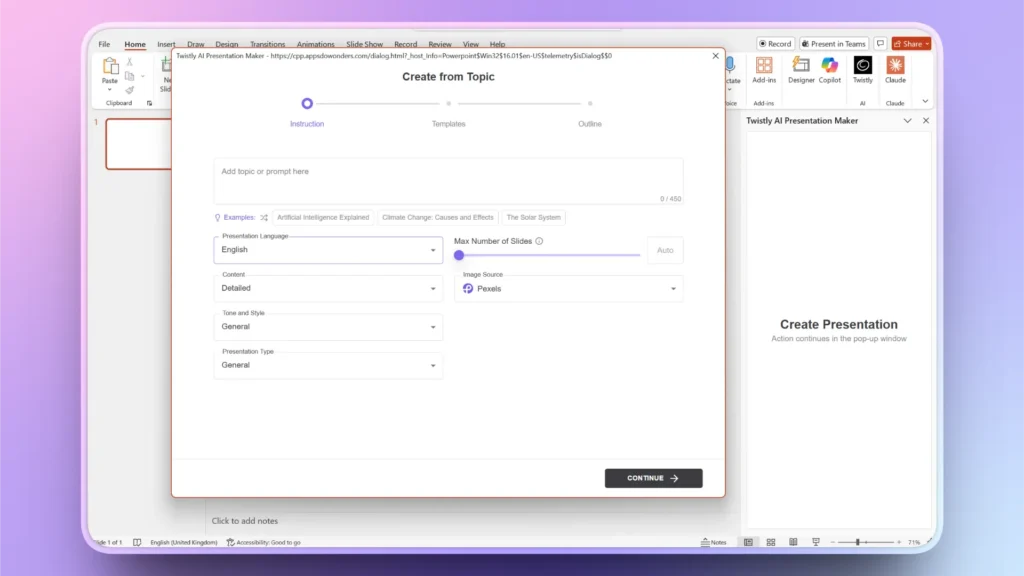
Once all slides are ready, you can make further changes to the pitch deck using AI features of Twistly or native PowerPoint tools.
Top 5 Reasons to Choose Twistly AI Pitch Deck Generator
There are several perks and benefits offered by Twistly that are not offered by any other AI tool. Here are the top 5 reasons to choose Twistly as the best AI pitch deck generator.
- Native PowerPoint integration and Twistly live inside PowerPoint
- Investor-focused slide structure that focuses on real values and facts
- 10x productivity with AI features for faster workflow
- Full customization and control over all AI features
- Best balance of AI editing and manual customizations
How to Download Twistly for Free?
Twistly is a paid and premium AI pitch deck generator, used by millions of PowerPoint users. As you might have some doubts about the AI capabilities of Twistly, new users can download a free trial of Twistly by using the given link.
Create PowerPoint
Slides with AI
Build AI-powered presentations from
any prompt, doc, or video


2. Gamma- AI PowerPoint Creator
PowerPoint users may not like this AI pitch deck generator very much due to its standalone nature. You cannot use Gamma in PowerPoint. Presentations made with Gamma can only be played within the tool.
If you use PowerPoint, Gamma is not the ideal AI pitch deck generator, and you might have to consider other available options like Twistly for PowerPoint.
Pros and Cons of Gamma
| Pros | Cons |
| Strong AI-generated storytelling | Limited PowerPoint export flexibility |
| Fast deck creation from prompts | Less control over detailed slide editing |
| Built-in analytics and sharing features | Not ideal for traditional pitch formats |
If your main focus is on storytelling and visualization, then Gamma might be a good option for you. For professional pitch decks where you need to present massive data and numbers, Gamma poses some major challenges and limitations.
3. Decktopus- Online Presentation Maker
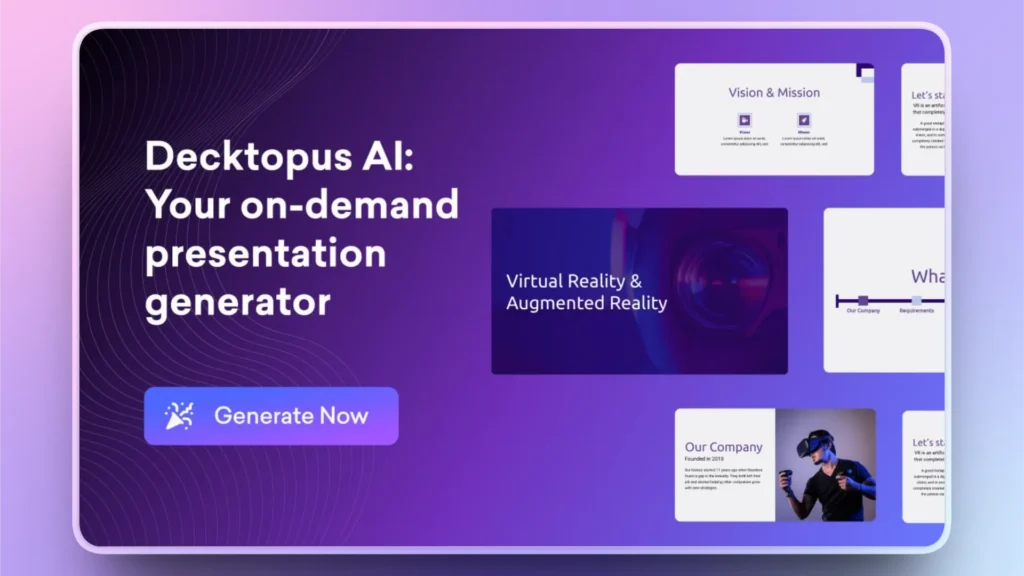
Decktopus is a good AI presentation generator, but for pitch decks, you will have to make some manual changes to the output. It is hard to get investor-ready decks with this tool.
PowerPoint compatibility is not great and might require you to manually adjust many aspects of the output.
The website claims to help you generate a basic presentation in up to 8 minutes. You can get even better results with tools like Twistly in less than 90 seconds.
Pros and Cons of Decktopus
| Pros | Cons |
| AI-generated speaker notes | Less advanced design customization |
| Document upload for contextual decks | Output may need refinement |
| Easy-to-use interface | Subscription required for full features |
It is not a fully automated pitch deck generator but a tool that offers guidance and suggestions. It is like an idea tool that offers different ideas on how to make your presentation better.
For a true AI experience for pitch deck generation, give Twistly a try, and you will love this tool. Smoother compatibility of Twistly with PowerPoint makes it even more popular among professional users.
4. Tome- AI PPT Generator
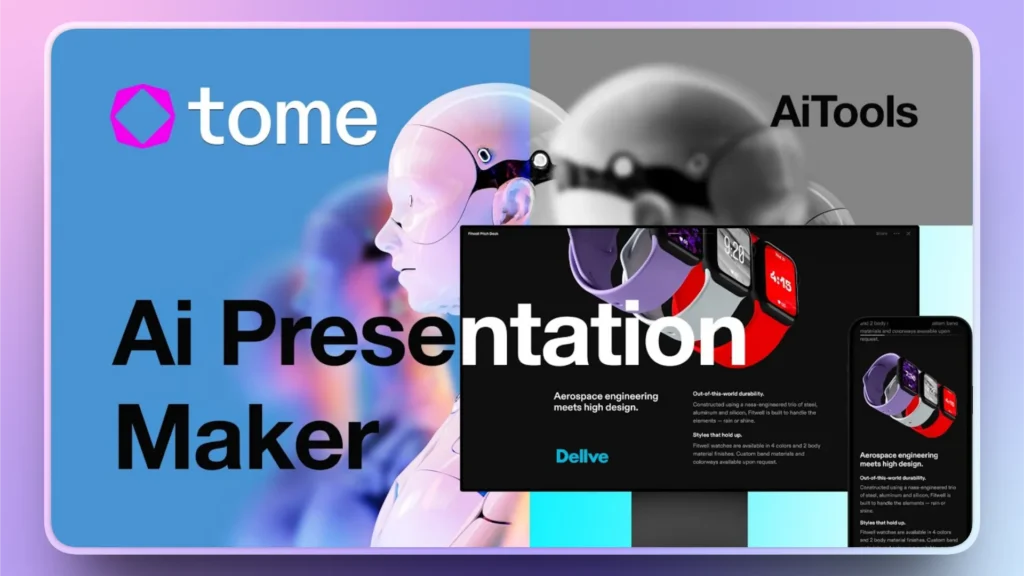
For visually attractive presentations with average data and information, Tome can generate basic pitch decks. Handling complex data and information with the limited AI features of Tome can be an issue.
Tome is also a standalone PPT maker, offering no support for PowerPoint users. Users who prefer visually appealing slides usually like Tome AI PPT maker. Professional users may be disappointed due to limited support for charts, graphs, and features.
Pros and Cons of Tome
| Pros | Cons |
| Quick prompt-to-deck generation | Limited traditional pitch deck structure |
| Supports multimedia (videos, visuals) | Not ideal for investor presentations |
| Clean, modern designs | Export limitations |
For important and critical projects where you want better chances of success, PowerPoint is a better tool than Tome or other standalone AI pitch deck generators.
If there is complex data, content, and numbers involved, you may not get the desired flexibility and customization options.
5. Plus AI- Generate and Edit PPT
Google Slides is also a good option for making a basic presentation. Some say that Google Slides is the closest competitor to PowerPoint, but in terms of data handling and data visualization, PowerPoint is better than Google Slides.
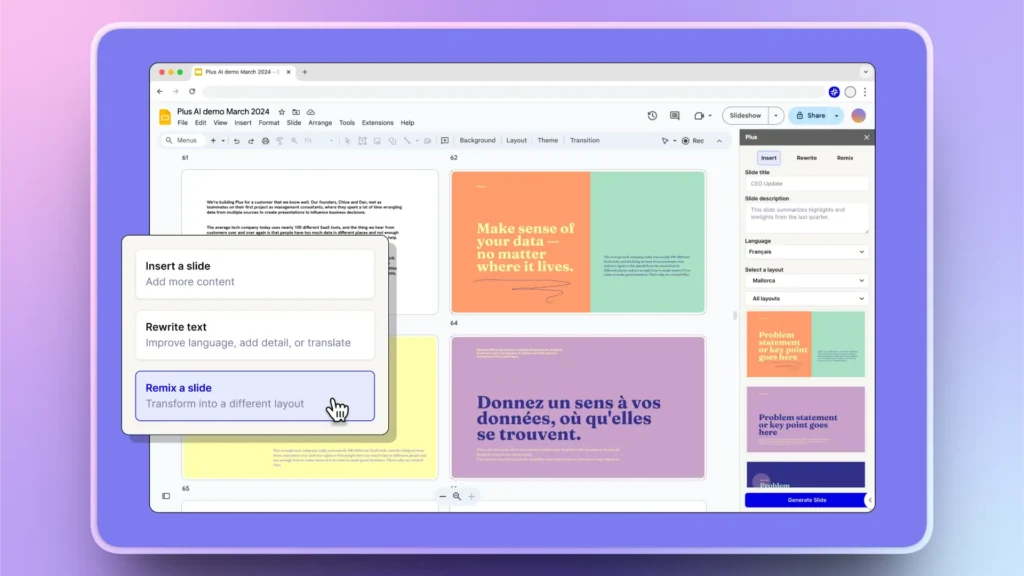
Plus AI supports Google Slides and helps you create interesting presentations and basic pitch decks with interactive elements. There are some great designs and themes available. For pitch decks, Plus AI isn’t the best AI pitch deck generator, but it gets the job done.
If you haven’t tried it yet and want to optimize your workflow in Google Slides, give it a try. There are different input options available. Plus AI is just like the mini version with limited capabilities for Google Slides.
Pros and Cons of Plus AI
| Pros | Cons |
| Works inside Google Slides | Requires Google Workspace |
| Fast AI slide generation | Limited design sophistication |
| Good collaboration features | Less control than PowerPoint tools |
For teams and group projects, Google Slides used to be a good option. Now, PowerPoint has also added some decent collaboration features that can help teams and groups. Plus, AI is only useful if you are working in the Google ecosystem.
What is the Best AI Pitch Deck Generator?
The answer to this question depends on your requirements and expectations. If you are looking for an AI pitch deck generator that is fully compatible with the PowerPoint ecosystem and offers better functionality, then Twistly is the best AI pitch deck generator for you.
Some people like to work in Google Slides so they can try Plus AI. For overall usage, Twistly offers the best results, functions, and compatibility with PowerPoint. This simple comparison table will help you a lot to make the right decision.
| Feature | Twistly | Gamma | Decktopus | Tome | Plus AI |
|---|---|---|---|---|---|
| Platform | PowerPoint (native add-in) | Web | Web | Web | Google Slides |
| AI Content Generation | Excellent (structured pitch flow) | Strong (prompt-based) | Strong | Strong | Strong |
| Design Automation | High | High | Moderate | High | Moderate |
| Customization Flexibility | Very High | Medium | Medium | Medium | Medium |
| Investor Pitch Focus | Very High | Medium | High | Low | Medium |
| Ease of Use | Easy | Very Easy | Easy | Easy | Easy |
| Export Options | Full PowerPoint control | PPT, PDF, web | PPT, PDF | Limited | Google Slides export |
| Best For | Professional investor decks | Fast AI storytelling | Guided deck creation | Creative storytelling | Google Workspace users |
Conclusion
Among all AI pitch deck generators, Twistly not only offers the easiest integration with PowerPoint but also the latest AI models. Other AI pitch deck generators, including Tome, Plus AI, Decktopus, and Gamma, are also good for their unique features.
Download Twistly now and get a custom ChatGPT for PowerPoint that can generate amazing pitch decks, professional presentations, and attractive slides for you on any topic. Give it a try and redefine your chances of success with investor-ready pitch decks.
Create PowerPoint Slides with AI
Build AI-powered presentations from any prompt, doc, or video












Start Making AI Presentations in Seconds
Instant Access
Begin exploring Twistly’s full suite of features immediately
No Commitments
No credit card required, and you can cancel anytime
Dedicated Support
Our team is here to assist you every step of the way during your trial.