


Best Slidesgo Alternatives in 2026 — Free Template Sites and AI Slide Makers
Last updated
Last updated: October 17, 2026. Prices, download limits and licence terms checked on each vendor’s own site on this date.
Slidesgo, from Freepik, is one of the biggest libraries of free PowerPoint and Google Slides templates, and it now has an AI Presentation Maker too. The catch is in the free plan: you must register to download, you get 3 template downloads a month, and you have to keep the Slidesgo credits slide in your presentation. Premium removes the attribution for $5.99 a month, or $35.99 a year.
Whether you need an alternative depends on what’s slowing you down. If it’s the download limit, the credit slide or seeing the same template in someone else’s talk, another template library will do. If it’s the hours spent filling a template with your own content, you want an AI tool that writes and designs the slides. This guide covers both.
Our Top Picks
- Free templates with no download limits: SlidesCarnival – ↓ Jump to SlidesCarnival
- Large premium library with a commercial licence: Envato – ↓ Jump to Envato
- Templates plus an easy design editor: Canva – ↓ Jump to Canva
- AI that builds the deck inside PowerPoint: Twistly – ↓ Jump to Twistly
- AI that builds the deck in the browser: Gamma – ↓ Jump to Gamma
| Tool | Type | Free option | Paid from | Works with | Credit required on free use? |
|---|---|---|---|---|---|
| Slidesgo | Template library + AI maker | 3 downloads/month (registered); 3 AI presentations/month | $5.99/mo or $35.99/yr | PowerPoint, Google Slides | Yes — keep the credits slide |
| SlidesCarnival | Template library | Everything is free, no registration | Free | PowerPoint, Google Slides, Canva | Yes — credit and link (CC BY 4.0) |
| Envato | Template library (subscription) | None | $16.50/mo billed annually, $39 monthly | PowerPoint, Google Slides, Keynote | No free use |
| Canva | Design platform with templates | Free plan, up to 20 AI uses | $18/mo (Pro) | Canva; download as PowerPoint | No |
| Twistly | AI generator (PowerPoint add-in) | 3 presentations, up to 10 slides | $16/mo | PowerPoint | No (free decks carry a small “made with” badge) |
| Gamma | AI generator (web app) | 400 credits at signup | $12/mo | Web; exports PPTX and Google Slides | No |
How We Compared These Tools
We compared each option on what you get for free, what the paid plan costs, which apps the files open in, and the licence terms you have to follow. Prices, limits and licence terms come from each vendor’s own pricing, FAQ and terms pages and were checked on 17 October 2026. Twistly is our own product, so it gets the same “Skip it if” note as every other tool.
Slidesgo at a Glance
| Slidesgo plan | Price | Downloads | Attribution |
|---|---|---|---|
| Free (registered) | $0 | 3 templates/month; 3 AI presentations/month | Required — keep the credits slide |
| Premium | $5.99/month, or $35.99/year ($3/month) | Advertised as unlimited, capped at 150/month | Not required |
Templates come in PowerPoint and Google Slides formats. The AI Presentation Maker builds a full deck from a prompt and exports it as an editable PPTX that opens in PowerPoint and Google Slides; free accounts can make up to 3 AI presentations a month. On Trustpilot, Slidesgo is rated 2.0 out of 5 from 59 reviews.
Template Libraries: You Still Write the Slides
These replace Slidesgo’s template catalogue. You pick a design and fill in your own content, exactly as you do today.
Slidesgo Alternative #1: SlidesCarnival
SlidesCarnival is completely free — no registration and no download limits — and its templates open in PowerPoint, Google Slides and Canva. Templates are licensed under Creative Commons Attribution 4.0: you can use them commercially, but you must credit SlidesCarnival with a link and keep the credits slide for the photos. It also offers an AI presentation maker powered by Canva, free up to 10 times before you need Canva Pro.
Skip it if: you can’t include a credit in client or company decks — the attribution requirement is the same trade-off as Slidesgo’s free plan.
Slidesgo Alternative #2: Envato
Envato’s subscription includes presentation templates for PowerPoint, Google Slides and Keynote alongside stock photos, video, fonts and graphics. Each download comes with a lifetime commercial licence for one project, and that project stays covered after you cancel. Its AI credits cover images, video, audio and graphics — there is no AI presentation generator.
- Core: $16.50/month billed annually, or $39 month to month
- Plus: $39/month billed annually, or $59 month to month
- Trustpilot: 2.3 out of 5 from 8,984 reviews
Skip it if: you only make a few decks a year — Slidesgo Premium at $35.99 a year is far cheaper for presentations alone.
Slidesgo Alternative #3: Canva
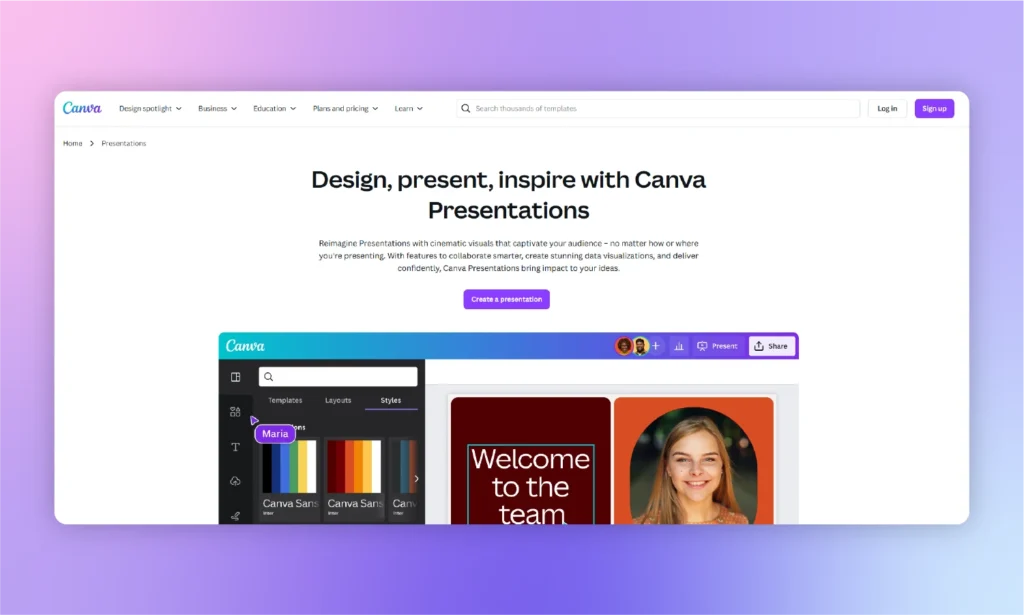
Canva combines a large template library with an easy drag-and-drop editor, so you can restyle a template far more than in PowerPoint or Google Slides without design skills. The Free plan includes 1.6 million templates and up to 20 AI uses, and Pro unlocks 3.6 million templates including premium ones. You can present from Canva or download the deck as a PowerPoint file, though Canva notes the PPTX may look different in PowerPoint.
- Free: $0 — 1.6M+ templates and up to 20 AI uses
- Pro: $18/month, or $144/year for one person — premium templates and about 10× the AI allowance of Free
- Business: $25 per person/month, or $250 per person/year — team, brand and admin tools
Skip it if: your deck has to be edited by colleagues in PowerPoint — you’ll be handing over a converted file rather than a native one.
AI Tools: The Slides Are Written for You
If filling in a template is the slow part, these tools draft the content and the design together. Slidesgo’s own AI Presentation Maker belongs in this group too, with 3 free presentations a month.
Slidesgo Alternative #4: Twistly
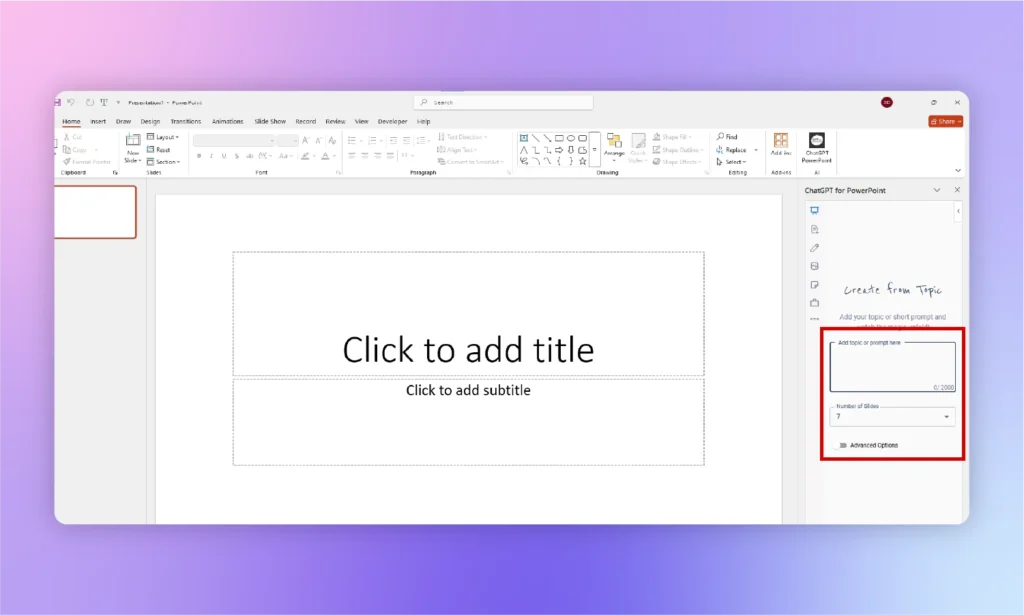
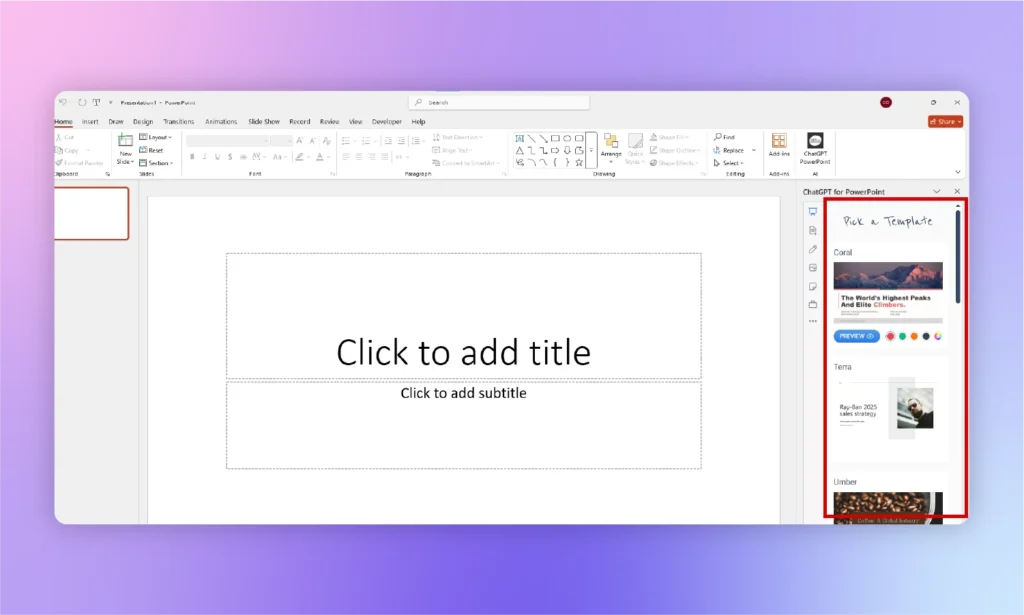
Twistly is an add-in that works inside PowerPoint on Windows, Mac and the web. Instead of downloading a template and replacing placeholder text, you give it a topic, your own text or a file (PDF, Word, PowerPoint, Excel, TXT or HTML) and it writes and lays out the slides in one of 51 built-in templates — or your own company template on Pro and Team, which is the simplest way to avoid looking like everyone else’s deck.
- Free plan: 3 presentations of up to 10 slides, no credit card needed
- Starter: $16/month — up to 15 slides per presentation, unlimited AI credits
- Pro: $20/month — up to 50 slides, your own templates, API access
- Team: $20/month — Pro features plus shared templates and central billing
- Annual billing saves 40%. See the Twistly pricing page.
Skip it if: you only want a pretty template to fill yourself, or you work in Google Slides — Twistly has no Google Slides add-on.
Slidesgo Alternative #5: Gamma
Gamma builds presentations, documents and simple websites from a prompt in the browser. Its free plan gives you 400 credits at signup, and every plan can export to PDF, PPTX, PNG and Google Slides.
- Free: 400 credits at signup
- Plus: $12/month, or $9/month billed annually
- Pro: $25/month, or $18/month billed annually
Skip it if: you need a polished PowerPoint file — exported PPTX files often need fonts and layouts fixed. See our Gamma alternatives guide.
When Slidesgo Is Still the Right Choice
- You want a specific themed design — education, seasonal, medical — and are happy to write the content yourself.
- You don’t mind keeping the credits slide, or $35.99 a year for Premium is easy to justify.
- You present from Google Slides and want templates made for it.
FAQs
Is Slidesgo free?
Partly. Registered free users can download 3 templates a month and make 3 AI presentations a month, but must keep the Slidesgo credits slide. Premium costs $5.99 a month or $35.99 a year and removes the attribution requirement.
Do I have to credit Slidesgo?
On the free plan, yes — Slidesgo asks you to keep the slide where the credits appear. Premium subscribers don’t need to credit Slidesgo.
What is the best free alternative to Slidesgo?
SlidesCarnival, if you want free templates without download limits and can include a credit. If you’d rather have AI write the slides, Twistly’s free plan (3 presentations in PowerPoint) and Gamma’s free plan (400 credits) are the easiest to try.
Sources
Pricing and plan limits (checked 17 October 2026): Slidesgo pricing · Slidesgo FAQ · SlidesCarnival terms · Envato · Canva · Twistly · Gamma
User ratings (Trustpilot, 17 October 2026): Slidesgo · Envato · Canva · Twistly · Gamma










Start Making AI Presentations in Seconds
Instant Access
Begin exploring Twistly’s full suite of features immediately
No Commitments
No credit card required, and you can cancel anytime
Dedicated Support
Our team is here to assist you every step of the way during your trial.