
Modern AI presentation tools are fast, and that has been their major selling point for a very long time. But why don’t we talk more about generic, “cookie-cutter” designs that leave users struggling with brand alignment? With no critical thinking and context relevance, all generative AI tools are producing the same slides and presentation slides.
AI Tools are Sacrificing Custom Brand Compliance
Custom brand compliance is ignored because AI models are trained on the existing datasets of mainstream designs. Even after spending 30 minutes crafting a “perfect prompt” for your presentation, an AI presentation maker generated 10 slides that are the same as a random presentation that you found online.
Such “instant results” are useless unless you achieve novelty, clear communication, and control all design elements. The efficiency trap of the first wave of fast AI tools didn’t just feel right.
In a race between instant results and relevancy or branding, you don’t want one participant to win. A true presentation tool must offer output that needs the least editing or manual designing.
AI models confidently synthesize fabricated content, commonly known as hallucinations. Professionals need tools that generate accurate slides and relevant designs that align with their branding.
AI Presentation Expectations are Different Now
The very first wave of AI tools solely focused on automation or repetitive tasks; users didn’t worry much if the results needed touch-ups and edits.
Creating fast slides from a single prompt was the most impressive aspect of these AI presentation makers. Soon enough, users and organizations discovered a challenge that was posed by most fast presentation makers.
Faster Results, Poor Quality Communication
Decks were generated within minutes, but data seemed off, charts didn’t communicate effectively, designs looked generic, and the overall vibe was off. Companies learned that faster isn’t always better. The “Cleanup Tax” was too high for AI outputs.
Decks started failing to match the tone of your brand message and overall reality of the data. Sending these AI-generated decks, your investors and managers became a major risk.
| Speed | Accuracy & Reliability |
| Reduces the time between idea and execution | Includes validation, fact-checking, and source verification |
| Prioritizes rapid content or output generation | Prioritizes correctness and trustworthiness |
| Can improve efficiency and workflow speed | Helps reduce mistakes and misinformation |
| Excessive focus on speed may lower accuracy | Careful review helps maintain quality standards |
| Faster results may require additional revisions later | Reliable outputs require fewer corrections afterward |
| Best for quick drafts and initial concepts | Best for final deliverables and decision-making |
| Measures success by how quickly work is completed | Measures success by how accurate and effective the outcome is |
| Saves time upfront | Prevents costly errors and compliance risks in the long run |
Post-editing of Instant AI-generated Decks
Teams often spend nearly as much time refining AI decks as they would have spent creating these decks manually. A fast result was never the goal; effectiveness and better communication were. The focus shifted from creation to cleanup.
Overall time and resources spent on creating presentations with AI tools remained the same. Teams were still spending hours on:
- Adjusting layouts
- Fixing inconsistent branding
- Correcting visual hierarchy
- Replacing unsuitable imagery
- Aligning content with corporate standards
Everyone had the same results, output was repetitive, and it was hard to make a difference or impress your investor with an AI-generated pitch deck.
A tool that saves you 30 minutes on drafting but costs you two hours in manual editing hasn’t solved your problem. You are just being a victim of the fast results.
Quality and Brand Control are True Differentiators
A normal user may not even notice this productivity paradox, but professionals realize that brand presentation is the face of your organization. Design teams are also burdened with a new type of workload, disguised as automation.
Strict brand control and precise automation are the new standards that make an AI tool suitable for professional presentations. Tools that generate random content, forcing you into manual editing, are now out of the equation.
What’s the New Measure of Success?
What do we make presentations for? What’s the main purpose of a presentation? A presentation is ultimately a communication tool. If your deck is not serving the prime purpose, instant or fast output is useless to you.
Decks are there not just to exist but to inform, communicate, persuade, and drive decisions. While evaluating any AI tool for making presentations, you need to ask:
- Does the presentation deliver the intended message effectively?
- Is information organized logically?
- Are slides visually consistent?
- Does the design reinforce credibility?
- Can stakeholders understand key insights quickly?
These are some common factors that determine the effectiveness of the presentation. A tool that generates faster results without ensuring branding, consistency, and effectiveness fails miserably for sales pitches, investor decks, business reviews, and strategic presentations.
Automatic Design Enforcement by Twistly
With the expansion of AI tools across organizations, maintaining brand consistency has become a major challenge. Businesses invest heavily in visual standards, but finding the right AI presentation maker has also become the real challenge.
Users are tired of isolated AI tools that generate chaotic decks and then require clumsy exporting. What other options do you have to make AI presentations that are not just fast but accurate, relevant, effective, and professional, too?
Twistly for PowerPoint
Isn’t Twistly just another AI presentation maker that turns your prompt or data into beautiful slides? Somehow, you are right, but many users miss the intelligent data parsing capabilities of Twistly.
Instead of relying on simple prompts, Twistly parses complex information across millions of PDFs, data sources, design libraries, and market research to extract accurate and relevant information.
Twistly recently handled the problem of brand dilution through custom brand templates that eliminate the manual cleanup. What is the “custom templates” feature in PowerPoint and how does it work?
Create PowerPoint
Slides with AI
Build AI-powered presentations from
any prompt, doc, or video


Custom Brand Templates in Twistly
Instead of AI following the same generic design guidelines, users can define their own presentation structure. The workflow completely bypasses the traditional design bottleneck through a highly automated architectural approach.
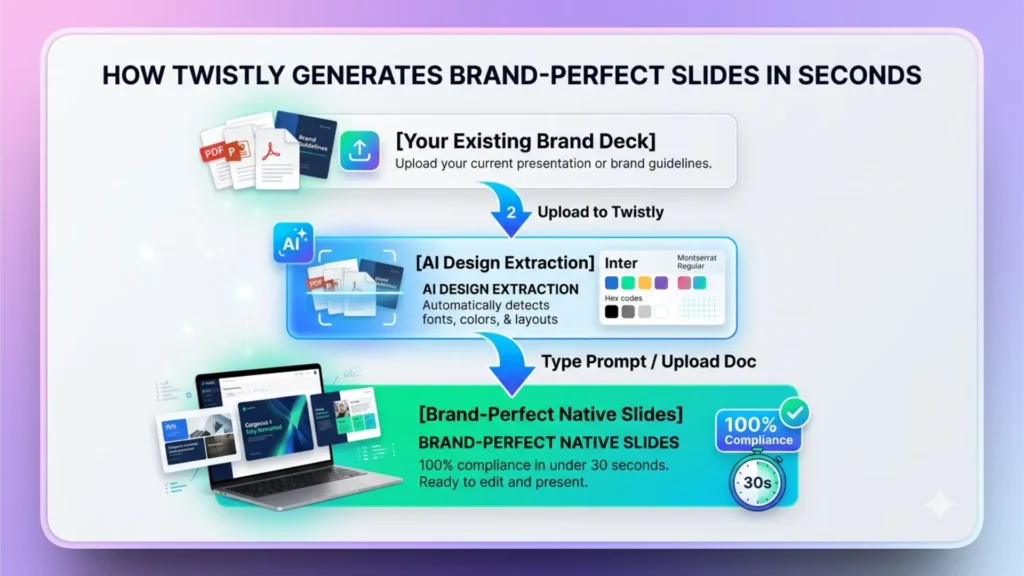
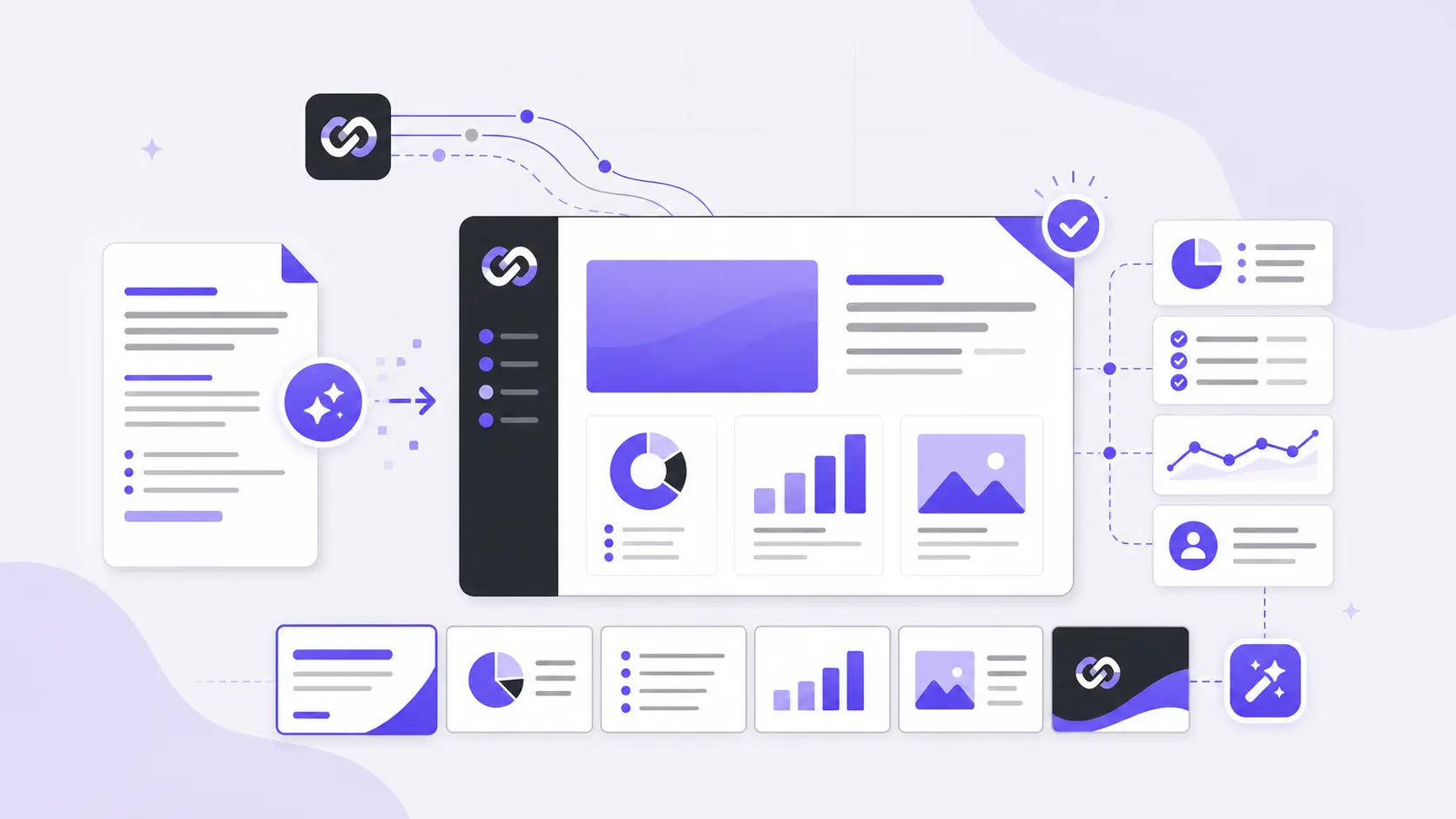
Users can upload their own brand presentation, and Twistly will automatically extract different elements from the uploaded deck and save a reusable PowerPoint template for future presentations. Extracted elements may include:
- Corporate colors
- Approved typography
- Slide layouts
- Logo placement
- Visual hierarchy
- Content frameworks
- Chart and dashboard styles
- Section structures
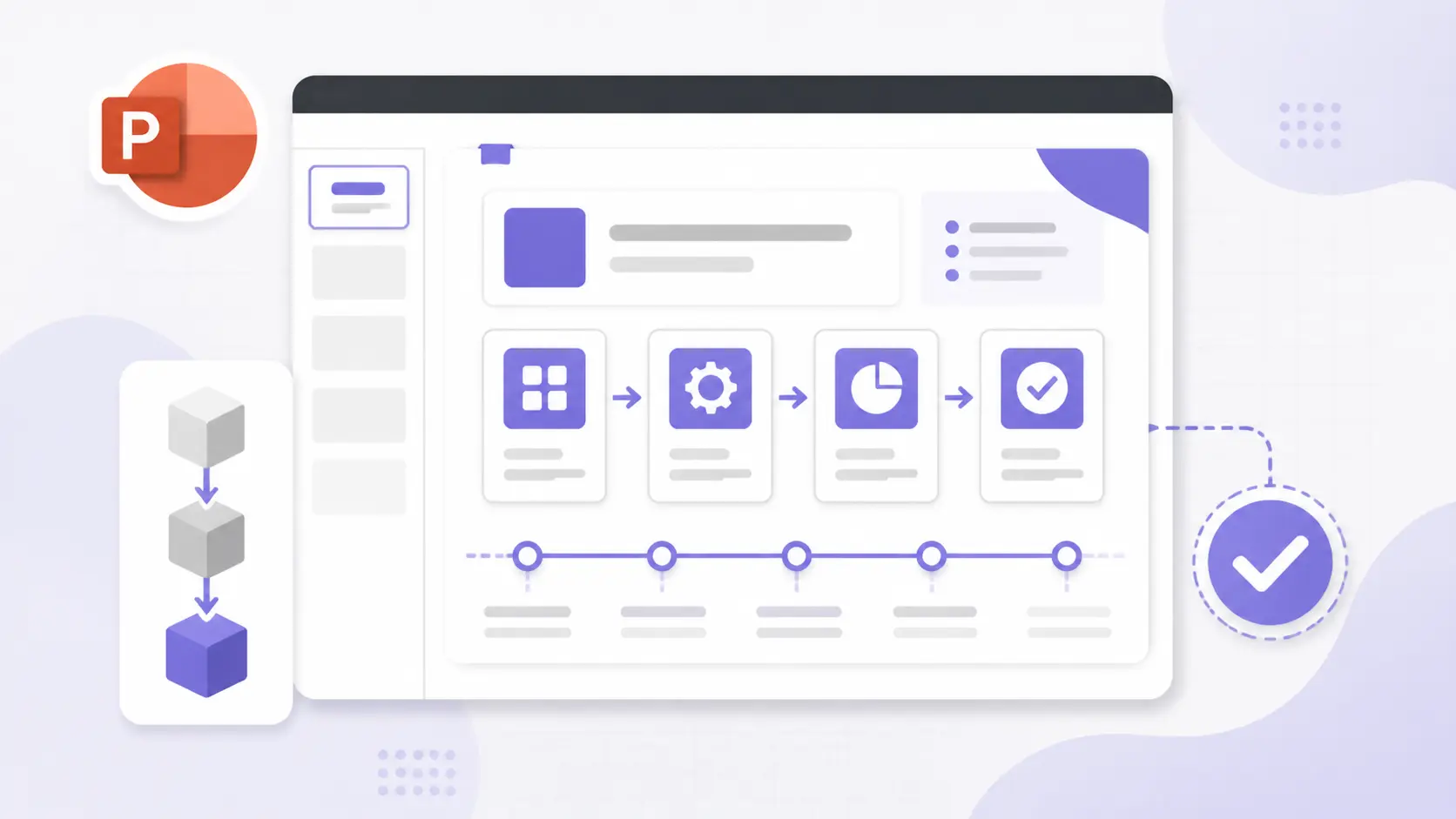
For every presentation generated via a custom template, all these standards are automatically applied to your presentation. Users begin with slides that already reflect organizational requirements.
How do Custom Templates Work in Twistly?
Turning a brand presentation into a reusable template is not easy. With AI, Twistly has made it possible to save any brand presentation as your custom template. Stages of accurate presentation making with Twistly are easy.
1. Automatic Design Extraction
The home screen of the add-in has a new feature called “My Templates” where users can upload their existing presentations. Twistly will automatically analyze brand elements and save them as a professional template.
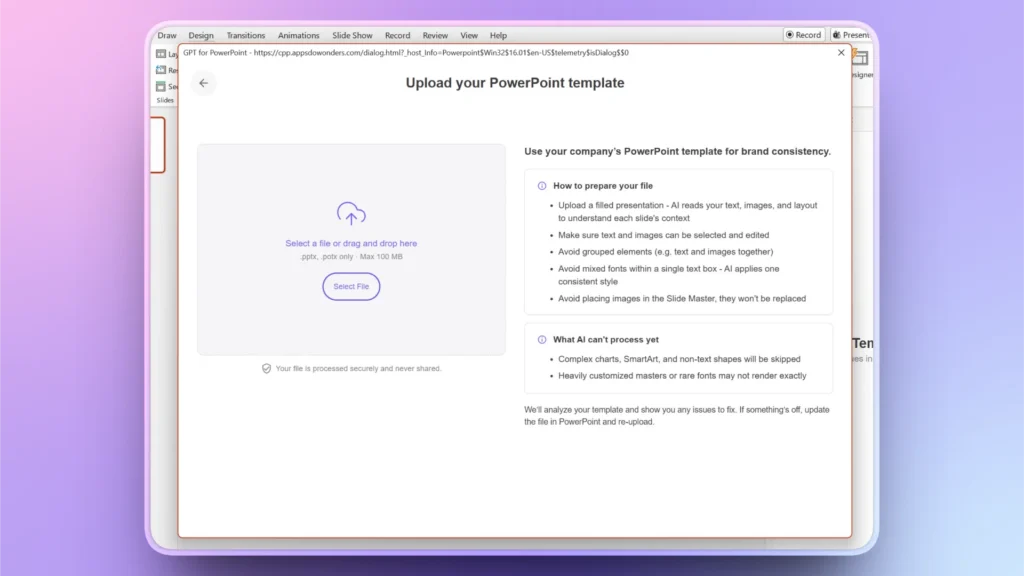
2. Zero-cleanup for Slides
For any uploaded document or prompt, Twistly does not have to start from scratch. It populates content directly into your saved custom template. The resulting deck is not only fast but effective and relevant, too.
3. Native PowerPoint Alignment
PowerPoint builds everything inside PowerPoint. Every text box, image alignment, and icon placement obeys your original grid lines. You don’t have to worry about mismatched fonts, boxes, or web exports.
Fast, Accurate, and Effective Decks with Twistly
Most AI tools made real promises, but results were not as expected. Twistly resolved all design and editing-related issues posed by other tools. Developers focused on quality and offering more controls along with faster slide generation.
If you want to be part of the fast-changing AI presentation tools, download Twistly now and experience the ultimate control and customizations offered by Twistly. Every presentation generated with Twistly is:
- Strategically structured
- Visually polished
- Brand-compliant
- Audience-focused
- Ready for immediate use
Instead of worrying about how quickly an AI tool can create a presentation, shift your focus to the effectiveness of the presentation. You need a tool that helps you communicate effectively.
Final Words
The future of AI presentation tools isn’t about making slides faster; it’s about making them count. Speed remains valuable, but it is no longer enough on its own. Twistly combines the power of the latest AI models to yield accurate and faster decks for every user.
Twistly helps organizations move beyond simple automation and toward presentation excellence. That is the new standard for AI presentation tools, and it is where the industry is heading.
Create PowerPoint Slides with AI
Build AI-powered presentations from any prompt, doc, or video





Start Making AI Presentations in Seconds
Instant Access
Begin exploring Twistly’s full suite of features immediately
No Commitments
No credit card required, and you can cancel anytime
Dedicated Support
Our team is here to assist you every step of the way during your trial.