


Beautiful.ai’s Pro plan costs $12/month billed annually but jumps to $45/month if you pay monthly. There’s no permanent free plan, just a 14-day trial that requires a credit card.
This AI presentation maker offers rigid Smart Slide templates that limit layout control and PowerPoint exports that can break fonts and flatten charts. It’s clear why people look for alternatives. We compared 8 tools for pricing, flexibility, and export quality to help you pick the right one.
Nuestras mejores elecciones
El mejor en general: Twistly - ↓ Ir a la reseña de Twistly
Mejor Premium: Pitch - ↓ Jump to Pitch AI review
Lo mejor por sus características: Wonderslide - ↓ Jump to Wonderslide review
Lo mejor para los efectos visuales: Visme - ↓ Jump to Visme review
He aquí una rápida tabla comparativa que le ayudará a tomar una decisión informada sobre la mejor alternativa a Beautiful AI.
| Tool | Free plan? | Price from (annual) | G2 rating | Best for |
| Twistly | Yes (7 slides, watermark) | $5/mo | 5 | PowerPoint users |
| Pitch | Yes (5 members) | ~$17/user/mo | 4.3 (65) | Sales teams, collaboration |
| Wonderslide | 7-day trial only | ~$3/mo | [sparse] | Restyling existing PPTs |
| Visme | Yes (limited) | $12.25/mo | 4.5 | Infographics, data visuals |
| Gamma | Yes (400 credits) | ~$8/mo | 4.3 | Fast first drafts |
| Canva | Yes (generous) | $10/mo | 4.7 (7000+) | General design + slides |
| Más IA | No (7-day trial) | $10/mo | 3.2/5 | Google Slides users |
| Prezi | Yes (basic) | $7/mo | 4.2/5 | Non-linear presentations |
Which Beautiful.ai Problem are you Trying to Fix?
- “My PowerPoint exports look broken.”
Beautiful.ai converts text to shapes, substitutes fonts, and flattens charts to images on export. → Use a tool that works natively in PowerPoint: Twistly or Plus AI.
- “The $12/month price jumped to $45 when I switched to monthly.”
Beautiful.ai’s annual-to-monthly markup is ~3.75x. → Compare the pricing table above. Canva and Gamma offer generous free plans.
- “I can’t control where things go on the slide.”
Smart Slides lock element positions by design. → Tools with full layout freedom: Twistly (PowerPoint), Visme, Canva.
- “AI only generates the first draft – I can’t iterate.”
Beautiful.ai’s AI stops after initial generation. No conversational edits, no document input. → Gamma (Agent mode), Plus AI (iterative editing), Twistly.
- “I need a free tool.”
Beautiful.ai has no permanent free plan. → See the Free Plan column in the table above. Canva, Gamma, Pitch, and Twistly all have free tiers.
¿Qué es Beautiful AI?
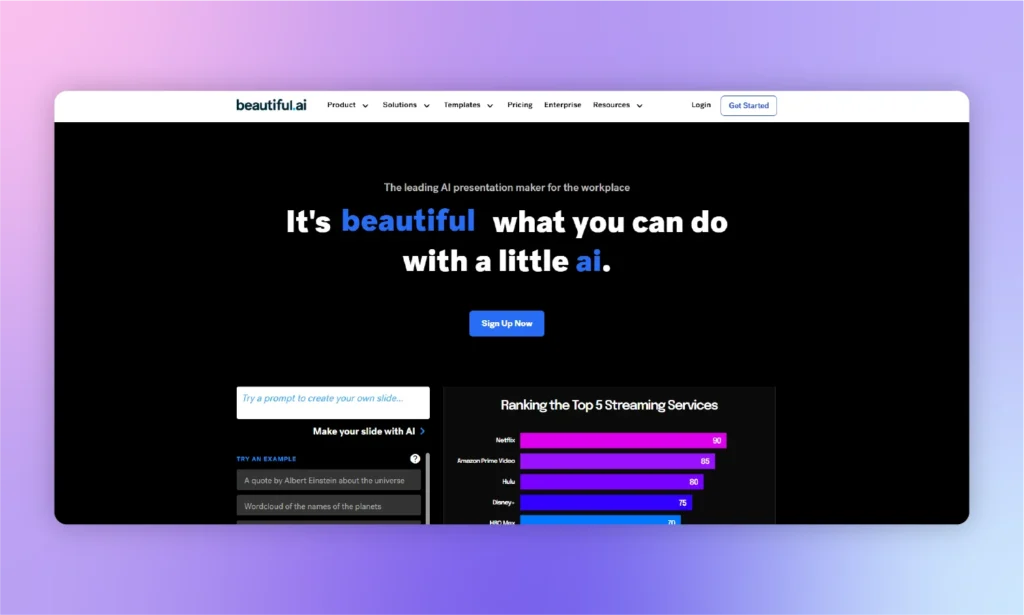
Beautiful AI, o Beautiful.AI, es un creador de presentaciones decente que automatiza el flujo de trabajo con inteligencia artificial. Los principiantes y los usuarios sin conocimientos técnicos pueden elegir Beautiful AI para realizar presentaciones básicas y bonitas.
For anyone with a lack of experience in designing part of a presentation, Beautiful AI is a good option. Although the lack of flexible presentation-making and content generation might encourage you to consider Beautiful AI the best alternative overall, it is a good tool.
Los desarrolladores de Beautiful AI se han centrado en una interfaz más sencilla pero práctica para que presentaciones con IA. When users write a prompt, Beautiful AI compiles the information and then returns a simple, ready-to-edit draft of the slide for:
- Businesses, professionals, and teams who already have their content ready
- Marketers and entertainment-industry users who prioritize visually engaging and presentation-ready designs
- Beginners with little design experience who want auto-formatted slides
Beautiful AI Pricing
Every tier starts as a 14-day trial that requires a credit card and auto-charges the full annual rate if you forget to cancel. The steepest cost sits in the Pro plan’s billing structure: $12/month if you commit annually, or $45/month if you pay as you go, a 3.75x markup for the same features. (Prices checked: August, 2026.)
| Plan | Monthly price | Annual price (per month) | Notes |
| Pro | $45/mo | $12/mo | Single user. 14-day trial requires credit card. Auto-charges $144/year if not canceled. |
| Team | $50/user/mo | $40/user/mo | Min 2 seats, max 20 users. |
| Empresa | A medida | A medida | 20+ users. Custom pricing only. |
| Single Presentation | $45 one-time | – | One deck only. No subscription. |
| Student/Teacher | Free (1 year) | Free (1 year) | Requires valid .edu email. |
Pros y contras de Beautiful AI
- G2: 4.6/5 (195 reviews)
- Capterra: 4.2/5 (85 reviews)
- Trustpilot: 2.9/5 (241 reviews)
The split tells the story: users like the product, but many complain about billing and support.
| 👍 Pros | 👎 Contras |
|---|---|
| Sencillo y fácil de usar | No se pueden hacer presentaciones a partir de documentos |
| Funciones de inteligencia artificial inteligentes y productivas | Se ralentiza en presentaciones grandes |
| efectos visuales cautivadores | No es adecuado para tareas de colaboración |
Hermosa alternativa AI #1: Twistly AI
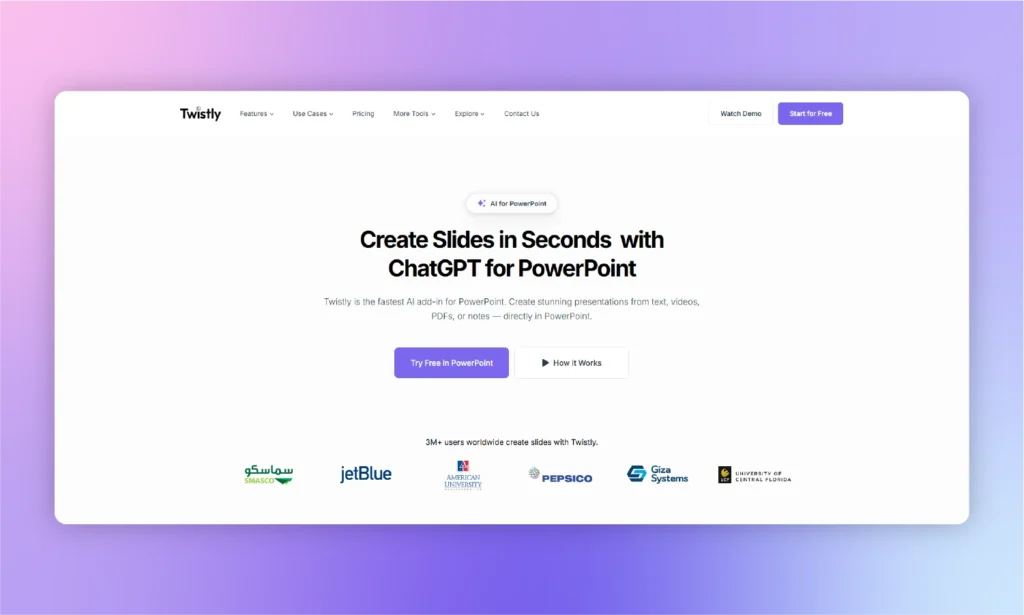
Hacer presentaciones con PowerPoint nunca había sido tan fácil antes de Twistly AI. Si alguna vez tenemos que sustituir Beautiful AI por una solución de IA más moderna y flexible para PowerPoint, Twistly será la elección obvia.
¿Qué es Twistly?
Si comparamos las funciones, el soporte, las opciones de IA y la generación de contenidos, Twistly es, con diferencia, la mejor alternativa de Beautiful AI. A diferencia de otros creadores de presentaciones de IA independientes, Twistly es un complemento para PowerPoint.
Esto significa que Twistly funciona completamente dentro de PowerPoint, y todas las características de PowerPoint siguen ahí, con soporte adicional para IA. Este complemento con IA simplemente amplía las funciones existentes de PowerPoint con IA.
No es posible autogenerar contenido en PowerPoint, ni añadir automáticamente imágenes para las diapositivas. Con Twistly, todo esto es posible, ya que la IA es flexible y ofrece distintas opciones y funciones nuevas en función del tema y el contexto de la presentación.
¿Cómo hacer presentaciones con Twistly?
Install the add-in from Microsoft AppSource, and it opens as a panel right inside PowerPoint. From there, describe what you need, choose a theme, and Twistly builds the full deck for you, ready to edit with PowerPoint’s native tools.
¿Para qué es ideal Twistly?
Twistly es ideal para todos los que están molestos por la falta de características modernas en Beautiful AI. Cualquiera que busque la mejor alternativa Beautiful AI puede considerar Twistly AI para una mayor flexibilidad y control.
Un público más amplio
Twistly is not designed to serve any specific audience, but it targets a diversity of users, ranging from students to company executives. Any beginner or professional PowerPoint lover is a potential user of Twistly AI.
Chat personalizadoGPT
AI has become a necessity in almost every sector. Students are using ChatGPT for writing essays, and professionals use AI to generate complex reports. ChatGPT generates text-based results, and Twistly is just like ChatGPT for PowerPoint, as it extends the capabilities from text to slide generation, theme selection, and formatting.
Para principiantes y profesionales
Anyone who needs instant and professional presentations for any topic can use the Twistly AI add-in for PowerPoint. Try ChatGPT for PowerPoint for free, as the trial period is available for new users for a limited time.
| 👍 Pros | 👎 Contras |
|---|---|
| Un periodo de prueba gratuito | Requiere conexión a Internet |
| IA flexible y adaptable | El periodo de prueba puede parecer demasiado corto |
| Presentaciones en varios idiomas | |
| Pantallas de presentación multiplataforma |
Skip it if: your team works in Google Slides, not PowerPoint, as Twistly is PowerPoint-only.
Twistly Pricing
Annual Discount: Guardar 40% with annual billing. (Pricing last checked: August 4, 2026)
Free Trial: Available for new users with no credit card required.
| Plan | Monthly Price | Características principales |
|---|---|---|
| Starter | $16/month | Up to 15 slides per presentation, unlimited AI credits |
| Pro | $20/mes | Up to 50 slides per presentation, unlimited AI credits |
| Team | $20/user/month | Team collaboration features with unlimited AI credits |
Ratings
- Microsoft Marketplace: 4.7/5 (439 ratings)
- G2: 5/5 (5 ratings)
- Trustpilot: 4.7/5 (73 ratings)
Hermosa alternativa AI #2: Pitch
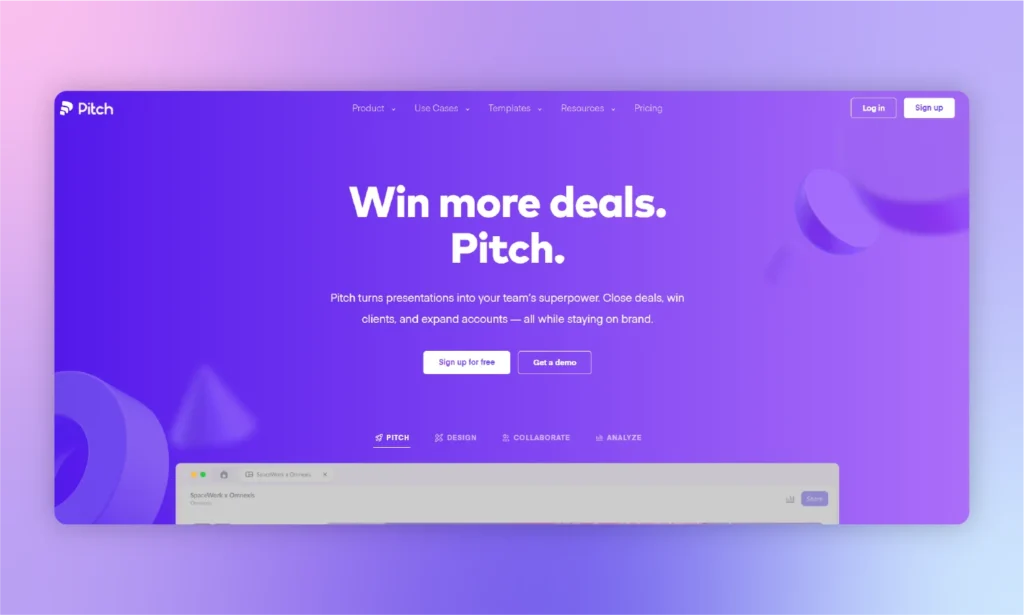
Encontrar una alternativa a tu herramienta o software favorito no es fácil, y los usuarios quieren múltiples herramientas como Beautiful AI para hacer grandes presentaciones. Pitch es una buena herramienta, al igual que Beautiful AI, para presentaciones relacionadas con equipos de ventas y profesionales del marketing.
Pitch is a Beautiful AI alternative only if you need technical presentations that cover every aspect of the topic that you need to cover in the presentation.
¿Para qué es ideal Pitch?
Esta es una alternativa premium a Beautiful AI sólo si estás relacionado con las ventas. Para diapositivas educativas e informativas, tendrás que buscar otras alternativas gratuitas o de pago o herramientas similares a Beautiful AI.
Los usuarios que quieran que los espectadores realicen acciones específicas pueden confiar en Pitch. Las diapositivas están diseñadas de forma esquemática para instar a los espectadores a realizar acciones concretas. Supongamos que tienes que convencer a los interesados para que inviertan en el nuevo proyecto.
Pitch le ayudará a generar diapositivas y presentaciones orientadas a las ventas que utilicen cifras y datos para presentar la idea. Con la fácil integración de Google Analytics y herramientas similares, Pitch facilita a los equipos de ventas la obtención de datos relevantes de otras fuentes.
¿Cómo utilizar Pitch?
En primer lugar, debes asegurarte de que tu presentación requiere estadísticas, cifras y números para reforzar tu idea. Para las presentaciones informativas, el pitch no es una herramienta adecuada. Una vez que tengas el tema de la presentación o idea pitch, sigue estos pasos para crear una presentación para lanzar tu gran idea:
- Comience con una plantilla AI de las opciones disponibles o cree una plantilla personalizada
- Añadir texto, contenido o información relacionada con el tema
- Inserte animaciones y transiciones fácilmente
- Personalizar con IA y obtener datos de otros recursos
- Comparta con los miembros de su equipo y colabore en tiempo real
Pros y contras de Pitch
| 👍 Pros | 👎 Contras |
|---|---|
| Magníficas plantillas para equipos de ventas | Ajustes básicos de generación de contenidos de IA |
| Opciones de integración útiles | Funciones demasiado complejas |
| Análisis y estadísticas avanzadas | No apto para usuarios comunes |
Skip it if: you want fast, one-click AI-generated decks. Pitch is built around collaborative editing, not automated generation.
Price: Free (up to 5 members). Team plan (the real collaboration tier) from $19/seat/mo billed annually, $23/seat/mo monthly.
Rating: G2 4.4/5 (67 reviews) · Trustpilot 2.9/5 (15 reviews)
Hermosa alternativa AI #3: Wonderslide
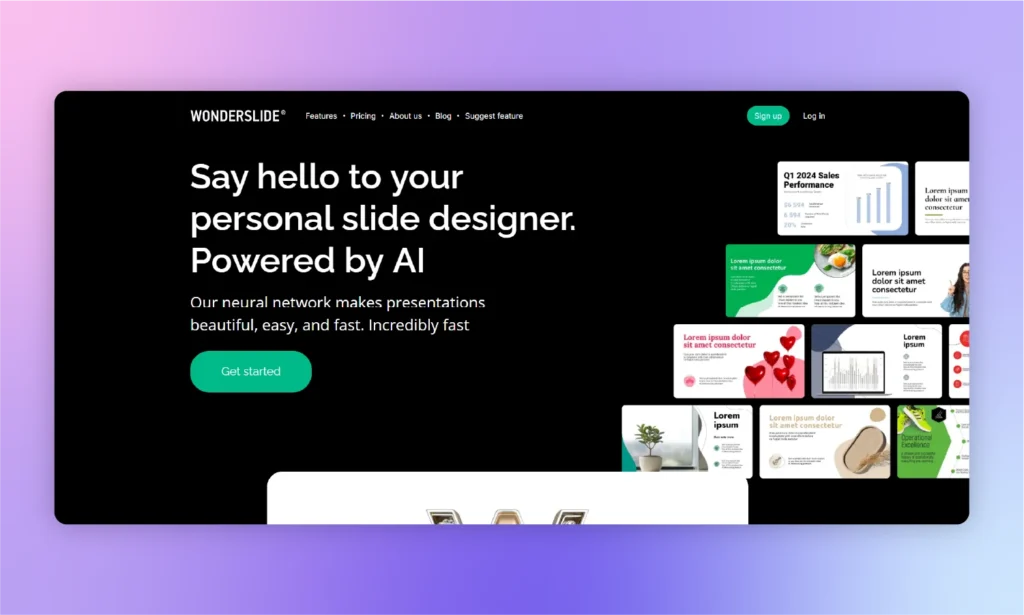
Instead of making use of AI within PowerPoint, Wonderslide requires users to make presentations in PowerPoint, upload PDF or Docs, customize them online with Wonderslide, and then download them again.
Downloaded presentations can be further optimized and customized with PowerPoint. This is a good Beautiful AI alternative with PowerPoint support.
¿Para qué es ideal Wonderslide?
Wonderslide is a good alternative to Beautiful AI for users who need to spice up their PowerPoint presentations with some premium templates. Editing features are easy to use, and even a new member can use this tool. The challenge that most users face is the transition from PowerPoint to Wonderslide and then again back to PowerPoint.
Si usted es alguien con muchos requisitos de edición para la presentación, Wonderslide es una buena herramienta como Beautiful AI. Los usuarios de Twistly pueden encontrarlo un creador de presentaciones básico porque Twistly ofrece características más avanzadas que PowerPoint.
Wonderslide también puede ser una buena alternativa gratuita a Beautiful AI, pero la versión gratuita sólo tiene algunas opciones básicas. Para el uso práctico de la herramienta, se necesita la versión premium, y que va a costar unos cuantos dólares más que nuestra herramienta recomendada.
¿Cómo utilizar Wonderslide?
You can either use a ready-made PowerPoint presentation to customize and edit it with Wonderslide or create a new presentation from scratch. Here is how to create a presentation with Wonderslide from scratch:
- Seleccione el modo “Desde cero” en el menú superior de la herramienta
- Añadir el contenido de la presentación, proporcionar datos y texto
- Click the “Design this Slide” button, and you will have a beautiful slide
- Ahora, repita el mismo proceso para cada diapositiva
As you can see, Wonderslide can be quite slow to produce the desired results. Users will have to input details and content for every slide. If you are making a presentation of 30 slides, you can imagine the effort required to use Wonderslide.w
| 👍 Pros | 👎 Contras |
|---|---|
| Plantillas visualmente atractivas | Opciones de personalización limitadas |
| Interfaz fácil de usar | Lleva demasiado tiempo para una nueva presentación |
| Funciones de colaboración | Automatización básica de las funciones de diseño |
Skip it if: you need a full deck built from a prompt. Wonderslide only restyles decks you already have; it doesn’t generate content from scratch.
Price: Starter plan $14.00/mo billed monthly(100 AI tokens/month, 3-5 presentations), or Pay-As-You-Go at $25 one-time for 10 downloads.
Rating: Essentially unrated, sample too small to be meaningful
Hermosa alternativa AI #4: Visme
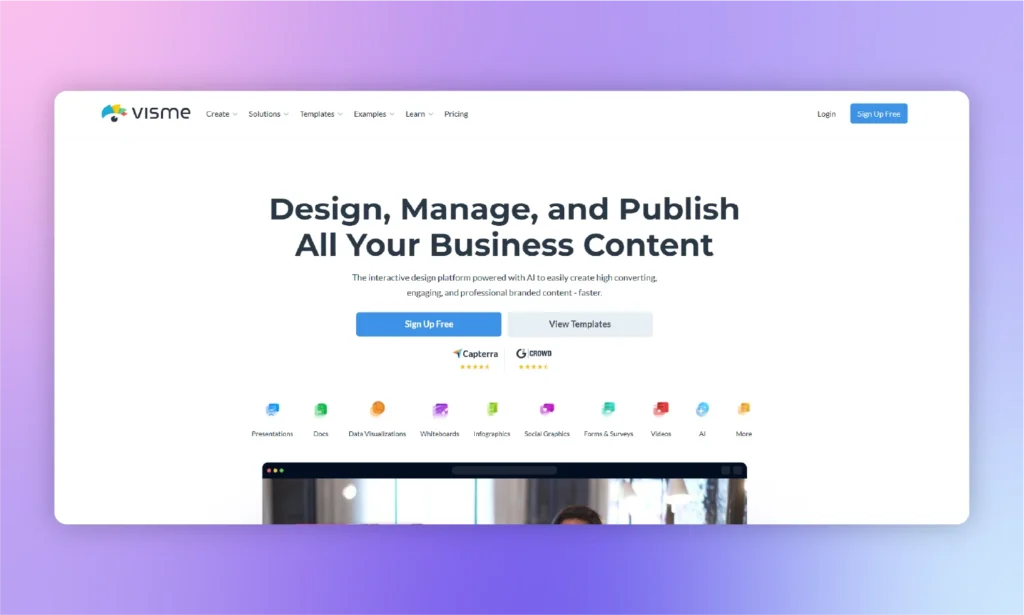
Visme es una ayuda visual completa para los usuarios que necesitan creadores de logotipos, plantillas de presentación, diseños personalizados y otros soportes para diferentes proyectos. ¿Es Visme una alternativa recomendada a Beautiful AI? Bueno, Visme puede generar presentaciones, y es una herramienta como Beautiful AI, pero no es la alternativa correcta al creador de presentaciones Beautiful.AI.
With lots of infographics, charts, shapes, visuals, and charts, Visme is a powerful media suite for beginners and professionals. The only problem is the complexity of these features and the lack of optimized support for PowerPoint. Presentations made with Visme Presentation Maker may not be easily usable in PowerPoint.
¿Para qué es ideal Visme?
For instructors, marketers, and professionals, this is a complete package with modern design tools. It has a full AI suite covering design generation, presentations, documents, images, and text, plus a Brand Wizard that builds a brand kit from your website URL. Where it differs from a dedicated slide tool is scope.
Users with good knowledge of graphics and design can make amazing presentations with Visme. The AI hands you a solid first draft, but narrative flow and final polish still take manual editing, and PPTX export can flatten animations into static images.
¿Cómo utilizar Visme?
It is not just a simple presentation maker, so you need to be sure about what features you need. You can create custom presentations with ready-made templates or use Visme AI Presentation Maker.
El nombre parece prometedor, pero las funciones de IA son bastante básicas y limitadas. He aquí cómo utilizar Visme para crear presentaciones básicas:
- Crear un nuevo proyecto y elegir una presentación
- Elige cualquier plantilla disponible o utiliza AI para las presentaciones
- Escriba el mensaje y explique detalladamente el contexto de la presentación
- Utilice el chatbot para seleccionar la plantilla y los elementos visuales pertinentes
- Una vez generadas las diapositivas, personalice la presentación para añadir o eliminar elementos
| 👍 Pros | 👎 Contras |
|---|---|
| Varios elementos visuales para mejorar las presentaciones | Los precios pueden ser demasiado altos |
| Amplios ajustes de personalización del diseño | Exportar a PowerPoint puede estropear el diseño |
| Animaciones y transiciones | Lleva tiempo entender la herramienta |
Skip it if: you want a lightweight tool. Visme’s broad, feature-heavy interface has a real learning curve.
Price: Free Basic plan. Paid plans from $12.25/mo per user, billed annually.
Rating: G2 4.5/5 (460+ reviews) · Capterra 4.5/5 (719 reviews)
Beautiful AI alternative #5: Gamma
Gamma is built for speed, and that’s where it stands out. Simply enter a prompt, and it can generate a complete presentation in less than a minute. Instead of traditional slides, Gamma uses a scrollable card-based format that makes creating content quick and flexible.
Since early 2026, Gamma has expanded beyond presentation generation. It now includes Gamma Imagine for creating AI-generated images and charts directly within the editor.
However, Gamma’s card-based design doesn’t always translate well to PowerPoint. When exporting to PPTX, you may notice formatting issues such as shifted fonts or content being split across multiple slides, which often requires manual adjustments.
Another thing to keep in mind is its free plan. The included AI credits are provided as a one-time allocation rather than being renewed each month, so frequent users can run out of credits sooner than expected.
| Pros | Contras |
|---|---|
| Genuinely fast, prompt-to-deck in under a minute | PPTX export usually needs manual cleanup |
| No credit card needed to try it | Free credits don’t refresh once used |
| Built-in image/chart generation (Gamma Imagine) | Card format doesn’t translate 1:1 to fixed slides |
Skip it if: you need a finished PowerPoint file with no touch-ups afterward. The export gap is the frequent complaint.
Price: Free (400 one-time credits, no card required). Plus from $9/mo annual, $12/mo month-to-month. (Checked Aug 2026)
Rating: G2 3.9/5 (28 reviews) · Trustpilot 1.7/5 (121 reviews)
Beautiful AI alternative #6: Canva
Canva’s biggest strength isn’t its AI; it’s the all-in-one design experience. Even with a free account, you get access to a powerful design platform with an extensive collection of presentation templates.
Its AI presentation capabilities are more limited than those of dedicated AI presentation tools. For example, you can’t upload a document and have Canva automatically turn it into a presentation. Instead, you’ll need to choose a template and manually transfer or organize your content.
Canva is also better suited for visually appealing presentations than highly detailed or technical ones. If you’re working with complex layouts or large branded presentations, maintaining consistent branding and formatting can become more challenging.
| Pros | Contras |
|---|---|
| Free plan is actually usable long-term | Won’t auto-convert an existing doc into a deck |
| Massive template and asset library | Not built for dense data or technical slides |
| Simple enough for zero design experience | Brand consistency still needs manual discipline |
Skip it if: you need pitch-specific or data-heavy layouts, as Canva optimizes for breadth over depth.
Price: Free plan (fully usable, not a trial). Pro from $15/mo. (Checked Aug 2026)
Rating: G2 4.7/5 (7,000+ reviews) · Trustpilot 4.0/5 (6,400 reviews)
Beautiful AI alternative #7: Plus AI
Plus AI is designed to work within the presentation software you already use. Instead of switching to a separate web app, it runs as an add-in for both Google Slides and PowerPoint. This approach allows you to create presentations from a prompt or an uploaded document without leaving your workspace.
It doesn’t offer a permanent free plan. Instead, new users receive a 7-day free trial that requires a payment card when signing up. The subscription renews automatically unless you cancel it, and simply uninstalling the add-in does not stop future billing.
Plus AI can extract and use the text from your document, but it doesn’t import existing images, charts, or diagrams, so those elements need to be added manually.
| Pros | Contras |
|---|---|
| Works natively inside both PowerPoint and Google Slides | No free plan; trial requires a credit card |
| SOC 2 Type II certified for enterprise buyers | Uploaded files only pass through as text |
| Strong remix/rewrite tools for editing existing slides | Uninstalling the add-in doesn’t cancel your subscription |
Skip it if: your team isn’t a daily Google Workspace user because the integration is the whole value proposition.
Price: No permanent free tier (7-day trial, card required). Paid plans run $10–20/mo. (Checked Aug 2026)
Rating: G2 3.2/5 (5 reviews, limited sample size)
Beautiful AI alternative #8: Prezi
Prezi takes a different approach to presentations by replacing traditional slides with a single interactive canvas. Instead of moving from one slide to the next, you can zoom and pan between topics, creating a more dynamic and engaging storytelling experience.
In recent updates, Prezi has introduced AI-powered presentation creation, allowing users to generate presentations from a prompt or an uploaded document. It also includes Prezi Video, which lets you appear on camera alongside your presentation during video calls or recordings, making presentations feel more interactive than standard screen sharing.
Its unique format comes with a learning curve. Both presenters and audiences may need time to adjust, and if you’re expected to deliver a traditional slide-based presentation, Prezi may not be the best choice.
| Pros | Contras |
|---|---|
| Genuinely distinct zoom/pan format, not just a themed slide deck | Real learning curve for both creator and audience |
| Prezi Video lets you present on-camera without screen-sharing | Motion-heavy style can feel like overkill for simple content |
| Free tier available, plus AI generation from prompts or files | Weak fit for audiences expecting a standard slide-by-slide deck |
Skip it if: your audience expects a traditional, linear slide deck, as the Zoom format works against you there.
Price: Free basic plan. Paid tiers start around $7/mo and the premium plan costs $29/mo. (Checked Aug 2026)
Rating: G2 4.2/5 (5,700+ reviews) · Trustpilot 2.8/5 (627 reviews)
When Beautiful.ai Is Still the Right Choice
Beautiful.ai remains a solid option in several situations, especially if its strengths align with the way you create and share presentations.
- You need polished presentations quickly and don’t require extensive layout customization.
- You’re already on an annual plan with the lower locked-in pricing.
- You’re a student or educator with a valid .edu email.
- You primarily present using Beautiful.ai’s shareable links instead of exporting to PowerPoint.
Alternativas a Beautiful AI: Veredicto
The best Beautiful AI alternative depends on the custom needs of the users. For sales-oriented presentations, Pitch is a good alternative. For more editing controls, Visme is a decent replacement for Beautiful AI. For PowerPoint users who don’t want to leave the app, Twistly is our top pick. It’s a native add-in starting at $9.60/mo (billed annually).
En lugar de ofrecer funciones limitadas a un segmento específico de usuarios, Twistly AI amplía la funcionalidad de las funciones existentes de PowerPoint. Añadir Twistly AI simplemente integra ChatGPT para PowerPoint, potente, adaptable y flexible.
Preguntas frecuentes
What is the best free alternative to Beautiful.ai?
Canva offers the most generous free plan, Gamma provides 400 free AI credits, and Twistly includes a free plan with a watermark. Beautiful.ai does not offer a permanent free plan.
Is there a free version of Beautiful.ai?
No. Beautiful.ai offers a 14-day free trial that requires a credit card and auto-renews unless canceled. Students and educators with a valid .edu email get one year of free access.
Is Beautiful.ai worth it?
En $12/month (annual), it’s a good option for users who want automatically formatted presentations. At $45/month (monthly), many alternatives offer better value.
Is Beautiful.ai better than PowerPoint?
Beautiful.ai is faster for creating simple presentations, while PowerPoint with AI tools like Twistly o Más IA offers more flexibility and control.
What are the main limitations of Beautiful.ai?
Its main drawbacks include limited layout flexibility, PowerPoint export issues, no permanent free plan, limited AI editing after the first draft, and no API support.









Empieza a hacer presentaciones con IA en segundos
Acceso instantáneo
Empieza a explorar inmediatamente todas las funciones de Twistly
Sin compromisos
No necesita tarjeta de crédito y puede cancelar en cualquier momento
Asistencia dedicada
Nuestro equipo está aquí para ayudarle en cada paso del camino durante su juicio.