


Las mejores alternativas a Gamma AI en 2026: comparadas y clasificadas para usuarios de PowerPoint
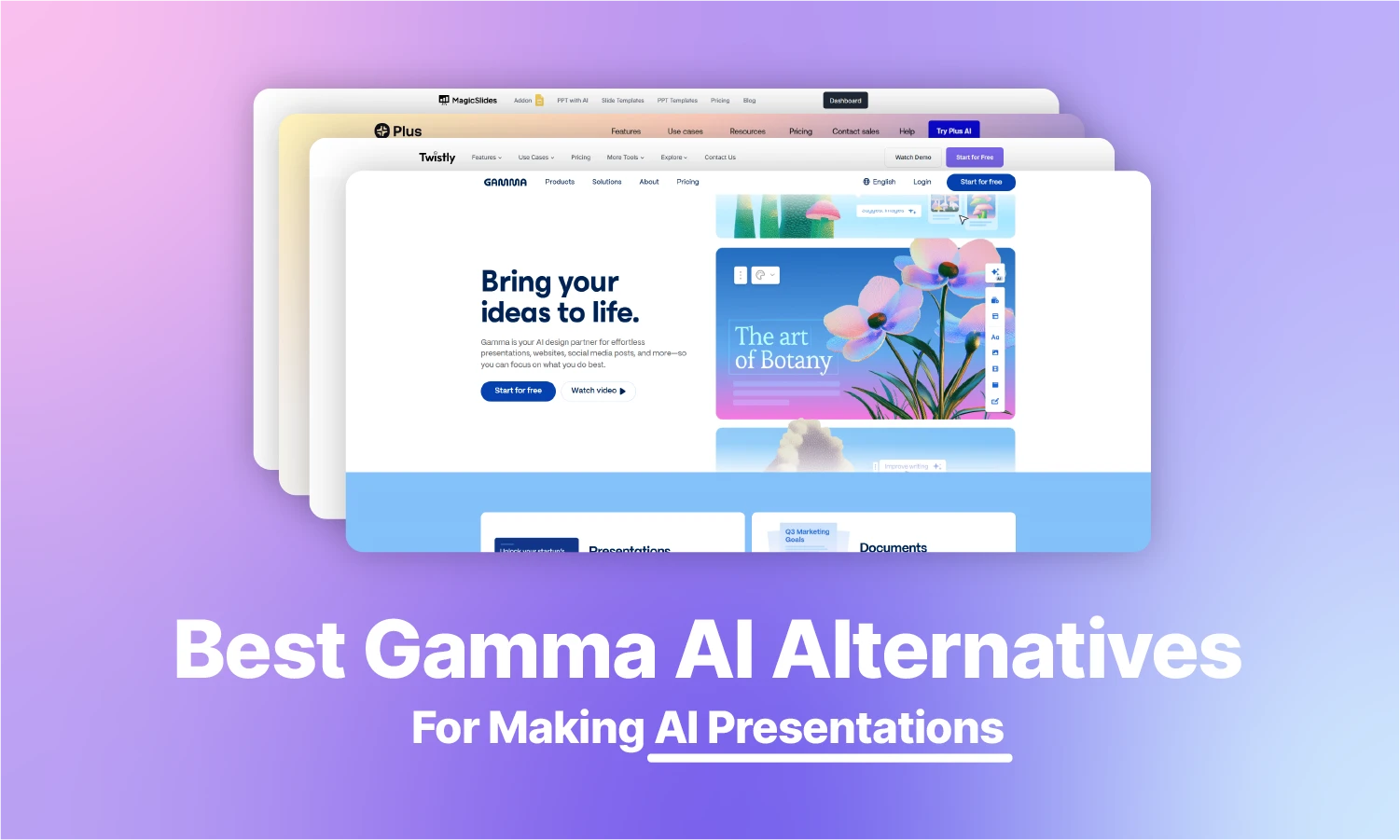
Última actualización: 17 de octubre de 2026. Precios y valoraciones consultados en esta fecha.
La mayoría de la gente empieza a buscar una alternativa a Gamma tras toparse con las mismas frustraciones: archivos de PowerPoint exportados que hay que retocar, créditos de IA que se agotan antes de lo esperado o poco control sobre el diseño de las diapositivas.
Para ayudarte a elegir mejor, comparamos seis alternativas destacadas según los problemas que mejor resuelven. También encontrarás precios, limitaciones de los planes gratuitos, opciones de exportación y valoraciones independientes de terceros para facilitar la comparación.
Nuestras recomendaciones
El mejor en general: Twistly - ↓ Ir a la reseña de Twistly
Lo mejor para los usuarios de Google Slides: PlusAI - ↓ Ir a la reseña de PlusAI
Lo mejor para la velocidad: MagicSlides - ↓ Ir a la reseña de MagicSlides
Mejor diseño: Beautiful.AI - ↓ Ir a la reseña de Beautiful.AI
Lo mejor para cubiertas inclinadas: Presentaciones.AI - ↓ Saltar a la revisión de Presentations.AI
Lo mejor para texto a diapositiva: Diapositivas AI - ↓ Saltar a las diapositivas Revisión de la IA
Esta tabla comparativa le mostrará cómo se comparan estas populares herramientas de IA con Gamma AI y cuál es la más adecuada para millones de usuarios que realizan presentaciones con frecuencia.
| Característica | Twistly | Plus AI | Beautiful.ai | MagicSlides | Presentations.ai | SlidesAI |
|---|---|---|---|---|---|---|
| Clasificación / Veredicto | Herramienta polivalente para presentaciones | Lo mejor para Google Slides | Mejor diseño | Lo mejor para la velocidad | Lo mejor para presentaciones automatizadas con IA | Lo mejor para texto a diapositiva |
| Plataforma principal | Microsoft PowerPoint | Google Slides y PowerPoint | Aplicación web independiente | Google Slides | Aplicación web independiente | Google Slides y PowerPoint |
| Integración de la IA | Complemento nativo para PowerPoint | Complemento para Google Slides + complemento para PowerPoint | Aplicación web + complemento para PowerPoint | Aplicación web + complemento para Google Slides | Plataforma de IA independiente | Complemento para Google Slides + complemento para PowerPoint |
| Calidad de las exportaciones | Perfecto (PPTX nativo) | Alta (diapositivas nativas) | Variable (Exportar a PPT) | Alta (Diapositivas estándar) | Alto | Alta (Diapositivas estándar) |
| Contenido | Tema, texto y archivos (PDF, Word, PowerPoint, Excel) | Sugerencias de texto | Manual / Plantillas | Texto simple | Prompts de texto, documentos y esquemas | Sugerencias de texto |
| Flujo de trabajo | Interior de la cubierta existente | Espacio de trabajo interior | Sitio o aplicación externos | Generación con un solo clic | Presentación generada por IA con edición visual | Texto a cubierta |
| Ideal para | Profesionales y estudiantes | Usuarios de Google Workspace | Equipos con mucho diseño | Creación rápida de borradores | Empresas, pitch decks y equipos de ventas | Presentaciones básicas |
| Precio de partida (facturación mensual) | $16/mes | $15/mes | 45 $/mes (14,50 $/mes con facturación anual) | 8 $/mes | 20 $/mes (solo facturación anual) | $12/mes |
| Plan gratuito / prueba | Plan gratuito: 3 presentaciones de hasta 10 diapositivas cada una | Sin plan gratuito; prueba de 7 días con 1.000 créditos de IA | Sin plan gratuito; prueba gratuita de 14 días | Gratis para empezar, sin tarjeta de crédito | Plan Starter gratuito con 100 créditos | Plan Basic gratuito con 200 créditos de IA/mes |
| Valoración | 4,7 ★ Trustpilot (65 opiniones) | 2,1 ★ Trustpilot (10 opiniones) | 2,8 ★ Trustpilot (248 opiniones) | 4,5 ★ Trustpilot (61 opiniones) | 1,5 ★ Trustpilot (40 opiniones) | 2.6 ★ Trustpilot (4 reseñas) |
Cómo comparamos estas herramientas
Comparamos cada herramienta en los aspectos que más a menudo llevan a la gente a dejar Gamma: dónde funciona (PowerPoint, Google Slides o el navegador), cómo gestiona los archivos de PowerPoint, los precios y límites del plan gratuito, y las valoraciones independientes de usuarios. Los precios y límites de los planes proceden de la página de precios de cada proveedor y se consultaron por última vez el 17 de octubre de 2026. Las valoraciones son puntuaciones de Trustpilot de la misma fecha. Twistly es nuestro propio producto, así que le aplicamos el mismo criterio: todas las herramientas de esta lista, Twistly incluida, tienen una nota de «Descártalo si».
¿Qué problema de Gamma quieres resolver?
Cada usuario tiene requisitos y expectativas propios que Gamma quizá no cubra. Empieza por el problema concreto que te hizo buscar una alternativa a Gamma.
- Mi exportación a PowerPoint se ve rota → Usa Twistly (lo mejor para PowerPoint) o Plus AI (lo mejor para Google Slides).
- Siempre me quedo sin créditos de IA → Compara los precios y los límites de los planes gratuitos en la tabla de arriba para encontrar una opción con mejor relación calidad-precio.
- Todas las presentaciones se ven iguales → Prueba Beautiful.ai para diseños más inteligentes o Twistly para usar tus propias plantillas de PowerPoint.
- Mi equipo trabaja en Google Slides → Elige Plus AI o MagicSlides para una integración fluida con Google Slides.
Visión general de la IA Gamma
Gamma AI es una plataforma online que permite diseñar, crear y personalizar fácilmente presentaciones, páginas web y documentos. No requiere ninguna descarga, ya que Gamma AI ofrece todas sus funciones en una aplicación en la nube. Para una comparación directa, consulta nuestra comparativa Gamma vs Twistly.
No es sólo un creador de presentaciones, sino un paquete completo visual para vendedores en línea y usuarios comunes. Gamma AI puede ayudarle a crear:
- Plantillas de actualización de equipos
- Discurso de apertura
- Plataforma de lanzamiento
- Cartera
- Diapositivas de la presentación
Hay temas incorporados disponibles que los usuarios pueden modificar para obtener resultados rápidos o empezar a crear hermosas presentaciones con sus indicaciones personalizadas. A ciertas limitaciones de personalización, tendrá que buscar alternativas Gamma AI que ofrecen resultados más precisos con mejores controles.
¿Por qué los usuarios adoran Gamma AI?
Al elegir cualquier herramienta de IA para presentaciones, cada usuario tiene ciertos requisitos y expectativas de la herramienta. Fundadores independientes, educadores, miembros de equipos de startups, profesionales del marketing y otros usuarios utilizan Gamma AI para generar presentaciones visualmente atractivas, pitch decks, páginas web online y documentos.
PowerPoint es una de las herramientas de presentación más populares, pero dominarla lleva tiempo. Gamma AI facilita a los principiantes automatizar la mayoría de las tareas de edición y personalización de presentaciones.
El usuario describe lo que necesita con prompts sencillos y la IA convierte esas instrucciones en elementos visuales estructurados con un formato coherente. Pero todas estas funciones tienen un precio, y el precio de Gamma AI puede llevarte a buscar otras alternativas.
Qué ha cambiado en Gamma en 2026
Una de las novedades más importantes para los desarrolladores es la llegada de la API de Gamma. Los bloques de gráficos nativos editables también son prometedores, ya que a los usuarios no les gustaban los gráficos como imágenes estáticas. Ahora se pueden modificar los datos sin rehacer el gráfico
Antes, Gamma era conocido solo por las diapositivas generadas con IA; ahora se ha convertido en una plataforma completa de contenido visual. Gracias al nuevo AI Design Agent, puedes crear documentos, sitios web, publicaciones y otros elementos visuales.
Planes de precios actuales de Gamma
Los usuarios pueden ahorrar hasta un 28 % (precios consultados: 17/10/2026) con la facturación anual. Los planes individuales incluyen los niveles Free, Plus, Pro y Ultra. Cada paquete incluye créditos de IA limitados y otras funciones.
| Plan | Facturación mensual | Facturación anual | Créditos de IA mensuales |
| Gratis | $0 | $0 | 400 créditos únicos al registrarte |
| Más | $12/mes | $9/mes ($108 facturados anualmente) | 1,000 créditos/mes |
| Pro | $25/mes | $18/mes ($216 facturados anualmente) | 4,000 créditos/mes |
| Ultra | $100/mes | $90/mes ($1,080 facturados anualmente) | 20,000 créditos/mes |
Cómo funciona el plan gratuito de Gamma
El plan gratuito incluye 400 créditos únicos que no se renuevan cada mes. Puedes crear hasta 10 tarjetas por prompt; las demás tendrás que añadirlas después de la generación inicial.
Cada presentación de 10 tarjetas consume hasta 40 créditos, y cada edición o cambio requiere 10 créditos adicionales.
Nuevas funciones de 2026
Ahora los usuarios de Gamma pueden aprovechar más de 20 modelos de IA para generar y mejorar contenido y presentaciones. En 2026 también puedes esperar estas novedades:
- Gamma 2.0 para editar más rápido
- Funciones de colaboración más potentes
- API pública de Gamma
- Herramientas de marca mejoradas
Ventajas e inconvenientes de la IA Gamma
Una herramienta fácil de usar es algo más que un simple creador de presentaciones AI. La complejidad de las herramientas de edición puede confundir a los principiantes a la hora de obtener los mejores resultados. ¿Qué otros posibles retos hay que tener en cuenta?
Esto es lo que nos ha parecido bueno y desafiante de Gamma AI.
| 👍 Pros | 👎 Contras |
|---|---|
| Crear presentaciones con elementos visuales | Las opciones de personalización de la presentación son bastante limitadas |
| Diseños inteligentes que apenas requieren trabajo manual | Presentar datos complejos con Gamma AI puede ser difícil |
| Ofrece otras muchas herramientas para diseñar proyectos | Las exportaciones a PowerPoint (PPTX) suelen requerir ajustes manuales de fuentes y diseño |
| La interfaz es fácil de usar | Precios caros |
Principales alternativas a Gamma AI en 2026
Crear mazos grandes con Gamma AI puede ser frustrante. Hay errores y problemas reportados por muchos usuarios como el sistema de IA en la aplicación no puede procesar datos complejos y... temas de presentación eficientemente.
Además del rendimiento, el precio de Gamma AI es también un reto importante para la mayoría de los usuarios. Si busca una alternativa más asequible a Gamma AI con una IA más avanzada, hemos encontrado algunos de los mejores sustitutos de la app Gamma.
Gamma AI Alternativa #1: Twistly AI

Twistly es la mejor alternativa a Gamma para quienes crean presentaciones en Microsoft PowerPoint. En lugar de ofrecer una nueva plataforma, interfaz o software, Twistly AI integra la IA dentro de PowerPoint.
PowerPoint, la herramienta de presentaciones más popular, carece de potentes funciones de IA, y Twistly resolvió este problema con un complemento de IA perfectamente integrado. ¿Por qué Twistly es la mejor alternativa a Gamma AI y cómo usarlo para crear presentaciones al instante en PowerPoint?
¿Qué es Twistly?
Twistly AI es como ChatGPT para PowerPoint: un complementototalmente funcional. Los usuarios pueden instalar el complemento de Twistly desde la biblioteca de complementos de PowerPoint, el recurso oficial o Microsoft AppSource.
No se trata de una plataforma o herramienta independiente. Si conoce los conceptos básicos de PowerPoint, Twistly simplemente mejorará las funciones existentes de PowerPoint con IA.
¿Cómo instalar Twistly?
No necesitas ningún software, programa ni aplicación adicional para crear presentaciones con Twistly AI. Solo necesitas PowerPoint y una suscripción a Twistly. Twistly aparece en Microsoft AppSource como «GPT for PowerPoint». Así se instala:
- Abra PowerPoint y haga clic en la sección Complementos de la ficha Inicio
- Busca GPT for PowerPoint en el cuadro de búsqueda
- Cuando veas el icono de Twistly, haz clic en Añadir
- Aparecerá un nuevo icono en la pestaña Inicio. Haga clic en el icono para iniciar Twistly
- Aparecerá una ventana específica a la derecha de la vista previa de miniaturas
Esta ventana de Twistly tiene todo lo que necesitas para crear presentaciones interactivas con Twistly AI, una potente alternativa a Gamma AI.
Por qué a los usuarios les gusta Twistly
Twistly está desarrollado para PowerPoint, lo que lo hace más accesible para usuarios nuevos y profesionales. Pasar de una herramienta potente como PowerPoint a una nueva plataforma de IA en línea parece una degradación. PowerPoint existe desde hace años y ofrece herramientas más avanzadas que cualquier otra aplicación de IA.
En lugar de obligar a los usuarios a pasarse a una aplicación en línea, Twistly ha llevado la potencia de la IA a PowerPoint. No es necesario exportar, porque las presentaciones se hacen dentro de PowerPoint, pero con una IA más avanzada, gracias a Twistly.
Hay distintos motivos para elegir Twistly AI en lugar de Gamma AI en 2026, pero estas son algunas de las razones más comunes por las que a la mayoría de los usuarios les encanta ChatGPT para PowerPoint:
- No se necesitan herramientas ni descargas adicionales para utilizar AI para PowerPoint.
- Potente IA con resultados rápidos y precisos, incluso para temas complejos
- Visualización de datos detallada con imágenes relevantes y generación de imágenes con IA
- Plantillas de PowerPoint con IA flexibles y totalmente personalizables
- Todas las herramientas nativas de PowerPoint siguen estando disponibles para cada elemento de las diapositivas
- Generación de contenido precisa y constante
Haga presentaciones instantáneas con Twistly AI y preséntelas de inmediato sin preocuparse de exportarlas a PowerPoint. Por otro lado, exportar archivos de Gamma AI a PowerPoint puede estropear varios elementos de diseño de la presentación. Con Twistly AI no hay que preocuparse por la exportación de archivos.
Estas son algunas reseñas recientes de usuarios de Twistly en distintas plataformas.
“Es increíble lo rápido que convierte un texto sencillo en diapositivas atractivas. La integración funciona a la perfección y es mucho más rápido que las herramientas basadas en el navegador porque no tengo que cambiar de pestaña ni exportar archivos. ¡Me encanta este complemento!”
— Juan Butler, Trustpilot (26 de octubre de 2025)
“Es muy fácil de usar y hace que crear y actualizar presentaciones de PowerPoint sea mucho más sencillo. Poder actualizar una presentación existente o crear una nueva ahorra muchísimo tiempo. Al usarlo como extensión cuesta un poco saber dónde está cada cosa, pero eso dura poco.”
— Helen B., G2 (16 de febrero de 2026)
Precios de Twistly
Twistly tiene un plan gratuito y tres niveles de pago:
- Gratis – 3 presentaciones de hasta 10 diapositivas cada una, sin tarjeta de crédito
- Starter por $16/mes – hasta 15 diapositivas por presentación, créditos de IA ilimitados
- Pro por $20/mes – hasta 50 diapositivas por presentación, créditos de IA ilimitados, tus propias plantillas y acceso a la API
- Team por $20/mes – todas las funciones Pro más plantillas compartidas de equipo y facturación centralizada
La facturación anual ahorra un 40 %, y todos los planes de pago tienen una garantía de devolución de 14 días. Consulta todos los planes en la página de precios de Twistly.
Pasos para hacer presentaciones con Twistly
Una vez que Twistly está instalado y tienes el icono en la pestaña Inicio de PowerPoint, hacer una presentación completa te llevará menos de unos minutos con Twistly AI. A continuación te explicamos cómo crear presentaciones instantáneas con AI en PowerPoint:
Primer paso - Abre una nueva presentación en blanco e inicia Twistly AI
Paso 2 – Elige el tipo de entrada: puedes escribir un tema, pegar tu propio texto o subir un archivo (PDF, Word, PowerPoint, Excel, TXT o HTML)
Paso 3 - Seleccione el idioma de la presentación y el número de diapositivas
Paso 4 - Revisar el esquema generado por la IA y seleccionar el tema de la presentación.
Paso 5 - Espere unos instantes mientras Twistly da formato a las diapositivas con imágenes relevantes y contenido preciso.
Tu presentación está lista: puedes presentarla al instante o editarla según tus necesidades. ¿Quieres mejorar alguna parte? Ve a Twistly y encontrarás un montón de opciones para mejorar tu presentación.
Pros y contras de Twistly
¿Es Twistly la alternativa adecuada a Gamma AI? Probablemente hayas visto cómo Twistly puede hacerte la vida mucho más fácil al ofrecerte las funciones de IA más avanzadas, integradas con PowerPoint.
Estas son algunas de las ventajas prácticas y posibles retos a los que podría enfrentarse al realizar presentaciones con Twistly AI.
| 👍 Pros | 👎 Contras |
|---|---|
| IA más avanzada que añade nuevas funciones a las capacidades nativas de PowerPoint | Requiere una versión reciente de PowerPoint; las versiones muy antiguas pueden necesitar una actualización de Office |
| No hay exportación de archivos, ya que Twistly funciona dentro de PowerPoint | El plan gratuito está limitado a 3 presentaciones de hasta 10 diapositivas |
| No se requiere experiencia previa, ya que todas las funciones son intuitivas. | |
| Plantillas totalmente personalizables |
Descártalo si: Tu equipo trabaja principalmente en Google Slides. Twistly está diseñado específicamente para Microsoft PowerPoint y ofrece su mejor experiencia dentro del ecosistema de PowerPoint.
Gamma AI Alternativa #2: Plus AI

Plus AI es la mejor opción si tu equipo ya trabaja en Google Slides. Genera y edita presentaciones sin salir de Google Workspace. La idea general de Plus AI es similar a la de Gamma AI, pero ofrece más opciones de personalización.
Más opciones suelen significar una interfaz más compleja, pero Plus AI funciona dentro de PowerPoint y Google Slides sin complicar el flujo de trabajo. ¿Quieres saber más sobre Plus AI como sustituto de Gamma AI? Esto es lo que necesitas saber.
¿Qué es Plus AI?
Plus AI permite a los usuarios subir archivos PDF, temas u otros tipos de datos habituales para convertirlos en presentaciones profesionales. ¿Funciona igual que PowerPoint? No: Plus AI funciona como complemento dentro de Google Slides y dentro de PowerPoint, además de como aplicación web.
No hace falta descargar ningún software, pero usar Plus AI sin una conexión a internet estable será una pesadilla. Plus AI también ofrece un complemento para Google Slides y otro para PowerPoint.
No todos los usuarios se sienten cómodos compartiendo datos e información confidencial con plataformas online. Aunque Plus AI cuenta con sólidas medidas de protección de datos, algunos prefieren PowerPoint a las herramientas y aplicaciones online.
¿Por qué los usuarios adoran Plus AI?
Plus AI no es tan popular como Gamma AI, pero su popularidad va en aumento. Esta herramienta de IA ha automatizado la mayoría de las tareas de creación de presentaciones, pero requiere la introducción manual de datos en casi todos los pasos. Se trata más bien de una interfaz más interactiva con funciones básicas únicamente.
El complemento de Plus AI para PowerPoint también está disponible, pero necesita pulirse, ya que los nuevos usuarios tardan un tiempo en acostumbrarse. Plus AI ha hecho un buen trabajo al simplificar la interfaz y hacerla más interactiva.
Los fans de Google Slides prefieren Plus AI a Gamma AI. Integrar el complemento de Plus AI en Google Slides te da más control sobre los elementos de la presentación. Ten en cuenta que crear presentaciones con Plus AI lleva algo de tiempo, ya que tendrás que cambiar varios ajustes predeterminados del complemento.
Precios de Plus AI
No hay plan gratuito, pero todos los planes de pago empiezan con una prueba de 7 días que incluye 1.000 créditos de IA. Precios por usuario (consultados el 17/10/2026):
- Básico – 15 $/mes, o 10 $/mes con facturación anual (1.500 créditos/mes)
- Pro – 25 $/mes, o 20 $/mes con facturación anual (3.000 créditos/mes)
- Team – 40 $/mes, o 30 $/mes con facturación anual (6.000 créditos/mes)
- Max – 240 $/mes, o 200 $/mes con facturación anual (créditos ilimitados)
¿Cómo hacer presentaciones con Plus AI?
El equipo de desarrollo de Plus AI parece centrarse sobre todo en los usuarios de Google Slides. Si quieres crear una nueva presentación con Plus AI en Google Slides, sigue estos pasos:
- Abre Google Slides y elige Plus AI para crear una presentación con IA
- Cargue un archivo, utilice un indicador o cree una presentación diapositiva a diapositiva
- Elige una plantilla y selecciona otros ajustes que desees para tu presentación
- Deja que Plus AI añada imágenes y elementos visuales relevantes según el contexto de la presentación.
Cuando tu presentación esté lista, puedes usar las herramientas de Plus AI para reescribir contenido, editar diapositivas, remezclarlas o incluso añadir o editar una sola diapositiva.
Ventajas e inconvenientes de Plus AI
¿Es Plus AI una buena alternativa a Gamma AI? Se pueden conseguir los mismos o mejores resultados con Plus AI?
Las respuestas pueden variar para cada usuario. Deja que estos pros y contras de Plus AI decidan cuál es la mejor herramienta para ti.
| 👍 Pros | 👎 Contras |
|---|---|
| Facilidad de integración con Google Slides e interfaz fluida | Usabilidad limitada para PowerPoint, ya que está desarrollado principalmente para Google Slides. |
| Herramientas de diseño profesional y plantillas para presentaciones | Los nuevos usuarios necesitan algún tiempo para aprender a utilizar la herramienta |
| Ahorra tiempo automatizando la mayoría de las tareas de los usuarios | Puede ser una alternativa cara a la IA Gamma |
| Las funciones de personalización también son muy útiles |
Descártalo si: Necesitas una solución pensada ante todo para PowerPoint . Plus AI está diseñado en torno a Google Slides y Google Workspace más que a Microsoft PowerPoint. ¿Lo estás valorando? Consulta nuestras alternativas a Plus AI.
Gamma AI Alternativa #3: MagicSlides
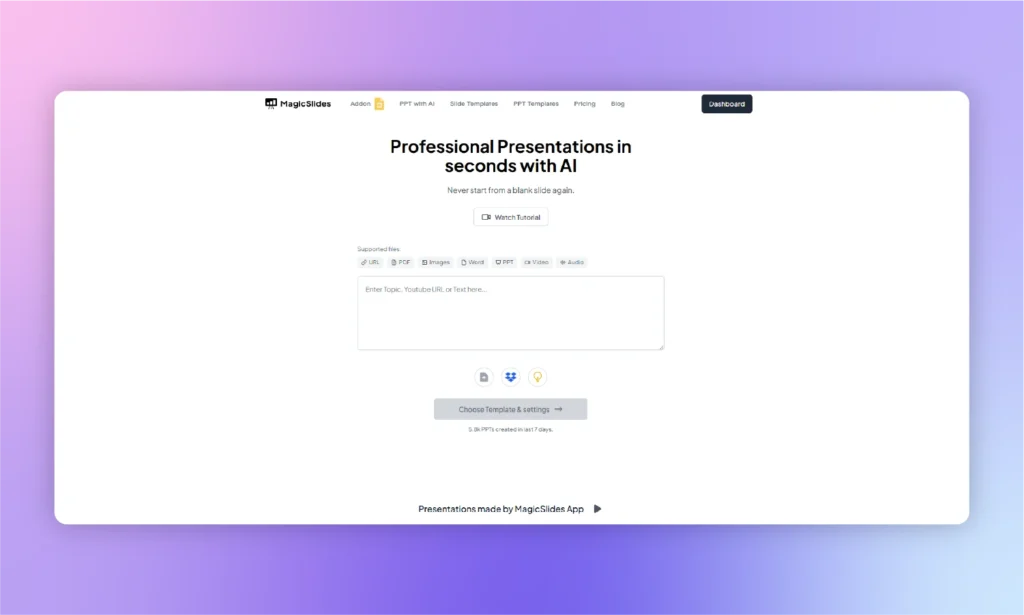
MagicSlides se centra en una sola cosa: convertir prompts, documentos, PDF y URL en borradores de presentación lo más rápido posible. Se integra directamente con Google Slides. Algunos usuarios han señalado problemas con sus funciones avanzadas, pero para algunos puede merecer la pena pasar de Gamma AI a MagicSlides. ¿Necesitas una alternativa potente que no requiera aprendizaje ni experiencia previa? MagicSlides puede ser la herramienta adecuada para ti.
¿Qué es MagicSlides?
Es una completa biblioteca online de plantillas de presentación fantásticas y un complemento específico para Google Slides. MagicSlides combina una plataforma independiente y un complemento para Google Slides para ofrecer potentes ventajas de automatización con IA.
La plataforma online ofrece una interfaz rápida para empezar a crear presentaciones. Puedes subir imágenes, URL, prompts, texto o archivos y convertirlos en presentaciones. En algún momento notarás las limitaciones de MagicSlides, pero en general es una alternativa decente a Gamma AI.
Por qué los usuarios adoran MagicSlides
La facilidad de uso lo convierte en una opción popular entre los usuarios. Para presentaciones de negocios y temas complejos, no es algo a lo que quieras ceñirte. Para presentaciones generales con un nivel básico de contenido y visuales, MagicSlides es un buen creador de presentaciones AI.
Otro motivo por el que MagicSlides es una alternativa popular a Gamma AI es que admite distintos tipos de entrada. MagicSlides acepta una gran variedad de entradas, como instrucciones, documentos, PDF, URL y enlaces de YouTube.
Precios de Magic Slides
MagicSlides tiene tres planes de pago (consultados el 17/10/2026). La facturación anual ahorra alrededor de un 17 %:
- Essential – 8 $/mes, o 6,67 $/mes con facturación anual (10 presentaciones/mes, hasta 10 diapositivas cada una)
- Pro – 16 $/mes, o 12,42 $/mes con facturación anual (50 presentaciones/mes, hasta 15 diapositivas cada una)
- Premium – 29 $/mes, o 23,25 $/mes con facturación anual (50 presentaciones/mes, más de 50 diapositivas)
¿Cómo hacer presentaciones con MagicSlides?
La web oficial afirma que puedes crear presentaciones con IA en MagicSlides en tres sencillos pasos. Pero en realidad lleva más tiempo y tendrás que hacer algunos cambios manuales para conseguir el resultado deseado. Así se crean presentaciones con MagicSlides:
- Regístrate en MagicSlides con tu correo electrónico y verifícalo
- Introduzca el tema en la casilla correspondiente u obtenga sugerencias de la IA, y haga clic en el botón Generar PPT instantánea
- Seleccione la duración de la presentación, las opciones de imagen y el tema.
- Descarga la presentación en el formato que prefieras y listo
- Ahora, exporta los archivos a PowerPoint, y comprueba si todos los elementos funcionan
- Si alguna imagen o texto está estropeado, vuelve a hacer los cambios y soluciona el problema
Ventajas e inconvenientes de MagicSlides
Estos son los pros y contras de MagicSlides que te ayudarán a entender por qué hay usuarios que pasan de Gamma AI a MagicSlides.
| 👍 Pros | 👎 Contras |
|---|---|
| La generación de diapositivas mediante IA ahorra tiempo | Flexibilidad de diseño limitada en comparación con la edición manual |
| Fácil de usar gracias a la integración con Google Slides | Puede producir diapositivas genéricas o repetitivas |
| Plantillas y diseños personalizables | Requiere correcciones y ajustes |
Descártalo si: Creas con regularidad presentaciones empresariales complejas. MagicSlides es más adecuado para generar rápidamente borradores sencillos que presentaciones muy detalladas y pulidas.
Gamma AI Alternativa #4: Beautiful.AI
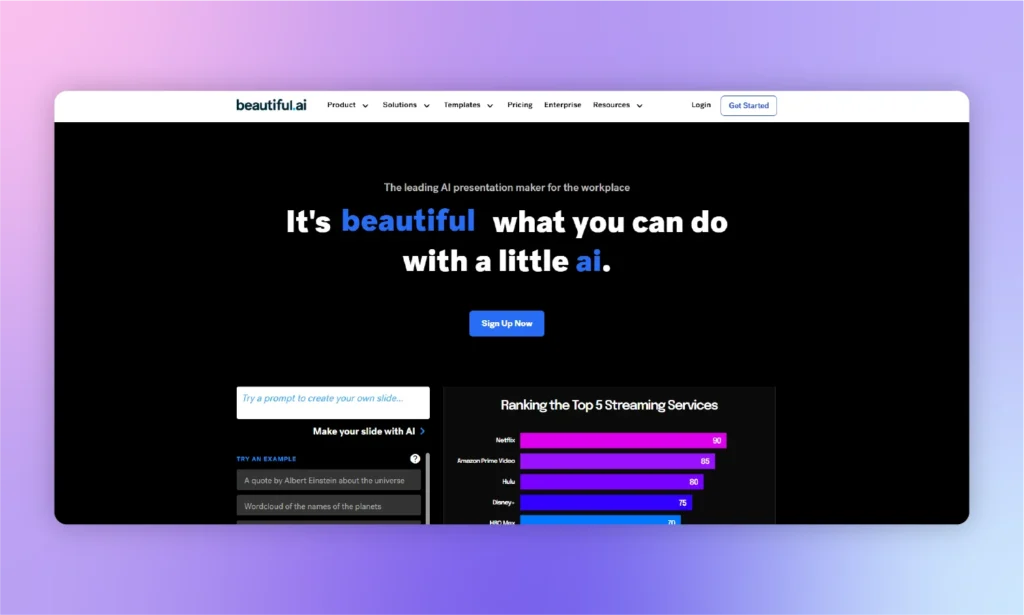
Para charlas de estilo TED, Beautiful.AI es una buena herramienta por su interfaz limpia y sencilla. Beautiful.ai está pensada para quienes valoran más un diseño pulido que la libertad total de diseño. En conjunto, la aplicación recuerda a un clon de Canva especializado.
Es una aplicación en la nube, con complemento para PowerPoint e importación y exportación de PPTX para equipos que siguen entregando en PowerPoint. Beautiful.AI no ayuda mucho con la generación de contenido. Si ya tienes los datos para la presentación, esta herramienta de presentaciones con IA te puede resultar útil.
Beautiful.ai está diseñado para necesidades concretas, igual que Gamma AI; no es un asistente de presentaciones con IA multifunción.
Precios de Beautiful.ai
No hay plan gratuito, pero sí una prueba gratuita de 14 días (consultado el 17/10/2026):
- Pro – 14,50 $/mes con facturación anual, o 45 $ por un solo mes
- Team – 40 $ por usuario/mes con facturación anual, o 50 $ por usuario/mes con facturación mensual (de 2 a 20 usuarios)
- Enterprise – precio personalizado
Ventajas e inconvenientes de Beautiful.AI
¿Puede elegir Beautiful.AI como mejor alternativa a Gamma AI? Ambas herramientas tienen algunos puntos de venta y desafíos únicos. Veamos en qué puntos Beautiful.AI se lo pone difícil a la herramienta Gamma AI.
| 👍 Pros | 👎 Contras |
|---|---|
| La función de ajuste automático hace que los diseños de las presentaciones sean más sencillos y profesionales | No se puede ser creativo; los usuarios sólo disponen de las opciones integradas. |
| Diferentes plantillas de presentación para un diseño coherente | Para diseños personalizados y presentaciones complejas, puede que no te resulte útil |
| Herramientas de colaboración en tiempo real | Beautiful.AI es muy caro para los equipos |
Descártalo si: Necesitas un control total sobre el diseño de las diapositivas. Beautiful.ai prioriza la coherencia automática del diseño, lo que limita la personalización manual. Consulta nuestra comparativa completa Beautiful.ai vs Twistly.
Gamma AI Alternativa #5: Presentaciones.AI

Presentations.ai está pensado para quienes quieren que la IA se encargue de casi todo el proceso de creación de la presentación. Con la mayoría de los creadores de presentaciones con IA notarás la falta de personalización: una vez que la IA ha creado la presentación, solo puedes hacer unos pocos cambios. ¿Tienes prisa y quieres unas diapositivas rápidas sobre un tema común? Presentations.ai es un buen creador de diapositivas con IA para ti.
Precios de Presentations AI
Los usuarios nuevos pueden probar Presentations.ai gratis con el plan Starter, que incluye 100 créditos y presentaciones de hasta 20 diapositivas. Los planes de pago solo se facturan anualmente (consultado el 17/10/2026):
- Pro – 20 $/mes, facturados 240 $/año (5.000 créditos/año)
- Gold – 100 $/mes, facturados 1.200 $/año (50.000 créditos/año)
Pros y contras de Presentations.ai
¿Puede Presentations.ai ser una buena alternativa a Gamma AI? No puedes responder sin analizar sus pros y contras, porque el plan Starter gratuito es muy limitado y usa un modelo de IA básico.
| 👍 Pros | 👎 Contras |
|---|---|
| Potentes funciones de IA para generar contenidos y diseños de presentaciones | Las opciones de personalización son limitadas y no son adecuadas para presentaciones profesionales |
| Las plantillas son visualmente atractivas | Los resultados son casi los mismos debido a las pocas plantillas disponibles |
| La función de ajuste automático ahorra tiempo de edición manual. | La versión de prueba no ofrece ninguna experiencia en tiempo real del creador de la IA. |
Descártalo si: Prefieres la flexibilidad de la facturación mensual. Presentations.ai se centra actualmente en planes de suscripción anuales para usuarios individuales. Compara más alternativas a Presentations.ai.
Gamma AI Alternativa #6: Diapositivas AI
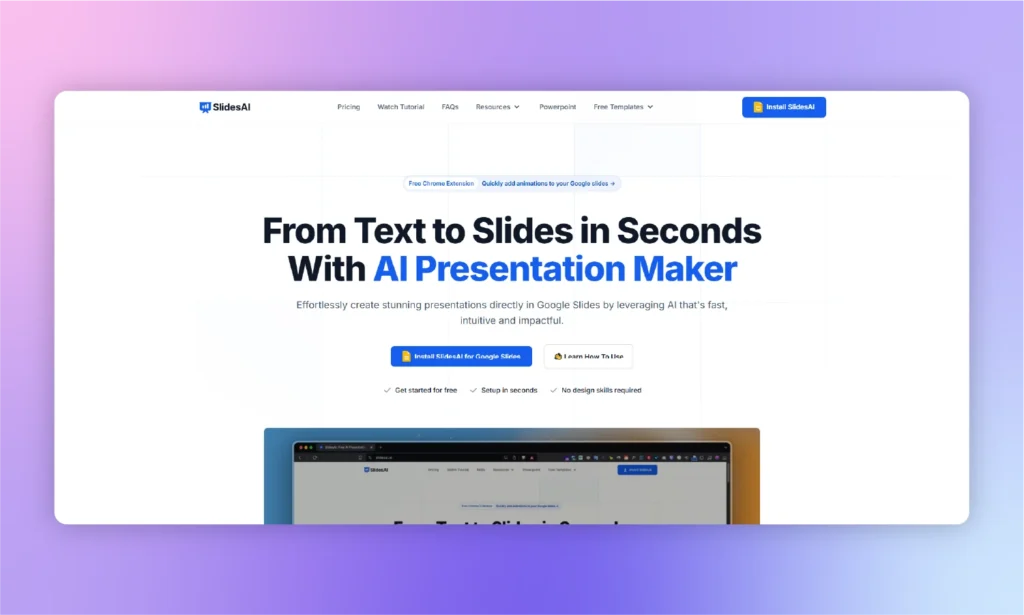
Muchos elementos visuales del creador de presentaciones SlidesAI ayudan con los pitches y las presentaciones de ventas. Pero los usuarios tienen que hacer muchos cambios manuales en las diapositivas finales. Los desarrolladores de SlidesAI hicieron un gran trabajo con los elementos visuales, pero desaprovecharon la oportunidad de optimizar la generación de texto para las diapositivas.
Muchos usuarios han informado de problemas para ajustar el texto al diseño de la diapositiva. Una vez que el contenido está listo para las diapositivas, cambiar de plantilla es arriesgado. Con una nueva selección de plantilla, su diseño actual puede no funcionar.
Precios de Slides AI
SlidesAI tiene un plan Basic gratuito (200 créditos de IA/mes) y dos planes de pago (consultados el 17/10/2026):
- Pro – 12 $/mes (2.500 créditos/mes), o 10 $/mes con facturación anual
- Premium – 25 $/mes (7.000 créditos/mes), o 20,83 $/mes con facturación anual
Pros y contras de SlidesAI
SlidesAI es una buena alternativa a Gamma AI gracias a su compatibilidad específica con PowerPoint. SlidesAI lanzó hace poco un complemento para PowerPoint, aunque es de esperar que tenga algunos errores.
| 👍 Pros | 👎 Contras |
|---|---|
| Automatización de distintas tareas manuales repetitivas | Los paquetes no son transparentes; se han denunciado cobros excesivos |
| Una herramienta de presentación de IA sencilla y básica para principiantes | Cambio de tema poco flexible tras la generación inicial |
| Ofrece un complemento específico para Google Slides | La generación de contenidos no es perfecta y requiere mucho trabajo de edición manual |
Descártalo si: Esperas que el contenido generado por IA esté listo para presentar sin revisiones. SlidesAI suele requerir edición y retoques manuales después del primer borrador. Consulta nuestra comparativa completa SlidesAI vs Twistly.
Cuándo no deberías dejar Gamma
Gamma sigue siendo una buena opción para muchos usuarios. Puede que no necesites una alternativa si te ocurre alguna de estas situaciones:
- Sueles compartir las presentaciones como enlaces en lugar de archivos de PowerPoint. El formato web de Gamma es ideal para ver y colaborar online.
- Creas documentos, páginas web y presentaciones en un solo lugar. Gamma ofrece una plataforma de creación de contenido más amplia que la mayoría de las herramientas centradas en presentaciones.
- Solo creas una o dos presentaciones al mes. Si no superas el límite de créditos de IA gratuitos, cambiar quizá no te aporte mucho más valor.
- No necesitas edición avanzada en PowerPoint. Si tus presentaciones se ven online en lugar de editarse en Microsoft PowerPoint, el flujo de trabajo de Gamma puede ser todo lo que necesitas.
Entonces, ¿cuál es la mejor alternativa a Gamma AI?
Tras revisar estas 6 alternativas a Gamma AI, te toca decidir cuál es el mejor sustituto. Varias herramientas de esta lista ya ofrecen un complemento para PowerPoint, pero Twistly es la única creada primero para PowerPoint. Funciona dentro de tu presentación y tus plantillas, y sus planes de pago incluyen créditos de IA ilimitados en lugar de una cuota mensual de créditos.
Google Slides puede ser popular en determinados grupos de usuarios, pero PowerPoint tiene la mayor base de usuarios. Si no quieres quedarte atrapado entre crear presentaciones y exportar archivos, elige una herramienta que cree las diapositivas directamente en PowerPoint, para no tener nada que exportar ni corregir después.
Preguntas frecuentes
P: ¿No es Gamma más barato que todas estas?
No necesariamente. Aunque el precio de entrada de Gamma parece asequible, su plan gratuito incluye una asignación única de créditos de IA que se puede agotar rápido si creas presentaciones con frecuencia.
P: ¿Perderé mis presentaciones de Gamma si cambio?
No. Puedes exportar tus presentaciones de Gamma como archivos de PowerPoint, aunque es posible que parte del formato, las fuentes y los diseños necesiten ajustes manuales tras la exportación. Cuando pases a una herramienta nativa de PowerPoint como Twistly, tus nuevas presentaciones se crearán directamente en PowerPoint.
P: No quiero aprender una plataforma completamente nueva. ¿Qué herramienta es más fácil de adoptar?
Si ya conoces Microsoft PowerPoint o Google Slides, Twistly y Plus AI tienen la curva de aprendizaje más corta. Ambos funcionan como complementos dentro del software de presentaciones.
P: Este es vuestro blog. ¿Por qué debería fiarme de estas recomendaciones?
La comparativa está pensada para ayudar a los lectores a elegir la herramienta adecuada, no para promocionar una sola opción. Cada herramienta incluye sus precios, las limitaciones del plan gratuito, valoraciones independientes de usuarios y una sección “Descártalo si” que señala las situaciones en las que puede no ser la mejor opción, incluido nuestro propio producto, Twistly.
Fuentes
Precios y límites de los planes (consultados el 17 de octubre de 2026): Gamma · Plus AI · MagicSlides · Beautiful.ai · Presentations.ai · SlidesAI · Twistly
Valoraciones de usuarios (Trustpilot, 17 de octubre de 2026): Twistly · Plus AI · MagicSlides · Beautiful.ai · Presentations.ai · SlidesAI
Complementos para PowerPoint: Complemento de Beautiful.ai para PowerPoint · SlidesAI for PowerPoint (Microsoft AppSource) · Plus AI para PowerPoint y Google Slides










Empieza a hacer presentaciones con IA en segundos
Acceso instantáneo
Empieza a explorar inmediatamente todas las funciones de Twistly
Sin compromisos
No necesitas tarjeta de crédito y puedes cancelar cuando quieras
Asistencia dedicada
Nuestro equipo te ayudará en cada paso durante tu periodo de prueba