


Best Gamma AI Alternatives in 2026 — Compared & Ranked for PowerPoint Users
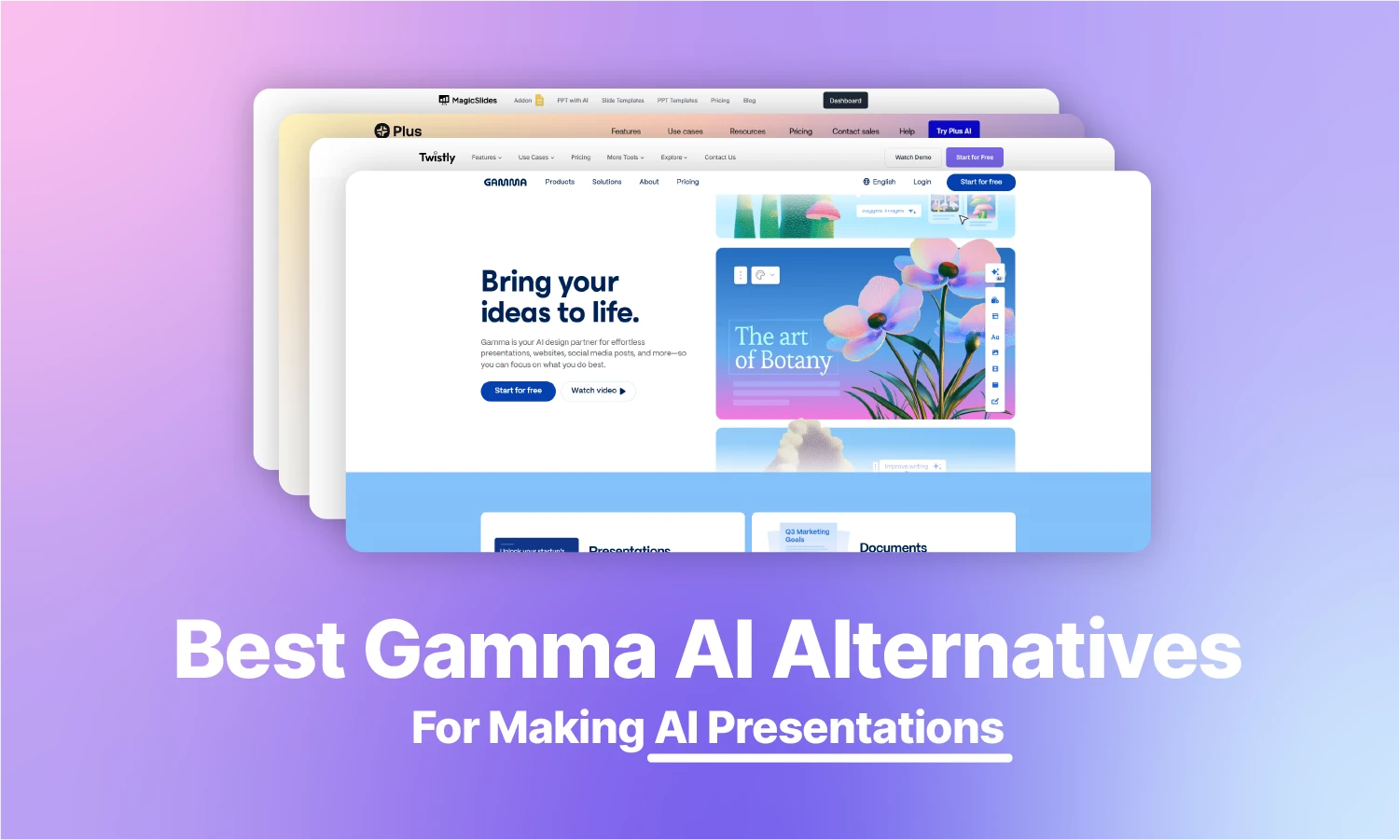
Last updated: October 17, 2026. Prices and ratings checked on this date.
Most people start looking for a Gamma alternative after running into the same frustrations: exported PowerPoint files that need cleanup, AI credits that disappear faster than expected, or limited control over slide layouts.
To help you choose a better fit, we compared six leading alternatives based on the issues they solve best. You’ll also find pricing, free plan limitations, export capabilities, and independent third-party ratings to make the comparison easier.
Our Top Picks
Best Overall: Twistly – ↓ Jump to Twistly review
Best For Google Slides Users: PlusAI – ↓ Jump to PlusAI review
Best For Speed: MagicSlides – ↓ Jump to MagicSlides review
Best Design-First: Beautiful.AI – ↓ Jump to Beautiful.AI review
Best For Pitch Decks: Presentations.AI – ↓ Jump to Presentations.AI review
Best For Text-to-Slide: Slides AI – ↓ Jump to Slides AI review
This comparison table will show you how these popular AI tools compare against Gamma AI and which is most suitable for millions of users who make frequent presentations.
| Feature | Twistly | Plus AI | Beautiful.ai | MagicSlides | Presentations.ai | SlidesAI |
|---|---|---|---|---|---|---|
| Rank / Verdict | Multipurpose tool for presentations | Best for Google Slides | Best Design-First | Best for Speed | Best for AI-automated decks | Best for Text-to-Slide |
| Main Platform | Microsoft PowerPoint | Google Slides & PowerPoint | Standalone web app | Google Slides | Standalone web app | Google Slides & PowerPoint |
| AI Integration | Native PowerPoint add-in | Google Slides add-on + PowerPoint add-in | Web app + PowerPoint add-in | Web app + Google Slides add-on | Standalone AI platform | Google Slides add-on + PowerPoint add-in |
| Export Quality | Perfect (Native PPTX) | High (Native Slides) | Variable (Export to PPT) | High (Standard Slides) | High | High (Standard Slides) |
| Content Input | Topic, text & files (PDF, Word, PowerPoint, Excel) | Text Prompts | Manual / Templates | Simple Text | Text Prompts, documents & outlines | Text Prompts |
| Workflow | Inside the existing deck | Inside Workspace | External site/app | One-click generation | AI-generated deck with visual editing | Text-to-deck |
| Ideal For | Professionals & Students | Google Workspace users | Design-heavy teams | Rapid draft creation | Business, pitch decks, and sales teams | Basic presentations |
| Starting Price (billed monthly) | $16/month | $15/month | $45/month ($14.50/mo billed annually) | $8/month | $20/month (annual billing only) | $12/month |
| Free Plan / Trial | Free plan: 3 presentations, up to 10 slides each | No free plan; 7-day trial with 1,000 AI credits | No free plan; 14-day free trial | Free to start, no credit card required | Free Starter plan with 100 credits | Free Basic plan with 200 AI credits/month |
| Rating | 4.7 ★ Trustpilot (65 reviews) | 2.1 ★ Trustpilot (10 reviews) | 2.8 ★ Trustpilot (248 reviews) | 4.5 ★ Trustpilot (61 reviews) | 1.5 ★ Trustpilot (40 reviews) | 2.6 ★ Trustpilot (4 reviews) |
How We Compared These Tools
We compared each tool on the issues that most often push people away from Gamma: where it works (PowerPoint, Google Slides or the browser), how it handles PowerPoint files, pricing and free-plan limits, and independent user ratings. Prices and plan limits come from each vendor’s own pricing page and were last checked on 17 October 2026. Ratings are Trustpilot scores from the same date. Twistly is our own product, so we hold it to the same standard: every tool on this list, Twistly included, has a “Skip it if” note.
Which Gamma Problem Are You Trying to Fix?
Each user has unique requirements and expectations that Gamma might not have. Start with the specific problem that made you look for a Gamma alternative.
- My PowerPoint export looks broken → Use Twistly (best for PowerPoint) or Plus AI (best for Google Slides).
- I keep running out of AI credits → Compare the pricing and free plan limits in the table above to find a better-value option.
- Every presentation looks the same → Try Beautiful.ai for smarter designs or Twistly to use your own PowerPoint templates.
- My team works in Google Slides → Choose Plus AI or MagicSlides for seamless Google Slides integration.
Gamma AI overview
Gamma AI is an online platform that allows easy designing, creation, and customization of presentations, webpages, and documents. It does not require any download as Gamma AI has a cloud-based app to offer all features online. For a head-to-head look, see our Gamma vs Twistly comparison.
It is not just a presentation maker but a complete visual package for online marketers and common users. Gamma AI can help you create:
- Team update templates
- Keynote speech
- Pitch deck
- Portfolio
- Presentation slides
There are built-in themes available that users can modify for quick results or start creating beautiful presentations with their custom prompts. At certain customization limitations, you will have to look for Gamma AI alternatives that offer more accurate results with better controls.
Why do users love Gamma AI?
When choosing any AI tool for presentations, every user has certain requirements and expectations from the tool. Solo founders, educators, team members of startups, marketers, and other users use Gamma AI to generate visually appealing presentations, pitch decks, online webpages, and documents.
PowerPoint is one of the popular tools for presentations, but mastering it requires time. Gamma AI makes it more convenient for beginners to automate most of the tasks for editing and customization of presentations.
The user describes their requirements in simple prompts, and AI processes these instructions into structured visuals and consistent formatting for presentations. But all of these features come at a price. Gamma AI pricing is something that might force you to consider other alternatives.
What Changed in Gamma in 2026
One of the biggest additions for developers is the introduction of a Gamma API. Editable native chart blocks are also promising features, as users didn’t like charts as static images. Users can modify the data without recreating the graphic
Previously, Gamma was known for AI-generated slides only and now it has expanded into a complete visual content platform. Users can create documents, websites, posts, and other visuals, thanks to the new AI Design Agent.
Current Gamma Pricing Tiers
Users can save up to 28% (Prices checked: 17/10/2026) with annual billing. Individual plans include Free, Plus, Pro, and Ultra pricing tiers. Every package comes with limited AI credits and other features.
| Plan | Monthly Billing | Annual Billing | Monthly AI Credits |
| Free | $0 | $0 | 400 one-time signup credits |
| Plus | $12/month | $9/month ($108 billed annually) | 1,000 credits/month |
| Pro | $25/month | $18/month ($216 billed annually) | 4,000 credits/month |
| Ultra | $100/month | $90/month ($1,080 billed annually) | 20,000 credits/month |
How the Gamma Free Plan Works
The free plan comes with one-time 400 credits that don’t reset monthly. Users can create up to 10 cards per prompt, and further cards need to be added after the initial generation.
Each presentation of 10 cards uses up to 40 credits, and 10 additional credits are required for each edit or change.
New 2026 Features
Gamma users can now benefit from 20+ AI models for generating and improving content and presentations. You can also expect these new features in 2026:
- Gamma 2.0 for faster edits
- Stronger collaboration features
- Public Gamma API
- Improved branding tools
Pros and cons of Gamma AI
A User-friendly tool is more than just an AI presentation maker. The complexity of editing tools can make it confusing for beginners to get the best results. What are other possible challenges you need to keep in mind?
Here is what we found good and challenging about Gamma AI.
| 👍 Pros | 👎 Cons |
|---|---|
| Create presentations with visual elements | Presentation customization options are quite limited |
| Smart layouts that require little manual designing | Presenting complex data with Gamma AI can be hard |
| Offers a wide range of other tools for designing projects | PowerPoint (PPTX) exports often need manual cleanup of fonts and layouts |
| The interface is easy to use | Expensive pricing options |
Top Alternatives to Gamma AI in 2026
Creating larger decks with Gamma AI can be frustrating. There are bugs and issues reported by many users as the AI system in the app fails to process complex data and presentation topics efficiently.
Apart from performance, Gamma AI pricing is also a major challenge for most users. If you are looking for a more affordable Gamma AI alternative with more advanced AI, we have found a few best replacements for the Gamma app.
Gamma AI Alternative #1: Twistly AI

Twistly is the best Gamma alternative for people who create presentations in Microsoft PowerPoint. Instead of offering a new platform, app interface, or software, Twistly AI integrated AI inside PowerPoint.
PowerPoint, being the popular presentation tool, lacks the powerful features of AI, and Twistly solved this issue with the seamless integration of an AI add-in. Why is Twistly the best alternative to Gamma AI, and how to use Twistly to make presentations instantly in PowerPoint?
What is Twistly?
Twistly AI is just like ChatGPT for PowerPoint, a fully functional add-in. Users can install the Twistly add-in from the PowerPoint add-in library, official resource, or Microsoft AppSource.
It is not a standalone platform or tool. If you know the basics of PowerPoint, Twistly will simply enhance the existing features of PowerPoint with AI.
How to install Twistly?
No additional software, program, or app is required to make presentations with Twistly AI. All you need is a PowerPoint and a Twistly subscription. Twistly is listed on Microsoft AppSource as “GPT for PowerPoint”. Here is how to install it:
- Open PowerPoint and click the Add-ins section in the Home tab
- Search for GPT for PowerPoint in the search box
- Once you see the icon of Twistly, click Add
- A new icon will appear in the Home tab. Click the icon to launch Twistly
- A dedicated window will appear on the right side of the thumbnail preview
This Twistly window has everything that you need to make interactive presentations with Twistly AI, a powerful Gamma AI alternative.
Why users love Twistly
Twistly is developed for PowerPoint, making it more accessible for new and professional users. Shifting from a powerful tool like PowerPoint to a new online AI platform seems like a downgrade. PowerPoint has been around for years and offers more advanced tools than any other AI app.
Instead of forcing users to make the shift to an online app, Twistly brought the power of AI to PowerPoint. No exports are required because you make presentations within PowerPoint, but with more advanced AI, thanks to Twistly.
Users have different reasons to choose Twistly AI over Gamma AI in 2026 but here are some common reasons why most users love ChatGPT for PowerPoint:
- No extra tools or downloads are required to use AI for PowerPoint
- Powerful AI with rapid and accurate results, even for complex topics
- Detailed data visualization with relevant images and AI image generation
- Flexible PowerPoint AI templates that are fully customizable
- All native tools of PowerPoint are still available for every element of the slides
- Consistently accurate content generation
Make instant presentations with Twistly AI and present them right away without worrying about exporting to PowerPoint. On the other hand, exporting files from Gamma AI to PowerPoint can mess up several design elements of the presentation. There is nothing to worry about file exports with Twistly AI.
Here are some recent reviews shared by Twistly users on different platforms.
“It’s amazing how quickly it turns simple text into nice-looking slides. The integration works perfectly, and it’s much faster than browser-based tools because I don’t have to switch tabs or export files. Love this add-in!”
— Juan Butler, Trustpilot (October 26, 2025)
“It’s very easy to use and makes creating and updating PowerPoint presentations so much easier. The ability to update an existing presentation or create a new one saves a lot of time. It takes a bit of time to figure out where to find things when using it as an extension, but that was short-lived.”
— Helen B., G2 (February 16, 2026)
Twistly Pricing
Twistly has a free plan and three paid tiers:
- Free – 3 presentations, up to 10 slides each, no credit card required
- Starter for $16/month – up to 15 slides per presentation, unlimited AI credits
- Pro for $20/month – up to 50 slides per presentation, unlimited AI credits, your own templates and API access
- Team for $20/month – all Pro features plus shared team templates and central billing
Annual billing saves 40%, and every paid plan has a 14-day money-back guarantee. See all plans on the Twistly pricing page.
Steps to make presentations with Twistly
Once Twistly is installed and you have the icon in the Home tab of PowerPoint, making a complete presentation takes less than a few minutes with Twistly AI. Here is how to create instant presentations with AI in PowerPoint:
Step 1 – Open a new blank presentation and launch Twistly AI
Step 2 – Choose the input type; you can enter a topic, paste your own text, or upload a file (PDF, Word, PowerPoint, Excel, TXT or HTML)
Step 3 – Select the language for the presentation and the number of slides
Step 4 – Review the AI-generated outline and select the theme for the presentation
Step 5 – Wait for a few moments while Twistly formats slides with relevant images and accurate content
Your presentation is ready; you can instantly present or edit it according to your specific needs. Do you need to make any part of your presentation better? Navigate to Twistly, and you will find a bunch of options to improve your existing presentation.
Pros and cons of Twistly
Is Twistly the right alternative to Gamma AI? You probably have seen how Twistly can make your life a lot easier by offering the most advanced AI features, integrated with PowerPoint.
Here are some practical benefits and possible challenges that you might face while making presentations with Twistly AI.
| 👍 Pros | 👎 Cons |
|---|---|
| More advanced AI that adds new features to PowerPoint’s native capabilities | Requires a recent version of PowerPoint; very old versions may need an Office update |
| No file exports as Twistly works inside PowerPoint | The free plan is limited to 3 presentations of up to 10 slides |
| No prior experience is required, as every feature is intuitive | |
| Fully customizable templates |
Skip it if: Your team primarily works in Google Slides. Twistly is built specifically for Microsoft PowerPoint and delivers its best experience within the PowerPoint ecosystem.
Gamma AI Alternative #2: Plus AI

Plus AI is the strongest choice if your team already works in Google Slides. It generates and edits presentations without leaving the Google Workspace environment. The overall idea of Plus AI is similar to Gamma AI, but there are more customization options in Plus AI.
More options mean a complex interface for users; Plus AI works inside PowerPoint and Google Slides without complicating the workflow. Do you want to learn more about Plus AI as a replacement for Gamma AI? Here is what you need to know about Plus AI.
What is Plus AI?
Plus AI allows users to upload their PDF files, topics, or other popular data types to turn them into professional presentations. Does it work just like PowerPoint? No, Plus AI runs as an add-on inside Google Slides and as an add-in inside PowerPoint, plus a web app.
No software download is required, but using Plus AI without a stable internet connection will be a nightmare. Google Slides add-on and PowerPoint add-in are also available from Plus AI.
Not every user is comfortable sharing sensitive data and information with online platforms. Although Plus AI has superior data protection measures in place, some users prefer PowerPoint over online tools and apps.
Why do users love Plus AI?
Plus AI is not as popular as Gamma AI, but its popularity is growing. This AI tool has automated most of the tasks involved in presentation-making but requires manual input at almost every step. It is more like a more interactive interface with basic features only.
Plus AI add-in for PowerPoint is also available, but it needs refinement as new users need some time to get used to it. Plus AI did a good job of making the interface a lot easier and more interactive for the users.
Google Slides lovers prefer using Plus AI over Gamma AI. Integrating the Plus AI add-on for Google Slides gives you more control over presentation elements. Keep in mind that making presentations with Plus AI will take some time, as you need to make several changes to the default settings of the add-on.
Plus AI Pricing
There is no free plan, but every paid plan starts with a 7-day trial that includes 1,000 AI credits. Prices per user (checked 17/10/2026):
- Basic – $15/month, or $10/month billed annually (1,500 credits/month)
- Pro – $25/month, or $20/month billed annually (3,000 credits/month)
- Team – $40/month, or $30/month billed annually (6,000 credits/month)
- Max – $240/month, or $200/month billed annually (unlimited credits)
How to make presentations with Plus AI?
The development team at Plus AI seems to be focusing more on empowering Google Slides users. If you want to make a new presentation with Plus AI in Google Slides, here are the steps you need to follow:
- Open Google Slides and choose Plus AI to create a presentation with AI
- Upload a file, use a prompt, or build a presentation slide by slide
- Choose a template and choose other settings that you want for your presentation
- Let Plus AI add relevant images and visuals according to the context of the presentation
Once your presentation is ready, you can use Plus AI tools to rewrite content, edit slides, remix slides, or even add or edit a single slide.
Pros and cons of Plus AI
Is Plus AI a good alternative to Gamma AI? Can you achieve the same or better results with Plus AI?
Well, the answers may vary for every user. Let these pros and cons of Plus AI decide the best tool for you.
| 👍 Pros | 👎 Cons |
|---|---|
| Ease of integration with Google Slides and smooth interface | Limited usability for PowerPoint as it is mainly developed for Google Slides |
| Professional design tools and templates for presentations | New users need some time to learn the tool |
| Saves time by automating most tasks for the users | Can be an expensive alternative to Gamma AI |
| Customization features are also quite helpful |
Skip it if: You need a PowerPoint-first solution. Plus AI is designed around Google Slides and Google Workspace rather than Microsoft PowerPoint. Weighing it up? See our Plus AI alternatives.
Gamma AI Alternative #3: MagicSlides
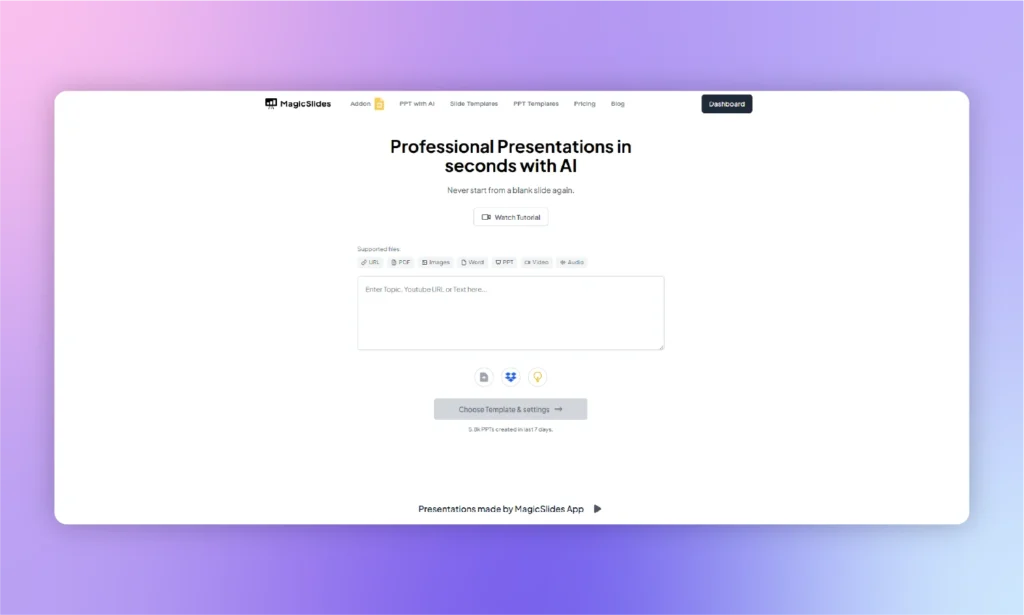
MagicSlides focuses on one thing: turning prompts, documents, PDFs, and URLs into presentation drafts as quickly as possible. It integrates directly with Google Slides. A few users have reported some issues with the advanced features of MagicSlides, but the shift from Gamma AI to MagicSlides might be worth it for some. Do you need a powerful alternative that requires no learning or prior experience? MagicSlides may be the right tool for you.
What is MagicSlides?
It is a complete online library of some amazing templates for presentations and a dedicated add-on for Google Slides. MagicSlides is a mix of a standalone platform and an add-on for Google Slides to offer some powerful AI automation perks for users.
The online platform offers a quick interface to get started with presentations. You can upload images, URLs, prompts, text, or files to turn them into presentations. At some point, you will see the limitations posed by MagicSlides, but overall it is a decent alternative to Gamma AI.
Why users love MagicSlides
The ease of use makes it a popular choice among users. For business presentations and complex topics, this is not something you want to stick to. For general presentations with a basic level of content and visuals, MagicSlides is a good AI presentation maker.
Another thing that makes MagicSlides a popular alternative to Gamma AI is the support for different input types. MagicSlides accepts a wide range of inputs, including prompts, documents, PDFs, URLs and YouTube links.
Magic Slides Pricing
MagicSlides has three paid plans (checked 17/10/2026). Annual billing saves about 17%:
- Essential – $8/month, or $6.67/month billed annually (10 presentations/month, up to 10 slides each)
- Pro – $16/month, or $12.42/month billed annually (50 presentations/month, up to 15 slides each)
- Premium – $29/month, or $23.25/month billed annually (50 presentations/month, 50+ slides)
How to make presentations with MagicSlides?
The official website claims that you can create AI presentations with MagicSlides in three simple steps. But in reality, it will take more time, and you will have to go through some manual changes to get the desired results. Here is how to make presentations with MagicSlides:
- Register at MagicSlides with your email and verify it
- Enter the topic in the given box or get suggestions from AI, and click the Generate Instant PPT button
- Select the length of the presentation, select image options, and choose the theme
- Download the desired format of the presentation, and you are done
- Now, export files to PowerPoint, and check if all elements are working
- If any image or text is messed up, make changes again and fix the issue
Pros and cons of MagicSlides
Here are the pros and cons of MagicSlides that will make you realize why users are shifting to MagicSlides from Gamma AI.
| 👍 Pros | 👎 Cons |
|---|---|
| AI-powered slide generation saves time | Limited design flexibility compared to manual editing |
| Easy to use with Google Slides integration | May produce generic or repetitive slides |
| Customizable templates and layouts | Requires proofreading and adjustments |
Skip it if: You regularly create complex business presentations. MagicSlides is better suited for quickly generating simple presentation drafts than highly detailed, polished decks.
Gamma AI Alternative #4: Beautiful.AI
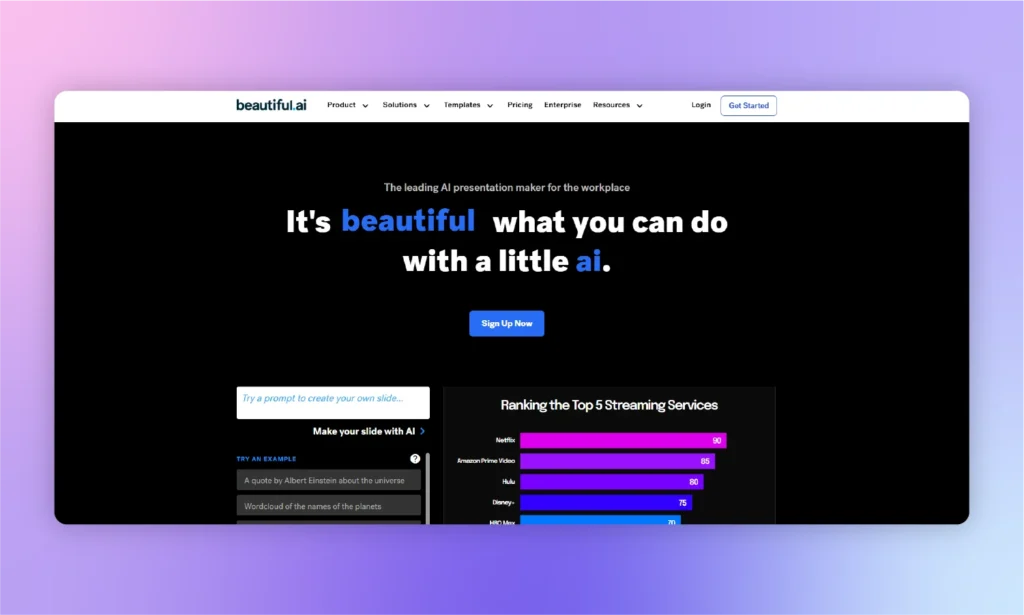
For TED-style keynotes, Beautiful.AI is a good tool because of its clean and simpler interface. Beautiful.ai is designed for users who care more about polished layouts than complete design freedom. The overall application feels like a dedicated clone of Canva.
It is a cloud-based app, with a PowerPoint add-in and PPTX import and export for teams that still deliver in PowerPoint. Beautiful.AI does not help much with content generation. If you have those datasets available for the presentation, you may find this AI presentation tool helpful.
Beautiful.ai is designed for specific needs just like Gamma AI; it is not a multi-functional AI presentation assistant.
Beautiful.ai Pricing
There is no free plan, but there is a 14-day free trial (checked 17/10/2026):
- Pro – $14.50/month billed annually, or $45 for a single month
- Team – $40 per user/month billed annually, or $50 per user/month billed monthly (2–20 users)
- Enterprise – custom pricing
Pros and cons of Beautiful.AI
Can you choose Beautiful.AI as a better alternative to Gamma AI? Both tools have some unique selling points and challenges. Let’s see where Beautiful.AI gives a tough time to the Gamma AI tool.
| 👍 Pros | 👎 Cons |
|---|---|
| The auto-adjust feature makes presentation layouts simpler and more professional | You cannot be creative; users are stuck with the built-in options only |
| Different presentation templates for a consistent design approach | For custom layouts and complex presentations, you may not find it helpful |
| Real-time collaboration tools | Beautiful.AI is very expensive for teams |
Skip it if: You require complete control over slide layouts. Beautiful.ai prioritizes automated design consistency, which limits manual customization. See our full Beautiful.ai vs Twistly comparison.
Gamma AI Alternative #5: Presentations.AI

Presentations.ai is built for users who want AI to handle most of the presentation-building process. While using most AI presentation makers, you will notice the lack of customization. Once AI has created the presentation for you, there are only a limited number of changes that you can make. You are in a hurry and want a few quick slides for a common topic. Presentations.ai is a good AI slide maker for you.
Presentations AI Pricing
New users can try Presentations.ai for free on the Starter plan, which includes 100 credits and decks of up to 20 slides. Paid plans are billed annually only (checked 17/10/2026):
- Pro – $20/month, billed as $240/year (5,000 credits/year)
- Gold – $100/month, billed as $1,200/year (50,000 credits/year)
Pros and cons of Presentations.ai
Can Presentations.ai be a good alternative to Gamma AI? You cannot answer this question without analyzing the pros and cons of Presentations.ai because the free Starter plan is very limited and uses a basic AI model.
| 👍 Pros | 👎 Cons |
|---|---|
| Strong AI capabilities for generating content and presentation layouts | Customization options are limited and not suitable for professional presentations |
| Templates are visually appealing | Outputs are almost the same because of the few templates available |
| Auto-adjustment feature saves time required for manual editing | The trial version does not give you any real-time experience of the AI maker |
Skip it if: You prefer the flexibility of monthly billing. Presentations.ai currently focuses on annual subscription plans for individual users. Compare more Presentations.ai alternatives.
Gamma AI Alternative #6: Slides AI
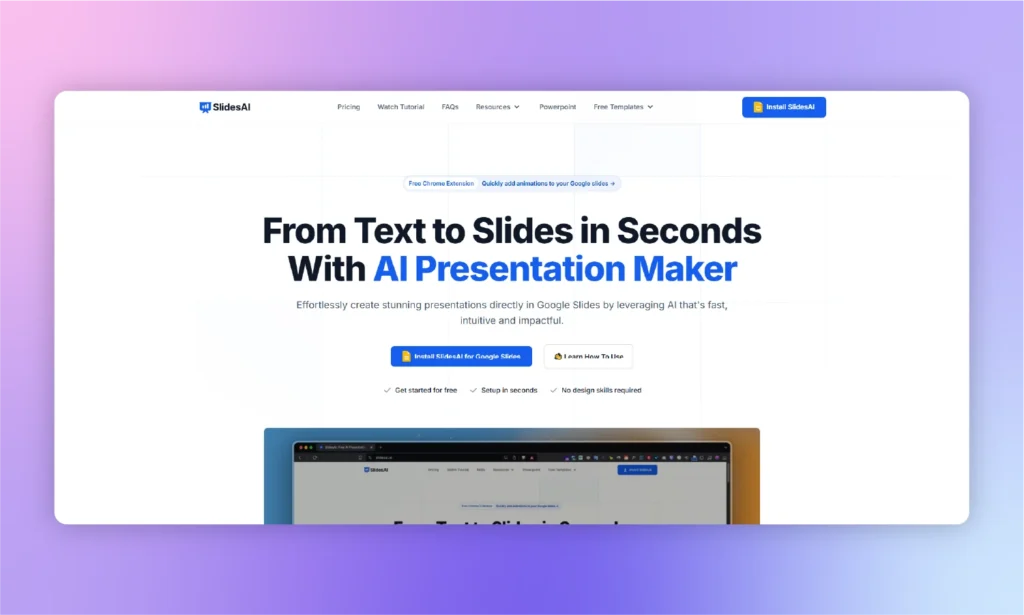
Many visual elements in the SlidesAI presentation maker help with pitches and sales presentations. But users need to make extensive manual changes to the final slides. Developers behind SlidesAI did a great job with visual elements, but missed the opportunity to optimize text generation for the slides.
Many users have reported challenges with adjusting the text to the slide’s layout. Once content is ready for slides, changing templates is risky. With a new template selection, your current layout may not work.
Slides AI Pricing
SlidesAI has a free Basic plan (200 AI credits/month) and two paid plans (checked 17/10/2026):
- Pro – $12/month (2,500 credits/month), or $10/month billed annually
- Premium – $25/month (7,000 credits/month), or $20.83/month billed annually
Pros and cons of SlidesAI
SlidesAI is a good alternative to Gamma AI due to dedicated PowerPoint support. SlidesAI recently released an add-in for PowerPoint, but some bugs are expected.
| 👍 Pros | 👎 Cons |
|---|---|
| Automation of different repetitive manual tasks | Packages are not transparent; overcharge issues have been reported |
| A simple and basic AI presentation tool for beginners | Inflexible theme switching after initial generation |
| Offers a dedicated add-on for Google Slides | Content generation is not perfect, requiring lots of manual editing work |
Skip it if: You expect AI-generated content to be ready to present without revisions. SlidesAI often requires manual editing and refinement after the initial draft is generated. See our full SlidesAI vs Twistly comparison.
When You Shouldn’t Switch from Gamma
Gamma is still a solid choice for many users. You may not need an alternative if any of the following apply:
- You usually share presentations as links instead of PowerPoint files. Gamma’s web-based format is ideal for online viewing and collaboration.
- You create documents, web pages, and presentations in one place. Gamma offers a broader content creation platform than most presentation-focused tools.
- You only create one or two presentations each month. If you stay within the free AI credit limit, switching may not provide much additional value.
- You don’t need advanced PowerPoint editing. If your presentations are viewed online rather than edited in Microsoft PowerPoint, Gamma’s workflow may be all you need.
So, what’s the best alternative to Gamma AI?
After reviewing these top 6 alternatives to Gamma AI, it is your turn to decide the best replacement. Several tools on this list now offer a PowerPoint add-in, but Twistly is the only one built for PowerPoint first. It works inside your existing deck and templates, and its paid plans include unlimited AI credits instead of a monthly credit allowance.
Google Slides might be a popular tool among specific segments of users, but PowerPoint has the largest user base. If you don’t want to be stuck between making presentations and then exporting files, choose a tool that builds slides directly in PowerPoint, so there is nothing to export or fix afterwards.
FAQs
Q: Isn’t Gamma cheaper than all of these?
Not necessarily. While Gamma’s entry price appears affordable, its free plan includes a one-time allocation of AI credits that can be exhausted quickly if you create presentations regularly.
Q: Will I lose my existing Gamma presentations if I switch?
No. You can export your existing Gamma presentations as PowerPoint files, although some formatting, fonts, and layouts may require manual adjustments after export. Once you move to a PowerPoint-native tool like Twistly, future presentations are created directly in PowerPoint.
Q: I don’t want to learn a completely new platform. Which tool is easiest to adopt?
If you’re already familiar with Microsoft PowerPoint or Google Slides, Twistly and Plus AI have the shortest learning curve. Both work as add-ins within the presentation software.
Q: This is your blog. Why should I trust these recommendations?
The comparison is designed to help readers choose the right tool, not simply promote one option. Every tool includes its pricing, free plan limitations, independent user ratings, and a “Skip it if” section that highlights situations where it may not be the best fit, including our own product, Twistly.
Sources
Pricing and plan limits (checked 17 October 2026): Gamma · Plus AI · MagicSlides · Beautiful.ai · Presentations.ai · SlidesAI · Twistly
User ratings (Trustpilot, 17 October 2026): Twistly · Plus AI · MagicSlides · Beautiful.ai · Presentations.ai · SlidesAI
PowerPoint add-ins: Beautiful.ai PowerPoint Add-In · SlidesAI for PowerPoint (Microsoft AppSource) · Plus AI for PowerPoint and Google Slides











Start Making AI Presentations in Seconds
Instant Access
Begin exploring Twistly’s full suite of features immediately
No Commitments
No credit card required, and you can cancel anytime
Dedicated Support
Our team is here to assist you every step of the way during your trial.