



To automate your quarterly business reviews with AI, you need generative AI tools like Twistly that can turn raw data into executive-ready and structured slides. The manual method involves collecting all available data, analyzing it to find information that needs to go in the slides, and then spending days creating slides.
By automating your quarterly business reviews, AI analyzes data, turns raw data into actionable insights, and then generates data visuals and finally formats PowerPoint slides. All this happens automatically, without any manual designing, within minutes.
Best thing about Twistly is the seamless automation of quarterly business reviews with other AI features and ChatGPT-like options. It is a complete AI package for all PowerPoint users.
What does Quarterly Business Review Automation Mean?
For system and data analysts, raw data also makes sense, but executives and board members can’t spend hours analyzing data. They need quick and efficient data reporting.
So, you have to create presentations that simplify the complex data and present important insights in an effective way. These presentations are called quarterly business reviews and can have charts, images, graphs, timelines, reports, and other content.
Presentation Automation with Twistly
Twistly automates repetitive presentation tasks while improving presentation quality and consistency. Our AI add-in can help businesses:
- Generate QBR slide structures automatically
- Create executive summaries
- Convert raw business data into presentation-ready insights
- Maintain corporate branding consistency
- Produce charts and visual storytelling elements
- Build data-driven PowerPoint presentations faster
Manually creating a professional presentation with all these elements can take days. Organizations and professionals are quite busy during that time, and they cannot afford to spend hours on a single presentation.
Apart from the scarcity of time, not everyone is good at PowerPoint. Instead of wasting time on trying new features, install Twistly now and automate your quarterly business reviews with AI.
Create PowerPoint
Slides with AI
Build AI-powered presentations from
any prompt, doc, or video


How to Automate Quarterly Business Reviews with Twistly?
There are two options to make QBR with Twistly:
- Generate a QBR from scratch with available data
- Generate individual slides with custom instructions
Both options are viable for individuals and organizations, depending on the availability of data. Mostly, businesses already follow special templates with added information related to the current quarter.
In said case, you can add or generate multiple slides that can be used for existing or new QBR (Quarterly Business Review). Let’s see how to automate your quarterly business reviews with AI in simple steps.
Method 1: Automated Data-to-Slide Transformation
You have the data available, and you want to create a quick presentation from scratch by using this available data or topic. Twistly can generate a complete QBR from the topic and the text of the document. Data-to-slide transformation is easy with these steps:
- Open a blank PowerPoint presentation and launch Twistly
- Create a presentation from a topic or text and input your data
- Set presentation details and pick an AI template
- Review the slide outline and then wait for a few moments
- Your final QBR is ready. Edit or optimize it
This is the easiest and fastest method to create a quarterly business review. The next method offers more customization options and better accuracy of output slides.

Method 2: Automate Slide Creation for QBR
Now, there are certain slides that must be part of quarterly business reviews. These special slides offer quick access to the most important information in the entire presentation. Let’s see how Twistly helps with the automation of slide creation for QBRs.
1. Executive Summary Slides
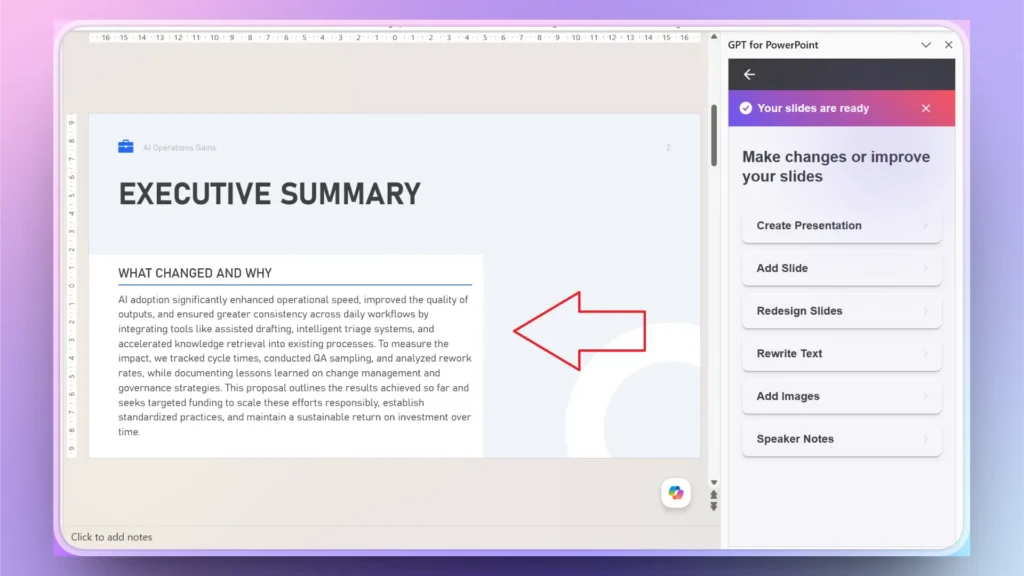
The executive summary slide is the most important slide in the entire deck. This one slide has all the necessary numbers, details, and facts that an executive must know. But reviewing an entire deck to collect data for the executive summary slide takes time.
Twistly can automate executive summary slide creation by analyzing complete slides and then writing content for the executive summary slide.
2. Automated Data Visuals
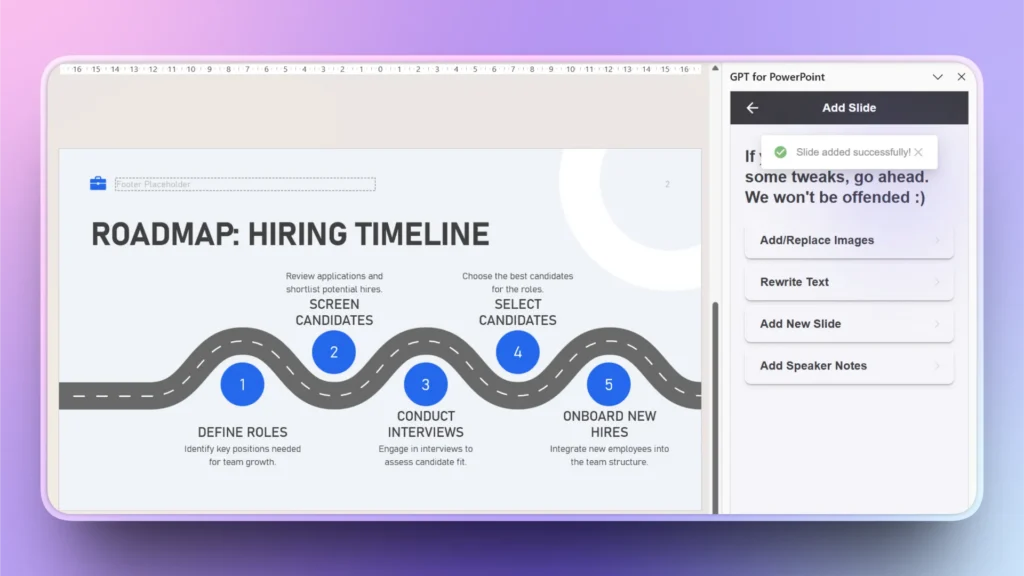
You need revenue charts, graphs, and timelines for quarterly business reviews. All these elements take time and design skills. Twistly simplifies these slides and allows you to automatically generate data visual slides from simple AI prompts.
Edit Slides >> Add Slide >> Pick Slide Layout >> Provide Data or Prompt >> Review Slide
3. Smart Slide Structuring
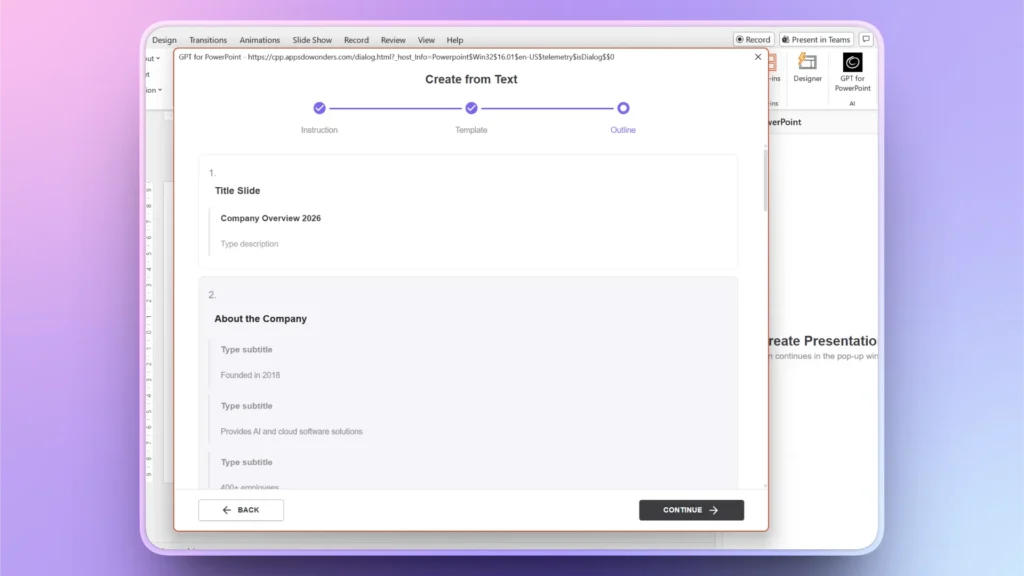
Quarterly business reviews follow a certain slide structure for interactive business storytelling. Not all users understand the flow of slides in this structure. There is a defined workflow for QBRs:
- Quarterly overview
- Business performance
- Financial metrics
- Customer insights
- Operational updates
- Departmental performance
- Risks and challenges
- Strategic priorities
- Forecasting and next steps
If provided with a detailed prompt, Twistly will automatically follow this structure and create a slide outline that covers all these elements and slides. You don’t need to create each slide.
4. AI Content Optimization
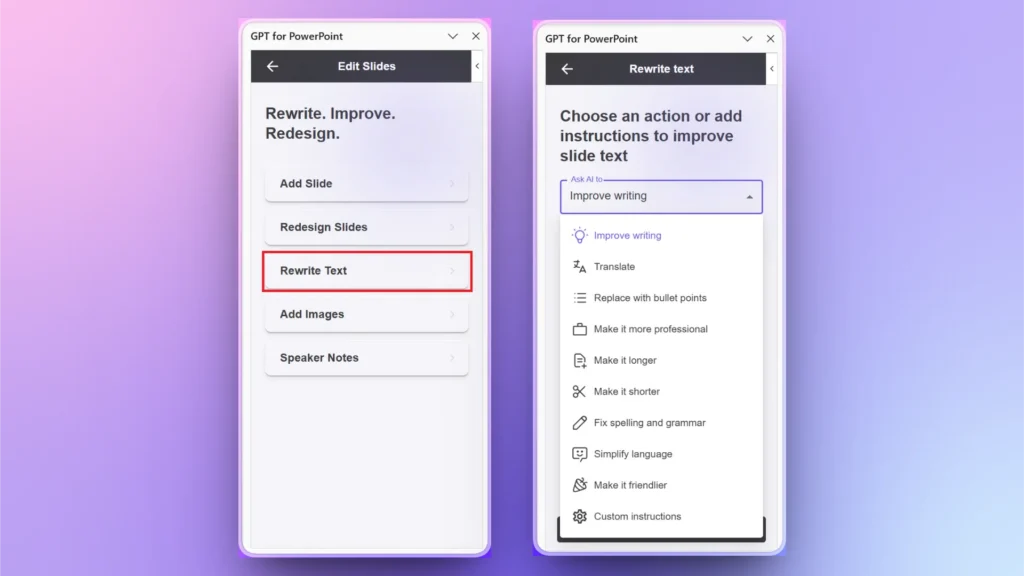
Whether you need to shorten a paragraph or need to make it sound more professional, Twistly has all the content optimization tools. You don’t need to use multiple tools for different tasks.
Edit Slides >> Rewrite Text >> choose Text Optimization option
From editing text to turning long text into bullet points and other types of content, there are endless opportunities to improve and optimize your slides for the target audience.
Get the Best AI Add-in for QBRs
Twistly combines the power of AI with manual controls. You don’t get to abandon PowerPoint, and at some point, if you want to switch to PowerPoint tools, you are more than welcome.
Twistly is an AI add-in that works inside PowerPoint, requiring no switching between multiple apps and websites. Installing Twistly is easy, as this AI add-in is available at Microsoft AppSource, Twistly.ai, and the PowerPoint add-in library.
The easiest way to install Twistly is to use the link below and claim your free trial. Download Twistly now and start automating quarterly business reviews with AI.
Create PowerPoint Slides with AI
Build AI-powered presentations from any prompt, doc, or video

Conclusion
Try Twistly to automate your quarterly business reviews with AI, as this tool is easy to use and creates presentations faster. AI-powered business reporting is rapidly becoming standard operational practice.
If you don’t start using AI now, the next professional years are going to be quite challenging for you. Download Twistly now and give it a try.












Start Making AI Presentations in Seconds
Instant Access
Begin exploring Twistly’s full suite of features immediately
No Commitments
No credit card required, and you can cancel anytime
Dedicated Support
Our team is here to assist you every step of the way during your trial.