



Yes, you can make management presentations with AI, including content writing, slide creation, and overall formatting. But finding a tool that does it all seems challenging for many users. In 2026, every tool is claiming to offer AI features, but only a few meet the standards of true AI models.
Making a presentation for management or other executives is a serious job that must be handled with care and attention to detail. Using a random AI tool can get you in serious trouble. Limiting yourself to standalone AI presentation makers would also be a mistake.
Can AI Make Professional and High-level Presentations?
The real question is not whether AI can make presentations or not, but rather how to maintain the quality of output. Management or board members understand the industry, and you cannot present slides with random data; they demand facts.
If you are looking for an AI tool that can offer the same creativity, strategic structure, and control for making management presentations, then Twistly is the best add-in for PowerPoint users.
Yes, you can make professional, high-level management presentations with Twistly. It combines the power of AI features and native PowerPoint tools.
Instead of allocating useful resources to one presentation, use Twistly to make management presentations and get the best results. It takes only a few minutes to create a complete presentation with Twistly, from scratch.
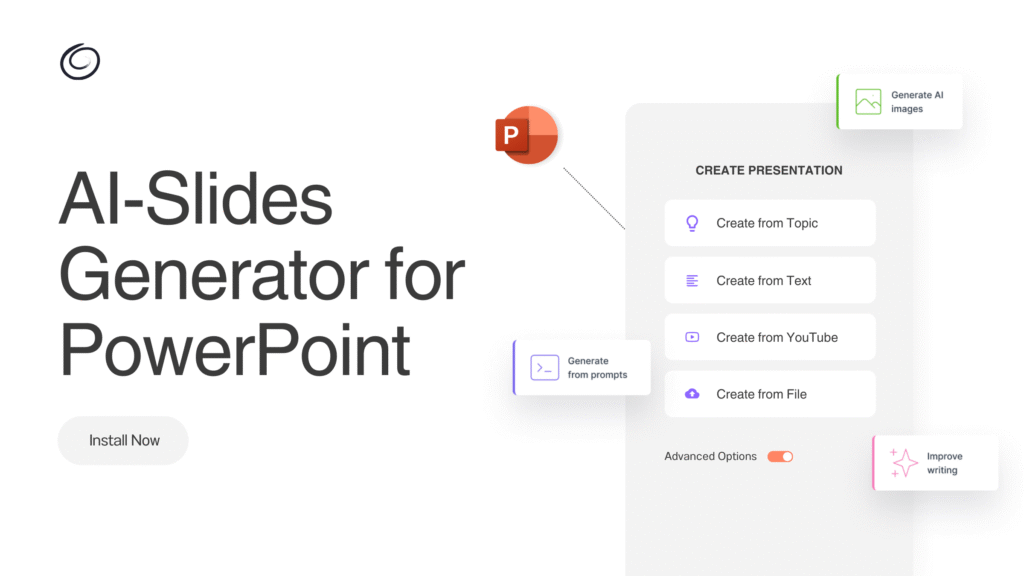
Overview of Management Presentations
Management presentations are professionally designed slides to communicate ideas and information to executives, managers, stakeholders, clients, or internal teams. Financial topics, strategies, and operational plans are usually presented in management decks.
Common examples of management presentations in different industries include:
- Executive summary presentations
- Business strategy decks
- Board meeting presentations
- Sales performance reports
- Market analysis presentations
- Project status updates
If you are asked to deliver a presentation that can help executives make quick decisions, Twistly has the right tools and AI features to help you achieve this goal.
Making a Management Presentation with Twistly
We have chosen Twistly as our AI presentation maker for management presentations. Now, do you need any design or PowerPoint experience to use Twistly? No, this AI add-in works and lives inside PowerPoint, and does not require new skills or previous experience.
The process of creating a presentation with Twistly is simple:
- Open PowerPoint, launch Twistly, and choose the input type to make a presentation
- Provide a topic, text, or upload a document, and then set other preferences
- Pick an AI PowerPoint template and then review the AI-generated slide outline
- Review the final slides and make changes to optimize results
How can Twistly help with making management presentations? What are the unique Twistly features that can help you achieve high-level presentations for management?
Create PowerPoint
Slides with AI
Build AI-powered presentations from
any prompt, doc, or video


Improved Strategic Focus
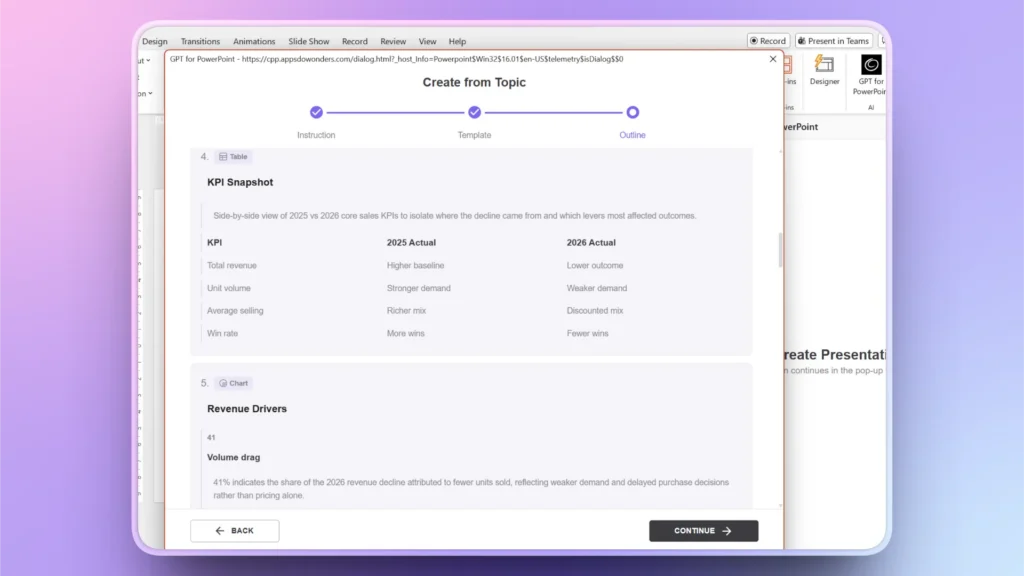
When you make presentations with Twistly, AI analyzes your topic and the number of slides you have selected. Based on your selections, the best possible outline is suggested. Users then review the outline and make changes if needed.
If you think some elements are missing, Twistly allows you to update the outline during the process or at the end of the presentation. You can go back or make changes at any stage.
Faster Presentation Creation
You are no longer required to write content, create an outline, and manually design slides. Everything happens within minutes, with AI. You only have to input your selections at two or three points.
It takes less than 5 minutes to finalize a management presentation with Twistly, and for a general presentation, you can have the final slides in less than 90 seconds. Speed is impressive, and you still get to enjoy reliable output.
Consistent Corporate Branding
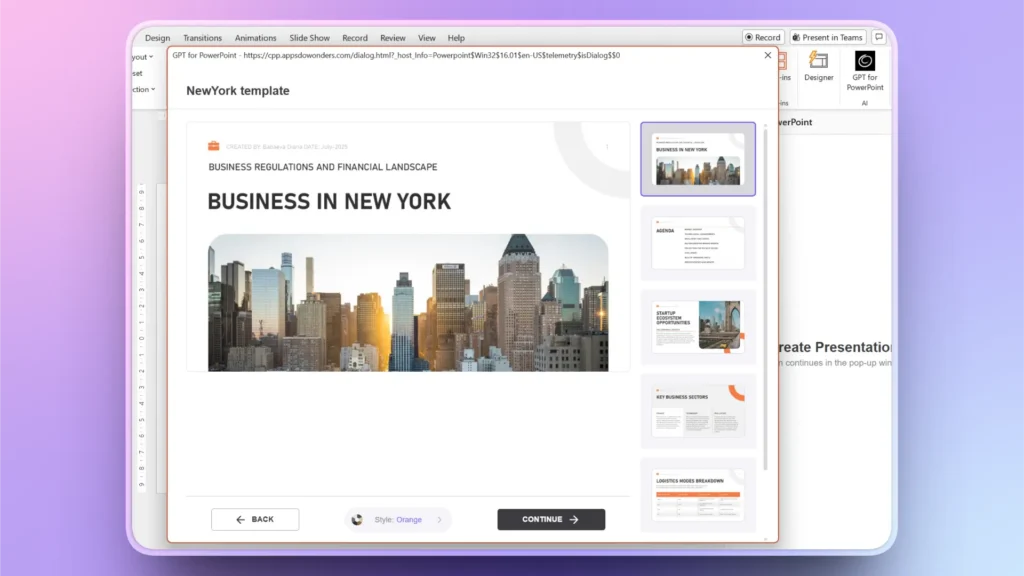
Twistly offers a wide range of AI PowerPoint templates. You can set the template color according to your brand identity. And if you want to follow a specific style or template for all your presentations, a custom template can also be created.
Simply upload an existing brand presentation, and Twistly will automatically fetch design elements from PPT and create a reusable template for future projects.
Better Executive Communication
Managers and executives pay more attention to industry-related terms. If you find the AI-generated content too generic, use the Rewrite Text option in Twistly to optimize the content.
There are several AI tasks that you can perform to make your content better and industry-related.
Edit Slides >> Rewrite Text >> select Target Slide >> Choose Text Optimization option.
Benefits of Using Twistly for Management Presentations
Do you want to spend hours or days making generic presentations, or do you want high-level and professional management presentations within minutes? The choice is yours, and if you choose Twistly, welcome to the community of more than 3 million Twistly users.
Twistly integrates ChatGPT-like features into PowerPoint, so you don’t have to leave the software or switch between multiple apps and websites.
- Create presentations, edit, or optimize with AI
- Eliminates the need to manually create every slide from scratch
- Twistly helps structure presentations into logical sections
- AI accelerates workflow
- AI-assisted business storytelling and visuals
- Impactful and persuasive presentations with AI
Can You Try Twistly for Free?
We understand that you are excited to try the best AI presentation maker for PowerPoint. Do you have any doubts about the AI features of Twistly?
We understand your concerns, and our user-centric team has decided to offer a limited-time trial to all new users.
Yes, you can try Twistly for free, without a credit card or payment. The easiest way to get started is to use the link below and claim your free trial.
Create PowerPoint Slides with AI
Build AI-powered presentations from any prompt, doc, or video

Conclusion
Yes, Twistly is an AI add-in that can make management presentations with AI for PowerPoint users in any industry. With little or no editing, you can present your final slides right away to any type of audience.
With platforms like Twistly, professionals can transform ideas, reports, and business strategies into polished management presentations. Twistly has become one of the most popular add-ins for PowerPoint, and you will see the reason why millions of users love it. Give it a try and be more productive and impress your management.







Start Making AI Presentations in Seconds
Instant Access
Begin exploring Twistly’s full suite of features immediately
No Commitments
No credit card required, and you can cancel anytime
Dedicated Support
Our team is here to assist you every step of the way during your trial.