



Yes, AI can build an executive presentation or any other kind of presentation, but you need the right AI tool for that. Not all AI tools are built the same. Some are meant for designing slides, and some offer images and other visuals for decks.
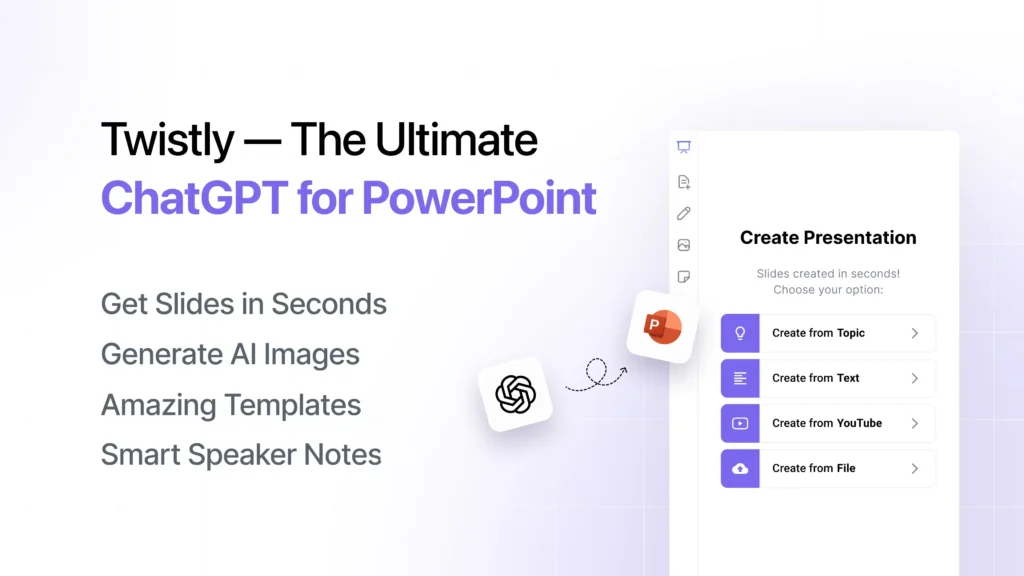
If you want to build an executive presentation using a single AI tool, Twistly is your best option. It is an AI add-in that works inside PowerPoint, offering ChatGPT-like capabilities for making presentations.
The ideal way to use AI for building executive presentations is to use it as an assistant, not as a replacement for human creativity. With careful review of the output, you can get the desired results.
What is an Executive Presentation?
An executive presentation is a high-level presentation, designed for investors, executives, stakeholders, and decision-makers. Instead of explaining every little thing in detail, executive decks focus on:
- Strategic insights
- Business performance metrics
- Financial summaries
- Market positioning
- Growth opportunities
- Operational planning
- Decision-oriented messaging
These slides are data-driven, consist of charts and insights, and are outcome-driven. Every slide must quickly communicate value so that executives can decide whether to pay attention to further details or not.
Build Executive Presentations with Twistly
Teams often spend hours creating executive presentations because every little detail needs attention. If you are a single person or a small team, allocating such massive resources to a single project may not be possible. Instead of depleting resources, install Twistly and get professional presentations for executives.
How to Install Twistly?
Twistly is a simple AI add-in that you can find at Microsoft AppSource, Twistly.ai, or in the PowerPoint add-in library. Search for Twistly or GPT for PowerPoint and install the add-in.
You can also use the link below to claim your free trial. The trial version of Twistly comes with limited-time access but at no cost. You can start using Twistly without a credit card.
Create PowerPoint
Slides with AI
Build AI-powered presentations from
any prompt, doc, or video


Steps to Build an Executive Presentation with Twistly
AI tools are equally useful for beginners and experts. Using Twistly does not require any prior experience or skill. Having PowerPoint and design skills is a plus, but a new user can also build professional executive presentations with AI.
Once you have installed Twistly for your PowerPoint software, you just need to follow these simple steps to build an executive presentation with Twistly.
| Step 1 | Open PowerPoint >> launch Twistly >> Create Presentation |
| Step 2 | Input the topic, set presentation preferences |
| Step 3 | Choose an AI PowerPoint template |
| Step 4 | Review the AI-generated slide outline and make changes if needed |
| Step 5 | Review, edit, optimize, and present your final executive presentation |
This whole process takes less than two minutes, and anyone can follow these simple steps. Twistly has a smooth interface with prompt-based and graphic-based communication options.
Benefits of using Twistly for Building Executive Presentations
Twistly is not an ordinary presentation maker but a complete package of advanced AI tools, combined in one platform. You can think Twistly as a custom ChatGPT for PowerPoint.
From writing content and designing slides to generating AI images, Twistly does it all, inside PowerPoint. Here are some key areas where Twistly AI can help you build an executive presentation.
Strategic Slide Structure
When you opt for creating a presentation from a topic, Twistly offers many customization options, and output slides are structured according to your preferences.
If you have chosen a business audience and a professional tone, slide structuring would be different from a general presentation.
Executive-level Content Generation
For presentations made from a topic, text, or document, you can always choose to keep the original text, shorten it, or expand it. Based on your target audience, Twistly will automatically adjust the content tone and style.
Improving or optimizing any text is also easy with Twistly. There are several tasks related to content that you can perform with Twistly.
Edit Slides >> Rewrite Text >> choose AI action for Text Optimization
Faster Presentations
Creating an executive presentation with Twistly takes less than 2-3 minutes if you have the topic ready. The same presentation can take 5-6 hours or even more if made manually.
When you need efficient results in less time, go for Twistly and start faster and high-value executive presentations with AI.
Improved Visuals for Slides
Images, visuals, and other media are part of executive presentations, too. You need to be careful about the use of visuals for business presentations. For consistency across all slides, you can use the AI image generator inside Twistly.
Users don’t need to spend time searching for desired images across different sites. Based on your settings, Twistly can add images from popular stock image sites, too.
Better Data Visualization
Instead of writing long and complicated paragraphs, use charts, tables, graphs, timelines, and other data visualization tools to simplify concepts.
Making a chart, graph, or table from AI data or personalized information takes just two clicks. Select your desired slide layout, provide data, or let AI fill text and data for your slide, and you are done.
Who Can Benefit from Twistly?
Anyone who uses PowerPoint for presentations can benefit from Twistly. It can generate executive presentations, tutorials, marketing decks, investment pitches, general presentations, and slides of all types.
Executive presentations created with Twistly are useful across multiple industries, including:
| Corporate Enterprises | Board reporting Performance reviews Operational updates Strategic planning |
| Startups | Investor pitch decks Funding presentations Growth strategy presentations |
| Consulting Firms | Client strategy decks Market analysis presentations Transformation roadmaps |
| Sales and Marketing | Revenue reporting Campaign performance reviews Enterprise client proposals |
Final Words
Twistly can automate slide creation and build an executive presentation using AI for users of all types, including investors, CEOs, and executives. For efficient slide quality, always review your AI-generated content manually.
If you want to experience other great features of Twistly for executive presentations and other decks, download the trial version and enjoy seamless ChatGPT for PowerPoint. Twistly is flexible, smart, faster, and convenient.
Create PowerPoint Slides with AI
Build AI-powered presentations from any prompt, doc, or video











Start Making AI Presentations in Seconds
Instant Access
Begin exploring Twistly’s full suite of features immediately
No Commitments
No credit card required, and you can cancel anytime
Dedicated Support
Our team is here to assist you every step of the way during your trial.