


75% of People Fear Public Speaking. AI-Prepared Slides Are Closing That Gap
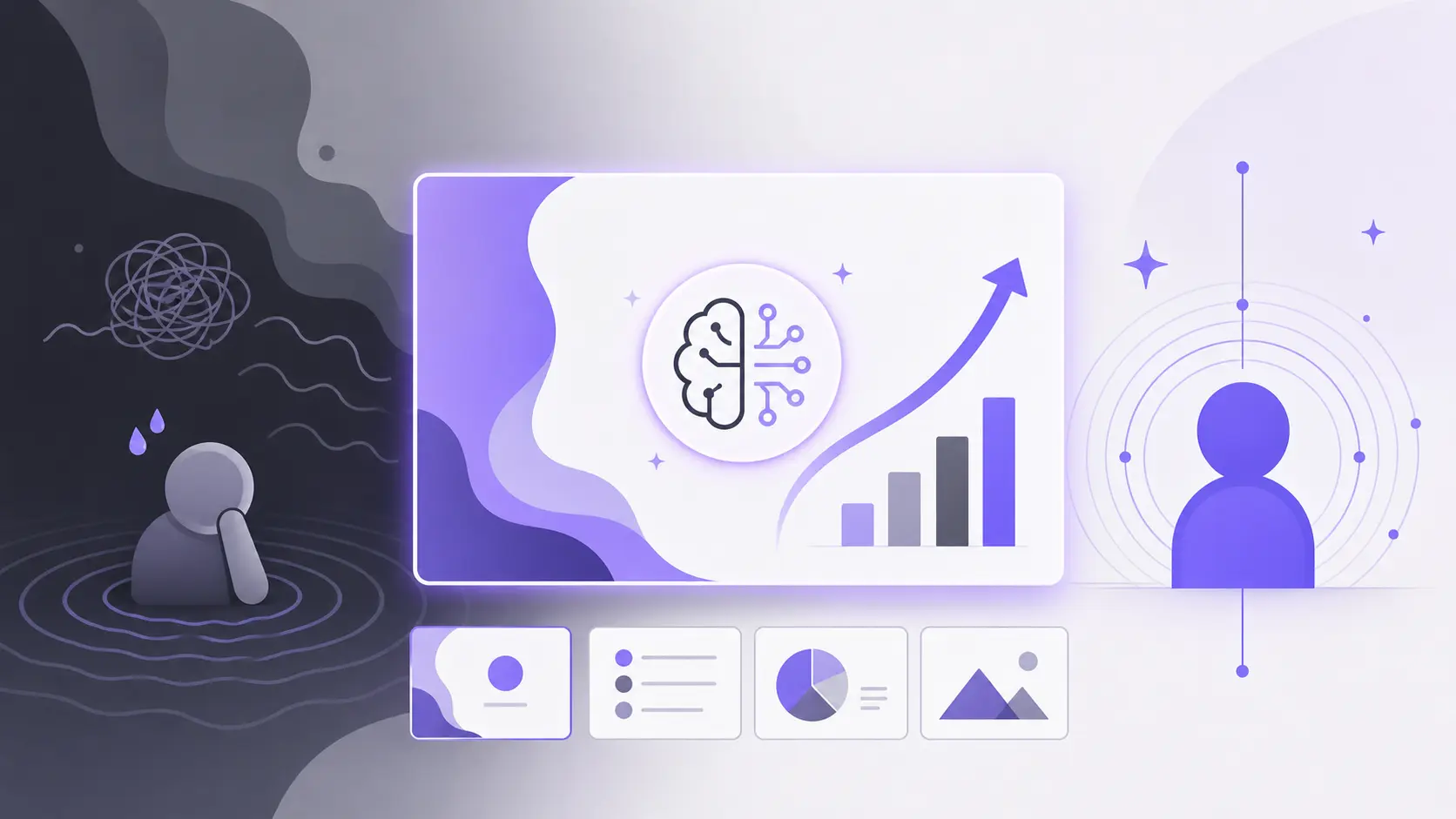
Surveys estimate that roughly 75% to 85% of the global population experiences some level of anxiety when speaking in front of an audience. Is it something to be ashamed of? Are you alone in this situation? No, even the most confident individuals might get confused while speaking in front of other people.
Fear of public speaking is a totally natural response from the human mind. Physical and psychological mechanics help you manage this fear professionally. The biggest driver behind this fear is the lack of preparation or inadequate materials for the presentation.
AI presentation makers are playing an important role in this equation, and most users don’t even realize the positive impact of AI-generated slides. When you get instant and effective presentations related to your topic, you can focus on things that matter the most and present with confidence.
Fun Fact:
Only about 10% of the population genuinely loves public speaking, while 10% are truly terrified of it. The remaining 80% fall somewhere on the anxiety spectrum. If you are not among the few who love public speaking, we have the right practices and tools that can help you overcome this fear.
Create PowerPoint
Slides with AI
Build AI-powered presentations from
any prompt, doc, or video


What is Fear of Public Speaking?
The fear of public speaking, known as glossophobia, is a deeply ingrained response triggered by the brain interpreting observation as a threat. This cute and geeky term can have a significant impact on your professional and social life.
It triggers the primal “fight-or-flight” mechanism, resulting in an adrenaline rush that causes symptoms like a racing heart, trembling hands, and racing thoughts. You need no medication or medical help to overcome general fear of public speaking.
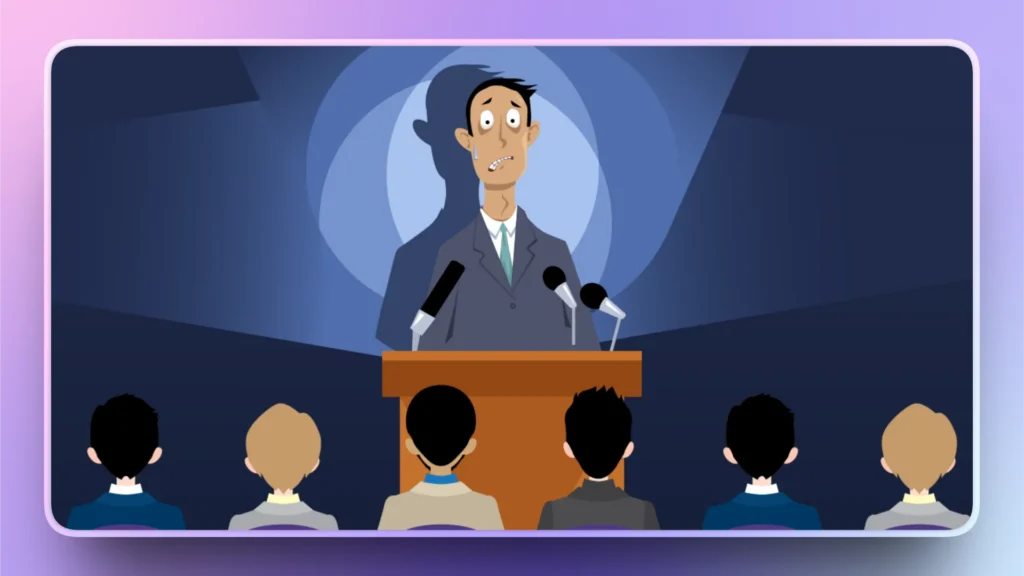
What Causes Presentation Anxiety?
When you don’t have enough material to support your argument or effectively deliver your message, being afraid of the stage is normal. Presentation preparation plays a much more important role than most people realize.
Are you uncertain of your presentation slides and content? If so, you are more likely to forget things, be nervous, or even act weirdly on stage. Here are some of the most important and common causes of presentation anxiety or fear of public speaking:
- Fear of negative evaluation
- Traumatic past experiences
- Fight or flight mechanism
- Perfectionism and lack of confidence
- Not being fully aware of the topic
- Not having enough material for effective message delivery
- Fear of showing nervousness
All these factors are caused by psychological responses to the situation. But there is even a major reason behind fear of public speaking, ignored by most presenters.
Hidden Cause that No One Talks About
Creating a compelling storyline is the most difficult part of any presentation, as reported by 46% of the presenters participating in a study. Inadequate preparation is one of the leading contributors to presentation-related stress. People keep focusing on improving their verbal communication and body language and end up with random slides that offer no value.
A bored and annoyed audience is the biggest reason why people are afraid of being on stage. This happens when the audience is bombarded with unstructured data and unclear information. This situation triggers a cycle of uncertainty where:
- Poor structure creates confusion.
- Confusion reduces presenter confidence.
- Lower confidence impacts delivery.
- Weaker delivery reduces audience engagement.
The quality of your presentation slides defines how comfortable and confident you are while presenting your message. Do you need to be a good researcher, designer, and presentation maker to be a good presenter?
No, even a common user with no prior experience of PowerPoint and slide creation can also present on stage and overcome the fear of public speaking with the right tools.
Better Slides, More Confident Speaker
Slides are not just a visual aid but a complete roadmap for message delivery. A clearly organized message is easy to deliver for the presenter and easy to understand for the audience. When presenters don’t have to focus on remembering what comes next, they can connect with the audience in better ways.
Professionally designed slides also help with improved audience engagement. Adding images, charts, and other data visualization tools can support your topic and divide data into small and digestible chunks of information. Better slides offer many benefits, including more confident speaking skills
- Clear direction
- Stronger and structured flow
- Compelling storyline
- Reduced cognitive load
- Better feedback from the audience
Secret Tool to Boost Your Confidence on Stage
Your slides are visible to your audience, and they can see what you want to show them on the screen. What if you wanted additional material related to each slide? You need more information that’s only visible to your eyes.
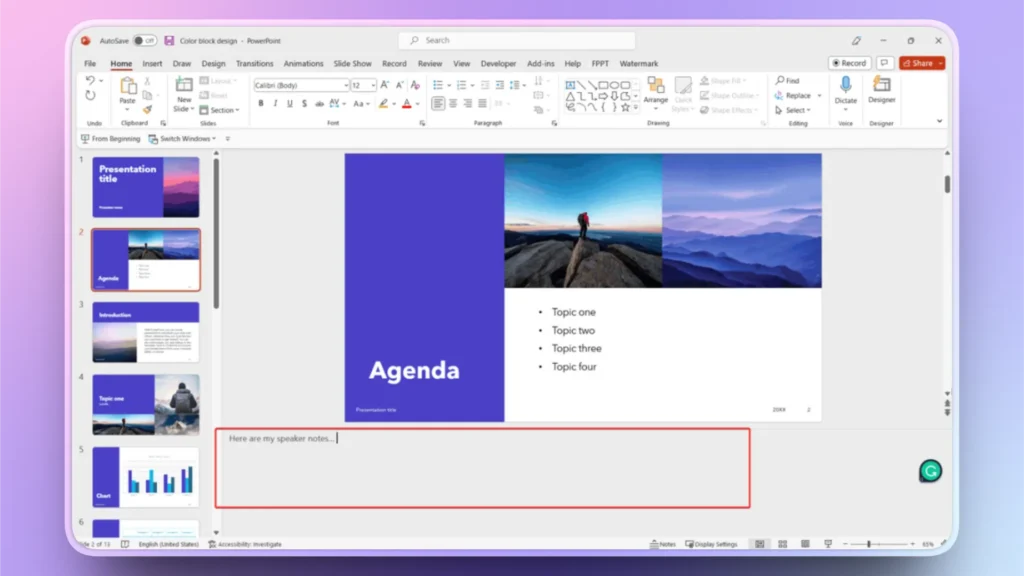
Speaker notes are meant for the presenter’s eyes only. There is a Presenter View in PowerPoint where you can add and view speaker notes for your presentation.
What are “Speaker Notes”?
Speaker notes in PowerPoint are hidden text attached to individual slides to help you remember key points or provide extra details without cluttering your presentation.
Overcome Presentation Anxiety with Speaker Notes
Most AI presentation makers only focus on the design aspects of the slides. Twistly is a unique AI presentation maker that focuses on every possible aspect of the presentation that can improve the effectiveness of your message delivery.
From fetching relevant information to creating slides and generating AI speaker notes, Twistly is an all-in-one AI presentation maker. Twistly delivers many outstanding features that are rare to be found in any other AI presentation tool, including:
- Structuring the story
- Organizing supporting content
- Designing professional visuals
- Creating speaker notes
- Preparing presenters for delivery
How to Generate AI Speaker Notes with Twistly?
Do you now understand the importance of speaker notes to overcome fear of public speaking? The next challenge is to create speaker notes. If a presenter is having a tough time creating basic slides, how is he supposed to write additional speaker notes for each slide?
The manual process of creating speaker notes is time-taking: reading all slides, then collecting data, and then finally summarizing important points for speaker notes can take hours. There should be an easy way.
Twistly has a built-in speaker notes generator that can create speaker notes for any specific slide or entire presentation within seconds. AI will automatically analyze your slides, understand the context of each slide, and then generate supporting materials for each slide. This is how to create speaker notes with AI in PowerPoint.
Step 1: Open your Presentation and Twistly
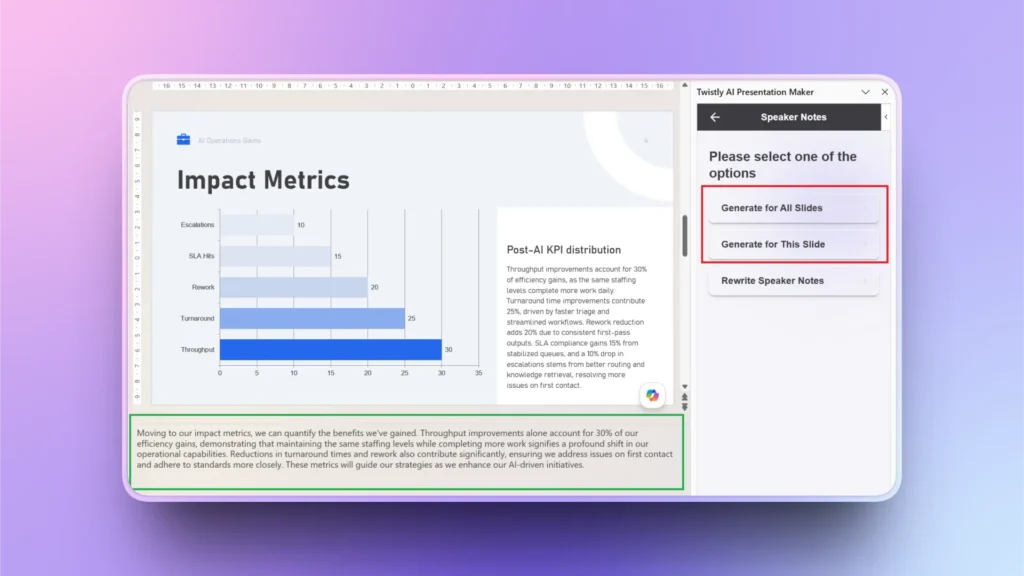
Open the PowerPoint presentation, launch Twistly, and then click Edit Slides. From the next window, click Speaker Notes.
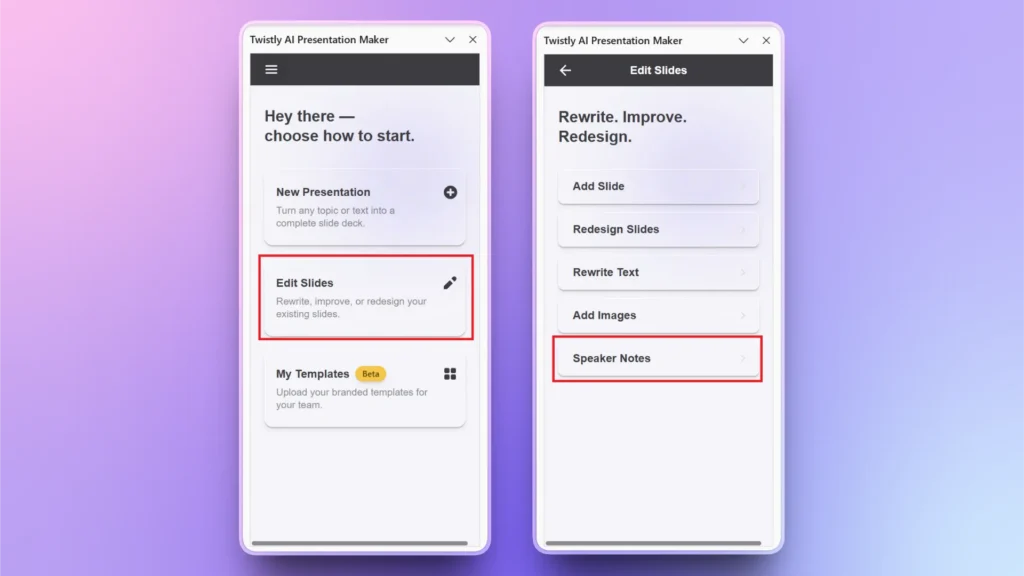
Step 2: Create Speaker Notes
Choose whether you want to create speaker notes for the selected slide, all slides or do you want to rewrite your existing speaker notes.
Once selected, within seconds, you have speaker notes under your slides. You can choose the Rewrite Speaker Notes option to change or edit existing speaker notes.
Twistly is Empowering Presenters
The goal of using AI presentation tools like Twistly is not to replace human communication but to empower presenters with the right tools and resources. When presenters no longer have to spend hours creating slides and preparing speaker notes, they can confidently focus on personal communication skills.
You are naturally more confident when you are aware of the quality of your presentation slides. Try Twistly now for free and start making amazing and professional slides with AI. For the millions of professionals who experience presentation anxiety, that shift to AI slides can make a meaningful difference.
Create PowerPoint Slides with AI
Build AI-powered presentations from any prompt, doc, or video

Final Words
If you want to overcome the fear of public speaking, prepare good slides with quality information with Twistly. Speaker notes can also be a great tool to empower your communication skills.
As AI continues to improve presentation workflows, professionals are gaining access to tools that eliminate many of these challenges before they become problems.







Start Making AI Presentations in Seconds
Instant Access
Begin exploring Twistly’s full suite of features immediately
No Commitments
No credit card required, and you can cancel anytime
Dedicated Support
Our team is here to assist you every step of the way during your trial.