


Guy Kawasaki introduced the rule of 10/20/30 for more impactful presentations, which dictates that an effective presentation should have 10 slides, should take 20 minutes to present, and the font size should be no less than 30 points.
This may seem like some obvious settings for a PowerPoint presentation, but most users tend to ignore the importance of these proven strategies. While making a professional presentation in PowerPoint, every small detail matters.
In this article, we will learn more details about the 10/20/30 rule of PowerPoint presentations and how to optimize your PowerPoint presentations for maximum impact.
What is the 10/20/30 Rule of PowerPoint Presentations?
Imagine a presenter coming on the stage and spending hours explaining simple things that shouldn’t have taken more than 10-15 minutes. Do you think such a presentation would be considered an impactful presentation? The answer is a big no.
The 10/20/30 rule is a simple presentation design rule that ensures maximum impact by engaging the audience with the right mix of design, content, duration, and presentation delivery. Guy Kawasaki concluded that impactful presentations:
- Should not have more than 10 slides
- Should not take more than 20 minutes to go through
- Should not have a font size less than 30 points
Now, we will explain each component of this PowerPoint presentation design rule in detail. The 10/20/30 rule is not a law or universal rule, but it works for most topics.
Depending on the project and topic, you may have to use more than 10 slides for a presentation.
10 Slides: Enough to Explain Most Important Points
This part of the 10/20/30 rule for PowerPoint states that a professional presentation should not have more than 10 slides. When you limit the presentation to 10 slides only, you get to focus on things that truly matter.
Users make mistakes in adding all available data and information to the slides. As a result, they get large numbers of slides that have no practical use in the presentation.
Why do 10 Slides Work Best?
The human brain can process only a limited amount of new information at a time. Limiting your PowerPoint presentation to 10 slides ensures that participants can easily remember and process the important information.
If an idea is not important enough to have a separate slide, it is not necessary for your presentation. These 10 slides can cover these parts of the presentation:
- Title / Introduction
- Problem or Opportunity
- Your Solution
- Market or Audience
- Value Proposition
- Key Features or Benefits
- Competitive Advantage
- Business Model or Strategy
- Evidence, Data, or Case Study
- Conclusion and Call to Action
20 Minutes- Respecting the Time of Your Audience
Your overall stage time can be more than 20 minutes, but the main idea of the presentation should be delivered and explained clearly in the first 20 minutes.
People can stay focused for 20 minutes only, and after that, their attention span starts declining. Shorter presentations feel more engaging, and participants don’t have to force themselves to sit through the presentation.
Once you have delivered the core idea in 20 minutes, you still have enough time for questions, explaining other technical details related to the project or presentation.
How to Stay within a 20-minute Limit?
It might be challenging for new presenters to manage time in their first attempts. It is better to rehearse your presentation delivery before the main event.
Read the important points and slides only because reading word-for-word seems too robotic. Your presentation slides are an aid; don’t read slides like a script.
30-Point Fonts- Make your Slides Readable
This part of the 10/20/30 rule of PowerPoint states that no text in the slides should be less than 30 points in size. A larger font size is easily readable from a distance by all participants.
Using smaller fonts gives more space, and presenters end up adding unnecessary details to the slides. Larger font sizes help you focus on things that are truly important and relevant to the topic.
- Larger fonts improve the readability of the text
- Help to deliver important information in an effective way
- keep the audience engaged and attentive
Best Practices for Font Size
- Use short phrases and focus on optimizing headings and sub-headings
- Don’t add too much text or information to slides
- Turn paragraphs into simple bullet lists
- Replace text with relevant visuals
For some slides, you may have to cover more information, so use a size that gives you enough space on the slide but still does not affect the readability of the text for the audience.
When to Bend the 10/20/30 Rule of PowerPoint?
This rule works well for many presentations and events, and new presenters are highly encouraged to follow these rules.
Sometimes the topics require more information and details, and you might have to bend the rules. Certain presentations and topics may require flexibility, including:
- Technical and training presentations
- Tutorial and workshops
- Data-heavy reports and pitch decks
How to Optimize Presentations with AI?
Twistly is the best tool for PowerPoint presentations if you want to enjoy ChatGPT-like capabilities for slides. While making a presentation, you can easily:
- Adjust the number of slides
- Set the tone and length of the text
- Manually change the font size
- Replace long text with bullet lists
- Generate customized visuals
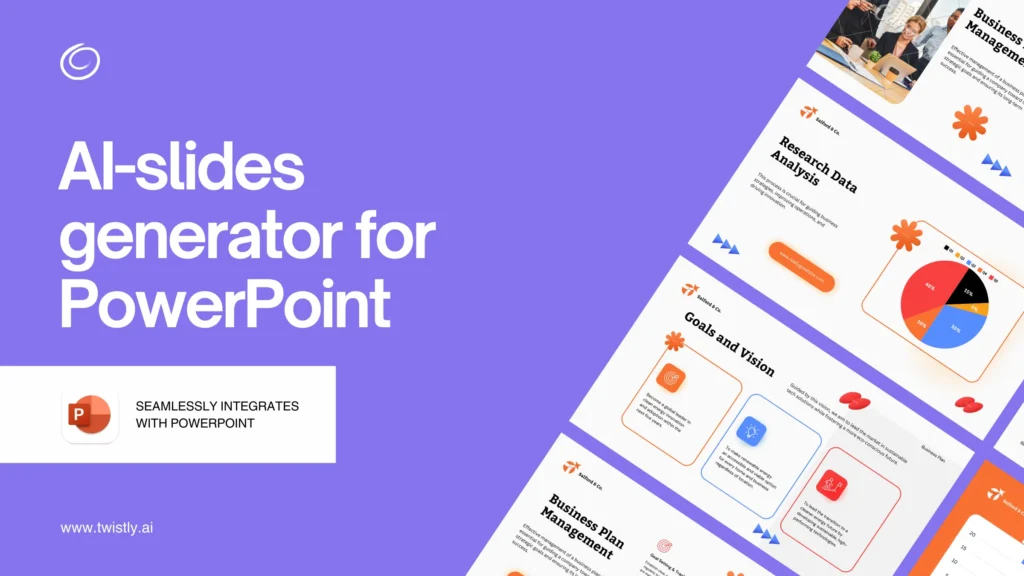
There are many other great AI features in Twistly that ensure easy edits with AI to make your PowerPoint presentations optimized for the 10/20/30 rule of PowerPoint.
Every AI PowerPoint template in Twistly is already optimized for maximum impact on the audience. From formatting to design and visual elements, every aspect of AI templates is meant to add value to your presentation.
Final Words
The 10/20/30 rule of PowerPoint by Guy Kawasaki states that a PPT should have 10 slides, 20 minutes long, and a font size of 30 points. It is a complete framework that helps with the optimization of your PowerPoint presentations with simple design rules.
If you think following these steps is hard, simply download Twistly, and AI will take care of the rest. Try Twistly now for free and start making impactful presentations within seconds.
Create PowerPoint
Slides with AI
Build AI-powered presentations from
any prompt, doc, or video


Start Making AI Presentations in Seconds
Instant Access
Begin exploring Twistly’s full suite of features immediately
No Commitments
No credit card required, and you can cancel anytime
Dedicated Support
Our team is here to assist you every step of the way during your trial.