


How to Use AI to Find Competitive Advantages for Pitch Decks?

A great idea and passion for the startup aren’t enough in modern competitive markets. Investors and stakeholders want to know the unique points that make your business different. Pitch decks have become crucial elements that make-or-break future opportunities.
But not everyone is good at making amazing pitch decks. How to use AI to find a competitive advantage for pitch decks? Competitive advantage becomes the backbone of a winning pitch deck.
In this article, we will explore the importance of pitch decks for securing investments for your business ventures and how to use Twistly to create an amazing pitch deck.
Competitive Advantage for Pitch Decks
Investors and executives review several pitch decks, and most of these pitch decks fail because they all look similar, focusing on the same generic things. We are faster, we are the best, and we are more innovative. Sentences like these add no value to your pitch decks.
Claims are useless unless you have the right data and figures to back your claims. You have to prove your competence by offering a clear and optimized presentation. An ideal pitch deck should answer these main questions.
What problem do you solve?
Why are you uniquely positioned to solve it?
Why can competitors not easily replicate your advantage?
Twistly is a smart AI presentation maker that has templates that are ideal for pitch decks and other personal and professional presentations. You can simply prompt AI to create pitch decks for your next business venture, and AI will take care of most things.
How AI Helps Identify Competitive Advantages
AI has changed how we conduct research, collect data, and make presentations. Usually, you need three different tools for these steps.
With Twistly, all of these AI tools and features are integrated into PowerPoint. Instead of switching between apps, tools, and websites, you can make everything happen inside PowerPoint. Here are some major benefits of using AI tools like Twistly for a competitive advantage in pitch decks.
Market and Competitor Analysis
Analyzing even the smallest niche can take days or weeks. You have to go through different datasets and resources to analyze current and future trends. AI tools can easily find your desired results in no time. AI tools can help you find the gaps in the market and future possibilities for your business.
Customer Insight Mining
For the success of any business, customer feedback is the backbone of the entire venture. But the hardest part is to analyze and spot the room for growth based on customer feedback. AI tools can analyze:
- Reviews
- Surveys
- Support tickets
- Social media conversations
AI tools help you identify the pain points of the users so that you can easily present potential solutions to these issues and problems. Using these insights in your pitch decks can convince investors and interested parties.
How to Create a Pitch Deck with Twistly?
Twistly combines the power of AI content writers, AI image generators, and professional presentation tools. It is not just a slide designer or formatting tool but a complete ChatGPT for PowerPoint.
Whether you want to make a presentation for a classroom project or a pitch deck for investors, Twistly can do everything for you. Even with AI tools like Twistly, manual review of the final presentation is highly recommended.
Follow these steps to create a professional pitch deck for investors with Twistly. This whole process takes just a minute or two. Once you have the presentation, you can still add or edit materials for the slides, and we suggest you do that for a more personalized approach.
Step 1: Open PowerPoint and Launch Twistly
Start a blank PowerPoint presentation and then launch Twistly. You can choose any input method for the presentation. We have already done our research and will use the data file to create a pitch deck.
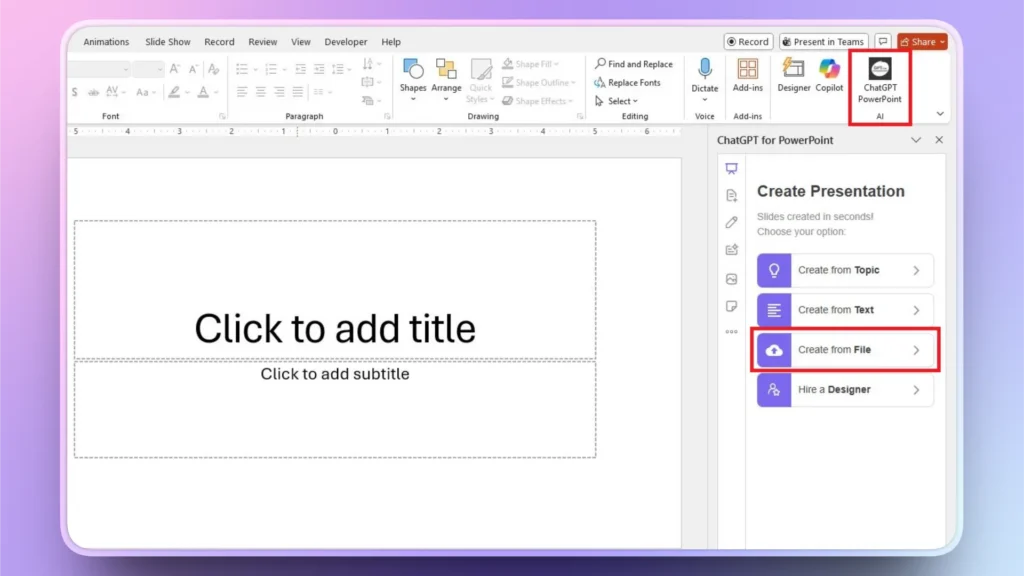
Step 2: Upload Research File
Choose to make a presentation from a file and then upload a file from your computer that has all the data and market analysis. Make sure you have the file ready before starting the presentation process.
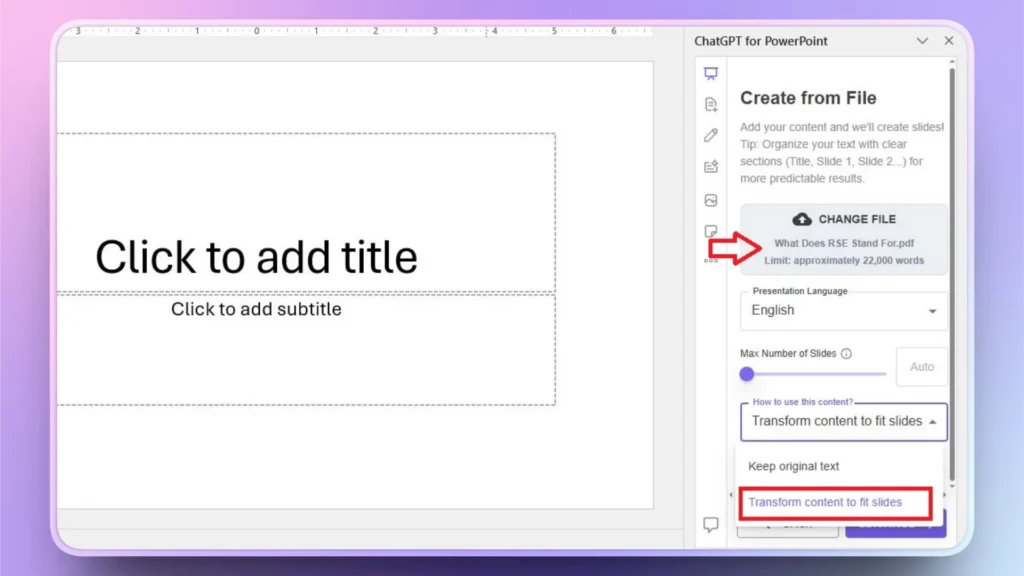
Step 3: Review Outline and Select a Theme
Twistly will give you an AI-generated outline for the slides. Review this slide and make changes if needed.
Approve the outline and then select an AI PowerPoint template from the Twistly library. You can also change the color of the template.
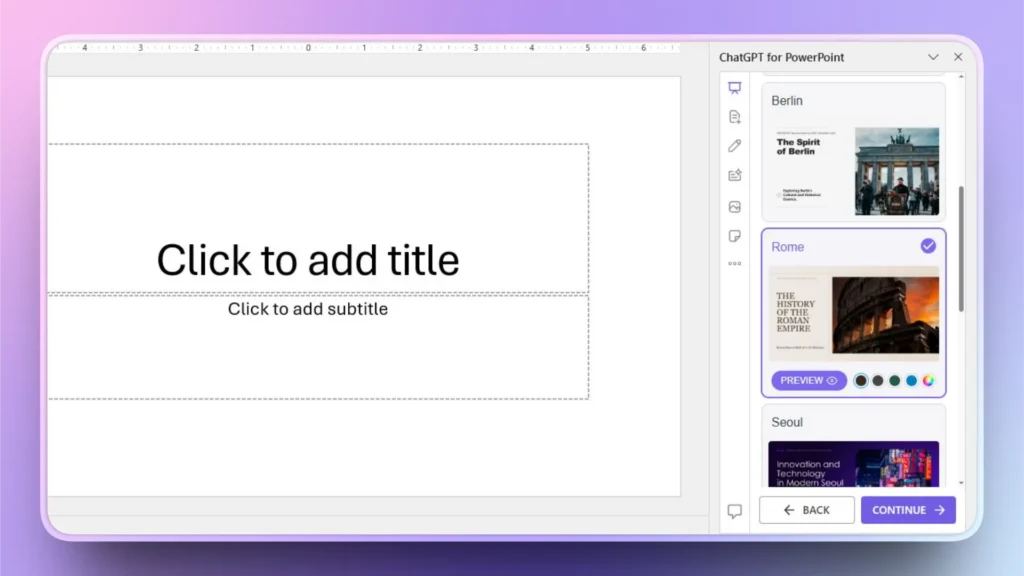
Step 4: Review your Final Pitch Deck
Within seconds, Twistly will give you a ready-to-present pitch deck. Take a moment to review the slides, and if you want to add data visualization, you can do it with Twistly.
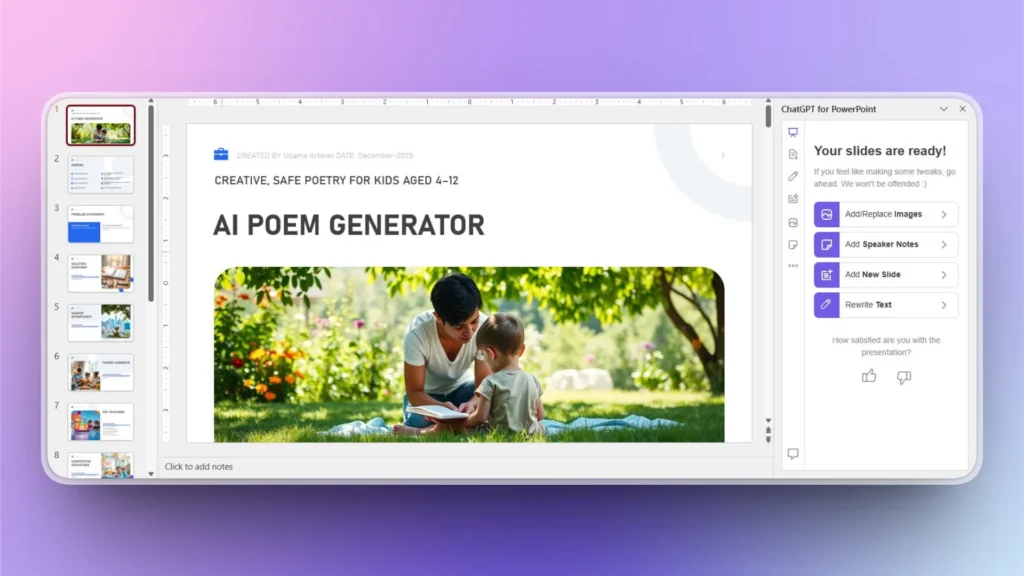
How to Back Your Pitch Deck with Data?
Once your presentation is ready, you might want to add more data, charts, facts, or figures to your slide. You can do it with a few clicks in Twistly.
As we have the basic pitch deck ready for the investors, let’s say we need to add a new chart to the pitch deck. Follow these steps to add a new slide/chart to the pitch deck.
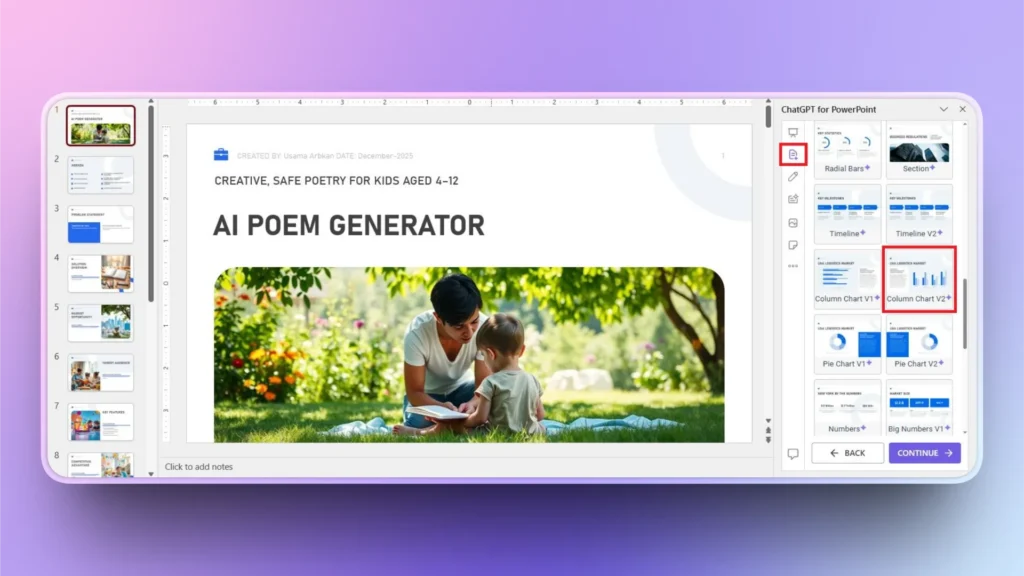
Step 1: Add New Slide >> Select Layout
Click the ” Add Slide button from the left Twistly menu and then select any slide layout that you want to add to the pitch deck. We selected the chart for this example.
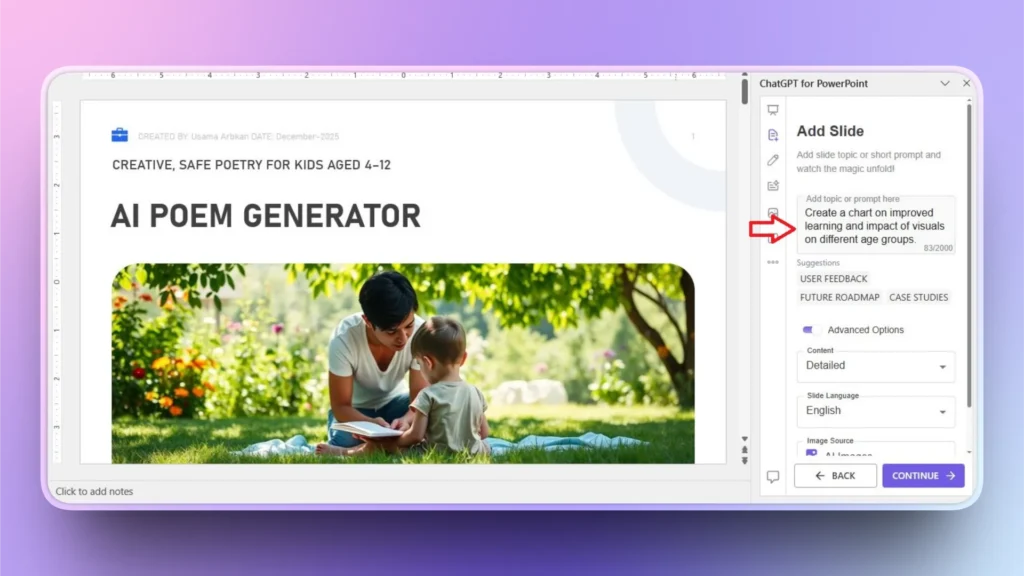
Step 2: Define your Chart
In plain English, define what you want in this slide and then select other settings if you want. Click Continue to proceed to the next and final step.
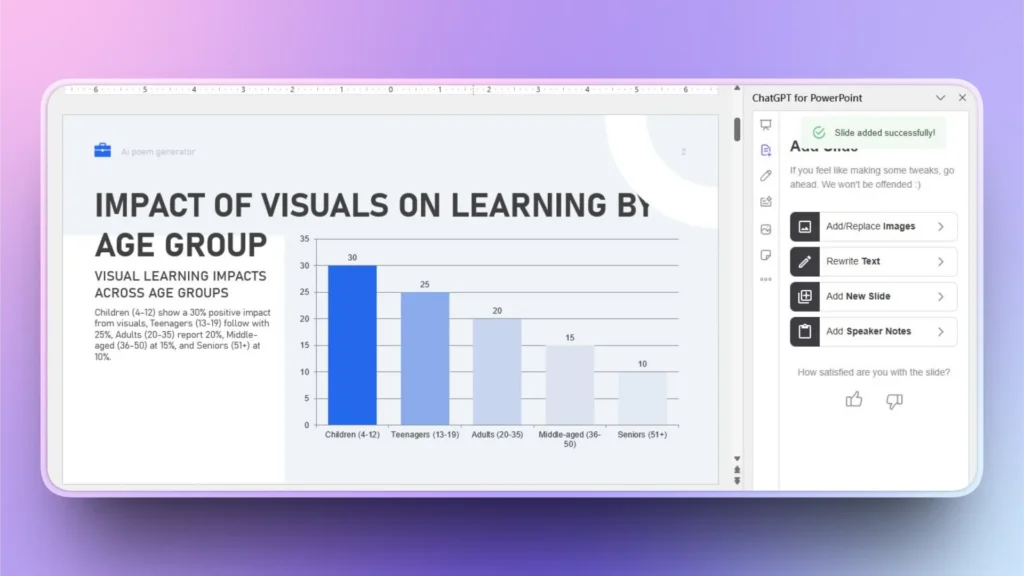
Step 3: Your Chart is Ready
Within a few seconds, your chart will be ready, and as you can see, an engaging visualization of data is ready that adds true value to your pitch deck.
Final Words
AI has changed how competitive advantages are discovered, and Twistly can help you present in an engaging way to investors. Tools like Twistly can improve your chances of success in any investment pitch. New users can download Twistly for free and try amazing AI features for free by clicking the link below.
Create PowerPoint
Slides with AI
Build AI-powered presentations from
any prompt, doc, or video



Start Making AI Presentations in Seconds
Instant Access
Begin exploring Twistly’s full suite of features immediately
No Commitments
No credit card required, and you can cancel anytime
Dedicated Support
Our team is here to assist you every step of the way during your trial.