


Chat to Slides
Turn your ChatGPT or Claude conversation into a PowerPoint
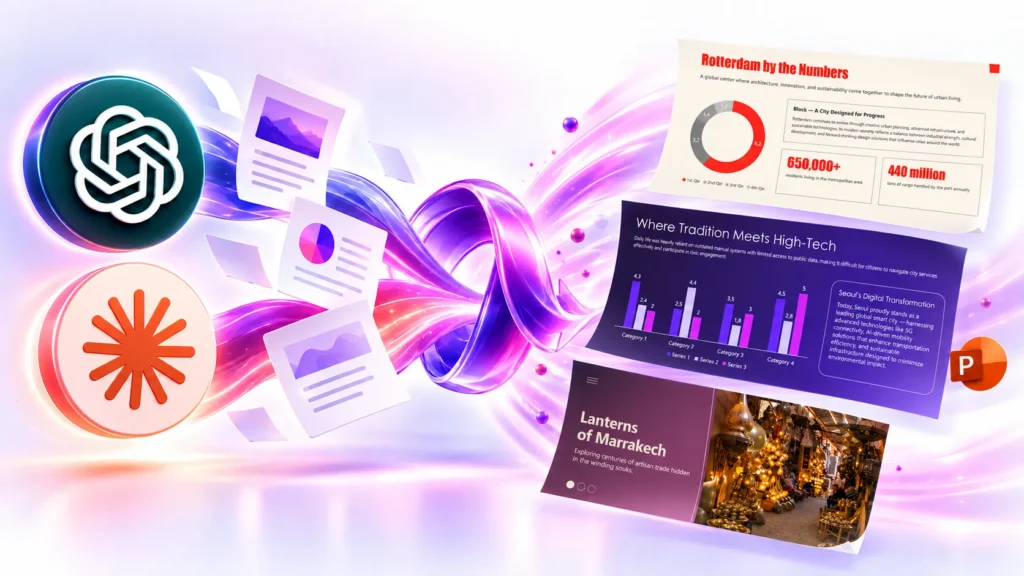
Sign in with the email you use for Twistly — your plan comes with you.
Twistly MCP server: native PowerPoint decks inside your AI assistant
Twistly’s MCP server lets an AI assistant build a real PowerPoint deck for you without leaving the chat. You describe a topic, paste your notes or attach a document; Twistly returns a native, fully editable .pptx file.
It is one server, used by both Claude (Connectors) and ChatGPT (Apps).
ChatGPT
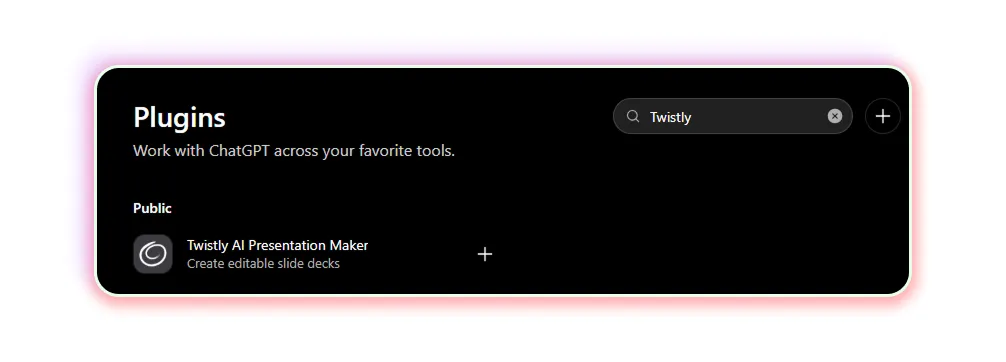
- Open ChatGPT and go to Settings → Plugins (or open chatgpt.com/plugins).
- Search for Twistly and click Connect.
- Sign in with Google, Microsoft or email — use the address of your Twistly account.
- In a chat, type @Twistly and ask for a presentation.
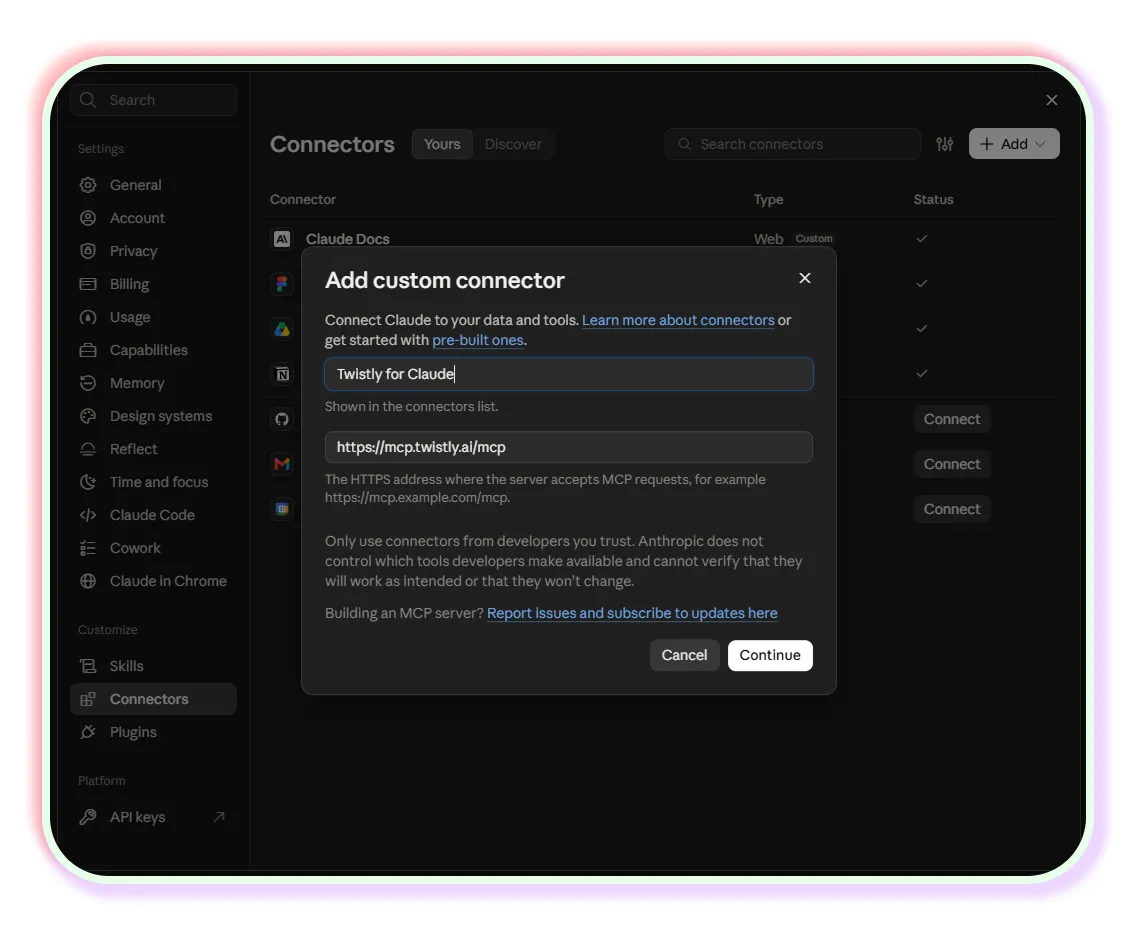
Claude
- Open Claude and go to Settings → Connectors.
- Click Add custom connector, paste https://mcp.twistly.ai/mcp and click Connect.
- Sign in with Google, Microsoft or email — use the address of your Twistly account.
- Start a chat and ask for a presentation.
Don’t see your plan? You probably signed in with a different email. Disconnect Twistly and connect again with the right one.
Already have it in a chat? Turn it into a deck
Your analysis, notes or numbers are already in the conversation. Just add one line:
Turn this conversation into a 10-slide presentation with Twistly.
Or start from one of these:
- Create a 12-slide Q3 business review with Twistly based on our conversation: results vs. plan, key wins, challenges and priorities for Q4.
- Turn these notes into a 10-slide board update with Twistly: executive summary, financials, key metrics, risks and asks for the board. Professional tone.
- Make a 6-slide team update with Twistly from the points above: what we shipped, what we learned, what’s next.
Tip: Ask for a template by name, like “use the Berlin template”. You can also set the slide count and the language.
What the assistant can do
The server exposes four tools. The assistant picks them itself — you only need plain language.
- Create from a topic. “Make a 10-slide deck about renewable energy trends in 2026, professional tone, with images.”
- Create from your own text. Paste notes, an outline or an article and ask for a deck. Up to 2,000,000 characters.
- Create from a document. Attach a file and ask for a presentation. Supported formats: PDF, PPTX, DOCX and TXT. Files up to 100 MB when Twistly downloads them itself, 25 MB when the assistant sends the bytes inline.
- Check a job. Generation runs in the background, so every request returns a job id and the assistant follows it until the deck is ready. You can always ask “is my deck ready?”.
Along the way you can ask for a slide count, a language, one of Twistly’s 50+ templates, a PDF instead of a .pptx, shorter or fuller text on the slides, and a particular image style. By default the slide images are generated by AI; you can ask for stock photography from Unsplash or Pexels instead.
How long it takes
A deck usually takes one to three minutes. The assistant checks the job for you; each check waits up to 45 seconds, so you may see it check twice for a longer deck. When the job is done you get a direct download link to the file.
The link points at the file in Twistly’s storage and is not tied to your chat session: anyone who has the URL can download that deck, so treat it like any shared file link.
Included in your Twistly plan
- Pro & Team: up to 100 presentations a day, up to 50 slides each. No credits needed.
- Free / Starter: a new account starts with 60 AI credits. Every generated deck costs 20 credits, which covers three decks. A failed generation is refunded automatically. On this plan a deck built from a topic is capped at 10 slides.
- All plans: 50+ built-in templates, .pptx or PDF, and failed generations are refunded automatically.
Paid plans raise the slide limit and replace the credit balance with a daily generation quota. See plans and pricing: https://twistly.ai/
If you’ve issued a Twistly API key, chat usage shares that key’s limits.
Finish it in PowerPoint with Twistly
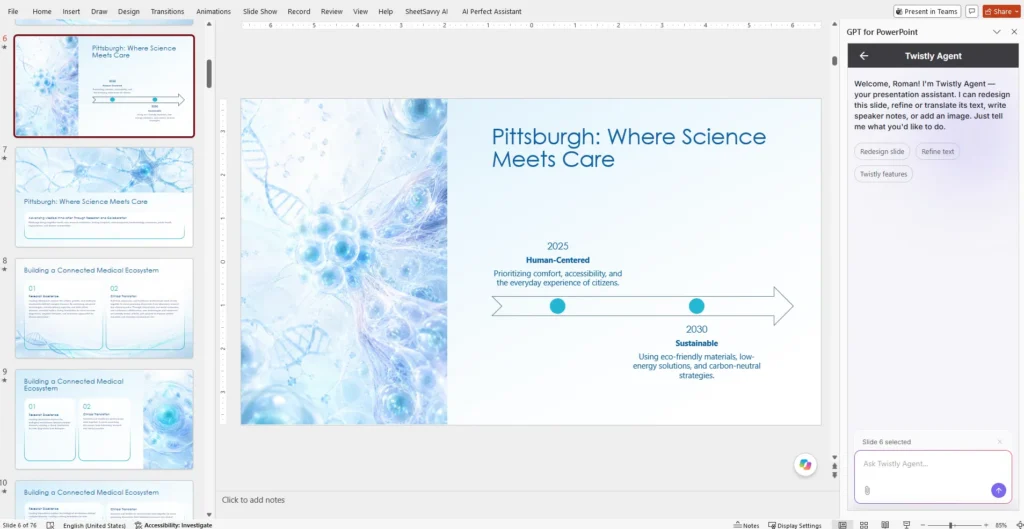
Chat builds the deck. To polish it, open the file in PowerPoint — Twistly is already there:
- Rewrite and refine text with Twistly Agent: https://docs.twistly.ai/edit-and-improve-slides/twistly-agent
- Redesign any slide: https://docs.twistly.ai/edit-and-improve-slides/redesign
- Add speaker notes to every slide: https://docs.twistly.ai/edit-and-improve-slides/speaker-notes
- Add the slide you missed: https://docs.twistly.ai/edit-and-improve-slides/add-a-slide
If something goes wrong
- “You have run out of AI credits.” The balance is spent. Upgrade at twistly.ai and try again; nothing else is needed on the Claude side.
- “Daily generation limit reached.” / “Rate limit exceeded.” You are on a paid plan and have used the current window. Wait and repeat the request — the assistant is told when it may retry.
- The deck is shorter than you asked. Free-plan decks built from a topic are capped at 10 slides. Ask again on a paid plan, or build the deck from your own text instead.
- “The request was rejected as invalid.” / the text is too long. The source is past the model’s limit. Shorten it, or split it into two decks.
- The file is refused. Twistly accepts PDF, PPTX, DOCX and TXT and checks the actual bytes, not just the file name — a renamed file is rejected. Re-export the document in one of the supported formats.
- “No job with that id was found.” The id belongs to another account, or it was mistyped. Ask for a new deck.
- “The presentation service is unreachable.” / “temporarily unavailable.” A problem on our side. These are safe to retry; if it persists, write to us with the time of the request.
- The assistant asks for the document’s text instead of reading the attachment. Claude can read your attachment but cannot hand the file itself to a tool, so it passes the content across as text. That is expected; let it.
- Nothing happens after “Connect”. Check that the URL is exactly https://mcp.twistly.ai/mcp, and that your browser is not blocking the sign-in window.
Data handling
Twistly receives the email you signed in with, the topic or text you sent, and any document you attached — nothing else from the conversation. The document and the generated deck are stored so the deck can be delivered and re-downloaded. See our privacy policy: https://twistly.ai/privacy-policy-add-in/
Support
Questions or a broken generation? Write to us via twistly.ai/contacts: https://twistly.ai/contacts/