


AI Prompt Engineering for Presentation Design

AI tools like Twistly have changed how we make PowerPoint presentations. Twistly has reduced the average time to make a PPT from 4-6 hours to less than 90 seconds.
It means that, with basic knowledge of AI prompt engineering for presentation design, anyone can make a professional PPT in less than two minutes.
With Twistly, things are a little bit different from other AI presentation makers. We don’t require users to have strong knowledge of AI prompt engineering for presentation design.
The AI PowerPoint template library in Twistly has some of the most practical, optimized, and smart themes for a wide range of presentations.
What is Prompt Engineering for Presentation Design?
AI tools rely on human prompts, commands, or instructions to generate desired results. The skill of giving clear instructions for generating accurate results is called prompt engineering. For PowerPoint presentation designs, prompt engineering helps generate clear, more engaging, and optimized slides.
Users can generate desired results regarding AI images and AI content with Twistly and even make slight design changes with AI features or prompts, but designs don’t solely rely on prompt engineering in Twistly.
AI prompt engineering is the practice of crafting precise and well-structured prompts. An AI prompt can be as simple as a sentence or a long and detailed multi-step process with steps and stages.
One-line AI Prompt
“A modern professional creating a sleek presentation on a laptop, surrounded by floating AI-powered charts, icons, and slide elements, in a clean corporate style.”
Detailed AI Prompt
“A high-resolution, ultra-modern workspace scene featuring a professional content creator designing a PowerPoint presentation on a laptop. The screen displays clean, minimalist slides with charts, graphs, icons, and structured layouts. Soft ambient lighting, neutral corporate colors (white, blue, and gray), shallow depth of field, realistic shadows, and a polished tech aesthetic.”
Both AI prompts can work with any AI tool, but the results will be different. AI prompts for presentations help to:
- Control slide structure
- Define visual style
- Adjust tone and messaging
- Generate data-driven content
- Maintain brand consistency
Use of Prompt Engineering in Twistly
Developers at Twistly have focused on eliminating the disconnect between PowerPoint and AI or ChatGPT.
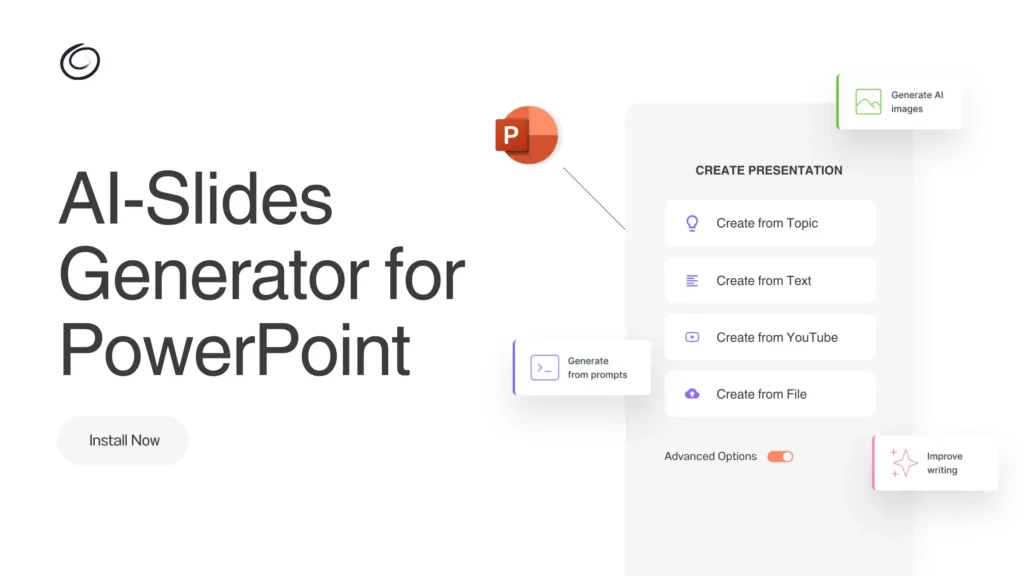
Unlike conventional AI PPT makers, Twistly works inside PowerPoint and allows prompt engineering without switching apps and websites.
Users don’t rely on prompt engineering only, as Twistly supports multiple input methods. Users can make presentations with AI prompts, topics, text, a document, or a YouTube video link.
Even non-designers can make attractive slides with ChatGPT for PowerPoint, as Twistly can be used to:
- Generate full slide decks from multiple input methods
- Rewrite slide content with improved clarity and tone
- Create speaker notes automatically
- Convert raw ideas into structured presentations
- Improve visual balance and slide layouts
Do you need Prompt Engineering Experience for Twistly?
Twistly does not require any prior engineering experience for presentation designs. You can customize results with a detailed AI prompt, but a single-line topic or uploaded document can also generate professional slides for you.
Elements of an Effective AI Prompt for PowerPoint Presentation
AI prompt engineering for presentation design is a hot skill that anyone can master with an understanding of the core elements of an effective prompt for presentation.
This table will give you a clear idea of how to write a detailed and effective AI prompt for professional presentations.
| Element | Explanation | Prompt Example |
| Presentation Goal | Clearly state the purpose of the presentation. | “Create a persuasive pitch deck to convince investors to fund a SaaS startup.” |
| Target Audience | Define who the presentation is for. | “The audience is non-technical business executives.” |
| Slide Length and Structure | Specify the number of slides and structure. | “Generate a 10-slide presentation with an introduction, 6 content slides, 2 data slides, and a conclusion.” |
| Tone and Writing Style | AI adapts better when the tone is clearly defined. | “Use a professional yet friendly tone with concise bullet points.” |
| Visual and Design Preferences | Define the visual direction. | “Design clean, modern slides with minimal text and strong visual hierarchy.” |
Why don’t Twistly users need prior experience of AI prompt engineering for presentation design? Users can clearly notice that most elements of an effective AI prompt can be defined with a GUI and menus in Twistly.
You don’t need to define the number of slides or the length of the content in the prompt in Twistly. You only put a simple prompt and then specify the length, content tone, and other elements by using menus inside Twistly.
AI Prompt Samples for PowerPoint Presentations
You don’t need any specific AI prompts for making PowerPoint presentations with Twistly. Simply paste the presentation topic or upload the text or document, and Twistly will do the rest, automatically.
For readers who are stuck with conventional old-school AI PPT makers, here are some sample AI prompts for presentations:
- Generate an educational presentation explaining prompt engineering for beginners. Use simple language, examples, and step-by-step explanations.
- Generate a presentation idea on how small businesses can leverage social media marketing to increase their visibility.
- Create a presentation outline on [Topic] for [Target Audience] with [Number] main points.
- Outline a presentation on [Topic] using an analogy or metaphor to make it more memorable.
- Design a persuasive pitch deck for a marketing SaaS tool. Focus on problem-solution storytelling, benefits, and a strong call to action.
Easiest AI Tool for making PowerPoint Presentations
AI prompt engineering for presentation design is not optional with many AI tools. Twistly developers have followed a unique and user-friendly approach for minimizing the reliance of PowerPoint presentation designs on the accuracy of AI prompts.
Try Twistly for free and start making professional and engaging PowerPoint presentations without mastering AI prompt engineering.
Even a normal PowerPoint user with no experience of AI prompt engineering can also generate pro-level slides with Twistly.
Create PowerPoint
Slides with AI
Build AI-powered presentations from
any prompt, doc, or video


Final Verdict
When combined with powerful AI PPT makers like Twistly, AI prompt engineering for presentation design becomes a great resource. You can save time and generate more accurate and personalized results by learning how to write effective AI prompts, or you can simply let Twistly do the hard work for you.

Start Making AI Presentations in Seconds
Instant Access
Begin exploring Twistly’s full suite of features immediately
No Commitments
No credit card required, and you can cancel anytime
Dedicated Support
Our team is here to assist you every step of the way during your trial.