


The Real Reason AI Presentations Still Look Generic (And How to Fix It in 3 Steps)
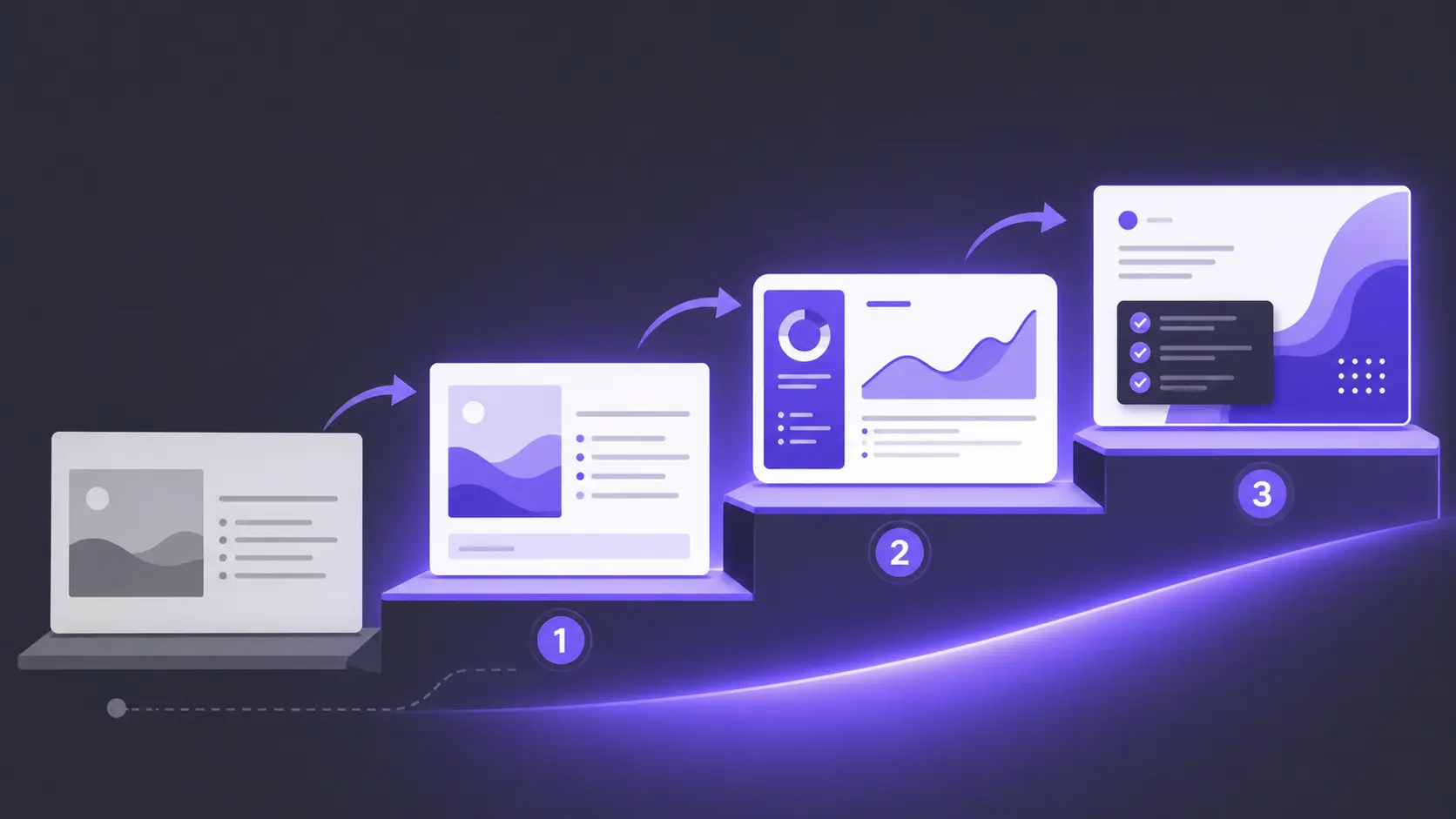
Advanced Large Language Models (LLMs) optimize presentations for statistical safety, and that results in generic slides for every user. AI presentation makers are trained by millions of existing decks. Your design may look professional, but it can also be forgettable. A grammatically correct presentation isn’t always unique and novel.
Do you make PowerPoint presentations more often, and most decks seem generic and made from the same cookie-cutter template? The predictable geometric shapes. The bullet points that read like they were written by a committee of robots.
Popular standalone presentation makers tried replacing PowerPoint but created limitations and design restrictions for users. A true AI and LLM solution for PowerPoint should add value to PowerPoint, not abandon it, just like Twistly.
AI has transformed the presentation creation; the downside is AI-generated decks falling into the “mediocrity trap“. Why do all presentations look generic, and how to overcome this challenge? Bear with us as we dive deeper into the real art of using AI for powerful presentations.
What’s Missing in AI Presentations?
With the right AI presentation maker, a normal deck may look visually acceptable with structured data and relevant content. Even at first glance, you will notice something missing from the slides: personalization and branding.
Creating presentations with AI tools is easy; the real struggle begins when you have to create decks with personal branding and consistent designs. An AI-generated deck feels like it could belong to anyone.
Identifying the Real Challenge in 2026
AI-generated content is quite common in 2026, and users can easily identify content that lacks originality and human creativity. Replacing human creativity with AI tools is a big mistake, as your audiences expect strategic thinking and human involvement that ChatGPT or Gemini cannot offer.
Chasing faster results with AI presentation tools will get you nowhere. Instant results are offered by almost every tool, but you should aim for decks that feel intentional, persuasive, and uniquely yours.
Why AI Presentations Feel Generic
Generic AI presentations can be avoided by understanding and resolving some common causes. With the right approach, you can fix common issues that result in generic decks. Did Twistly replace human presentation makers? No, AI tools simply changed the role of presentation makers.
Instead of spending hours on editing, formatting, and slide structuring, presenters can now focus on strategic thinking, prompt engineering, audience analysis, and creative directions. Fixing the output of an AI tool will fix the problem for one presentation.
You must understand and refine input if you don’t want generic slides anymore. Here is why your AI-generated slides look generic:
1. Weak Prompts
The quality of AI output depends on the detail and depth of your AI prompt. “Create an attractive presentation on AI benefits” isn’t the right way to market or present your AI tool. Add more customizations, data, and insights that can help your deck stand out from the rest of the results.
2. Zero Brand Input
Without deep asset integration, the AI defaults to “safe” color palettes and generic typography. The same color palettes are used for other users’ output, too. Users need to specify their brand elements, including logos, custom colors, and other aspects.
3. Missing Narrative Intent
AI does not fully understand your audience, and without audience analysis, it is impossible to create a logical structure for presentations. It doesn’t know where to build tension, where to place the emotional hook, or when to deliver the punchline.
AI as a Collaborator
AI presentations like Twistly are no shortcut to get personalized results. Effective communication via presentations is only possible if you treat AI as a collaborator, not as a replacement.
A normal user writes the presentation topic without any details and then accepts the first result. You shouldn’t complain about generic presentations if you are also following the same approach. The result is predictable:
- Generic messaging
- Recycled slide structures
- Weak storytelling
- Inconsistent branding
Create PowerPoint
Slides with AI
Build AI-powered presentations from
any prompt, doc, or video


The 3-Step Cure for Creative Homogenization
To break out of the AI template trap, you need to infuse your unique creative intent back into the machine. Great presentations do not aim to please everyone; they take a definitive stance and persuade.
Twistly has offered solutions to all major problems and limitations posed by existing AI presentation makers. Users wanted AI for PowerPoint, and Twistly offered it. This add-in for PowerPoint works just like a custom ChatGPT for PowerPoint.
There is a web-based version available, but PowerPoint users prefer the Twistly add-in for their professional presentations. Here is how to make your every presentation unique and professional with Twistly.
Fix 1: Lock in Asset Identity with Custom Templates
There are some generic fonts and colors available in every AI tool, and by default these same elements are used for every AI-generated output. Templates are the same, with the same color schemes.
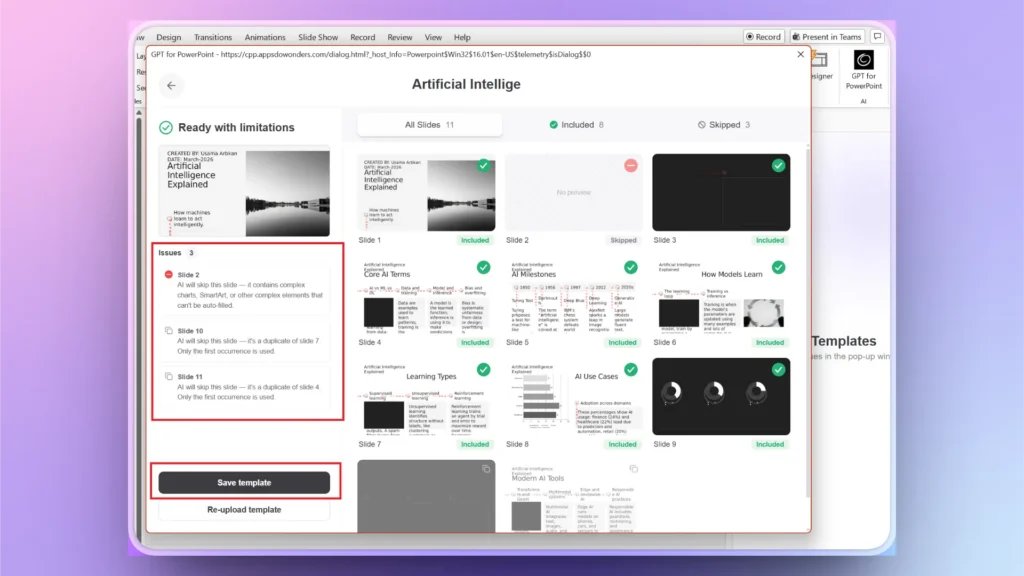
Emotional design starts with immediate, familiar visual cues. If you cannot find the desired AI PowerPoint template in the Twistly library, upload your own brand presentation, and Twistly will extract the brand elements to save a reusable custom template for future presentations.
Custom Templates in Twistly
This newly introduced feature aims to improve personalization for AI-generated presentations. It is not just about uploading a brand logo and hoping for the best results. You bake your exact typography hierarchies, custom grid systems, and brand color palettes directly into the AI’s DNA.
Custom templates featured in Twistly ensure that every generated slide looks like it came from your design studio, not a generic library.
Fix 2: Input Real Data for Source-based Generation
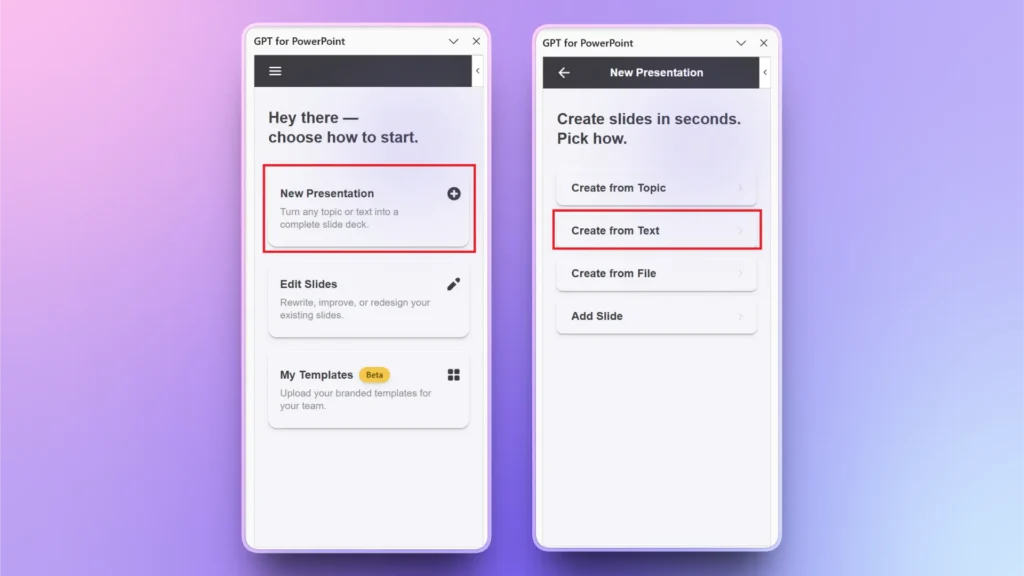
There are multiple input options to create a meaningful presentation with Twistly. If you give an AI a blank canvas and a short prompt, it fills the gaps with hallucinations and clichés.
It is better to do your research and collect real-world information and statistics that can be turned into professional and attractive slides with AI. If you want Twistly to collect data and gather statistics, make sure to manually verify results before presenting them.
Multiple Input Options
Source-Based Generation in Twistly allows you to upload your primary documents directly, enter an AI prompt, or write a topic to start presentation creation. The AI then synthesizes your specific insights and data points into a cohesive narrative structure.
This is the way to bypass generic presentations and get exactly what you wanted in the first place. Skipping this input part will require you to spend hours on post-editing for a customized output.
Fix 3: Polish for Emotional Resonance and Content
Did Twistly generate a detached draft for your presentations? To truly connect with an audience, you need to inject human personality. There are AI features in Twistly that offer a wide range of options to optimize and improve your text, content, and images.
Treat the AI’s first textual output as raw clay. Now, sculpt the headlines, shorten the paragraphs, make important points prominent, and turn raw data into interesting visuals.
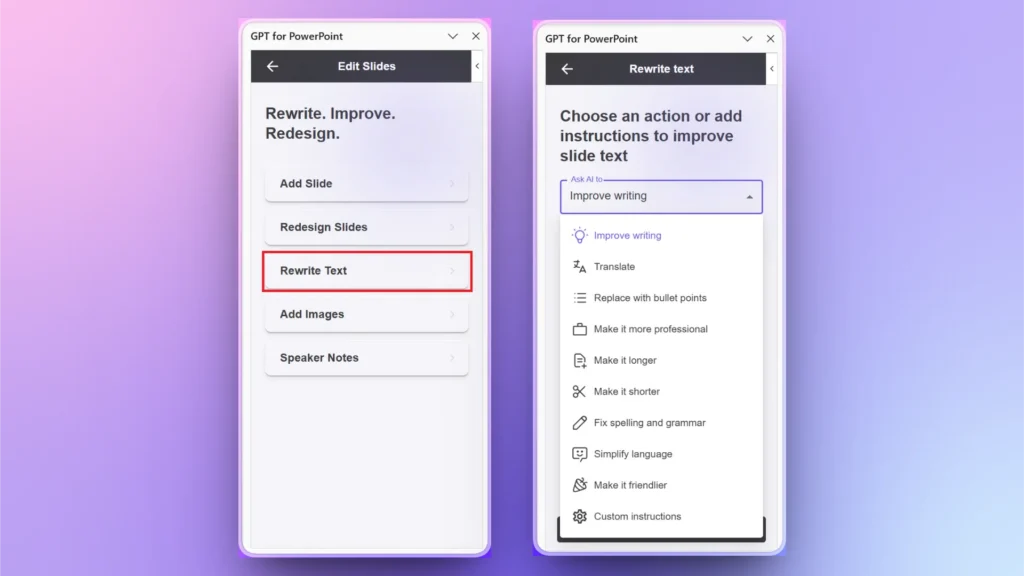
AI Text Editing
Instead of bouncing back and forth between a separate LLM chat and your slides, the inline AI Text Editing tool in Twistly lets you:
- Rewrite
- Rephrase
- completely shift the tone of your copy
- check grammar
- Translate text and many other options
You can tune the emotional resonance of your text in real time without using any additional text editor or AI tools.
Bottom Line
AI hasn’t replaced the need for great designers; it has heightened the need for great creative directors. If your AI presentations look generic, using Twistly can help you get customized and polished decks for any topic, niche, or industry.
Organizations that provide AI with stronger narratives, clearer brand guidance, and better source material will consistently produce presentations that stand out. You can also get the same perks with Twistly by downloading the free trial version now. Start creating presentations that look and sound like your organization.
Create PowerPoint Slides with AI
Build AI-powered presentations from any prompt, doc, or video





Start Making AI Presentations in Seconds
Instant Access
Begin exploring Twistly’s full suite of features immediately
No Commitments
No credit card required, and you can cancel anytime
Dedicated Support
Our team is here to assist you every step of the way during your trial.