


The fastest way to create a brand presentation without a designer is to use an AI-powered tool like Twistly. You can either use existing AI PowerPoint templates or turn your existing brand presentation into a reusable template.
Once you have turned your brand presentation into a reusable AI template, you can make consistent presentations within minutes, rather than hours. How does Twistly work for creating presentations without a designer, and what are the issues with hiring a designer for presentations?
All these questions are explained in this article. If you are running an agency or company, it’s time to change conventional PowerPoint presentations into smart slides with Twistly.
Presentation Designs and Their Challenges
PowerPoint presentations are used across all departments in a company. Individuals, teams, executives, HR teams, managers, and almost everyone use presentations for pitching ideas, reports, campaign performance, and other business operations and communication.
Making a presentation from scratch is not easy, and it can take hours to get the desired design. There are multiple steps included in the presentation design:
- Choosing the right layout
- Applying brand colors
- Selecting typography
- Formatting charts and tables
- Placing logos correctly
- Maintaining visual balance
You can either hire a professional designer and spend thousands of dollars every month as salary, or you can make a smart investment and get an AI tool for your business that can create brand presentations.
Crear PowerPoint
Diapositivas con IA
Cree presentaciones basadas en IA a partir de
cualquier mensaje, documento o vídeo


Real Expense of Professional Designers
Hiring a professional designer to create brand identity systems, custom templates, and marketing assets is a smart move. But hiring them for routine presentations does not seem feasible. Using a professional designer for routine slides can be an expensive decision.
Once you have a brand presentation or you have found one that you like, Twistly can help you turn that presentation into a reusable presentation template.
Conventionally, you will have to hire a professional designer to create a template that is inspired by the brand presentation. With Twistly, you simply upload the presentation, and AI will scrape fonts, colors, placeholders, styles, and other elements automatically.
What is the Fastest Way to Create a Brand Presentation?
We have concluded that hiring a professional designer for routine presentations is not a good move. How are you supposed to create brand presentations that are consistent with your brand identity?
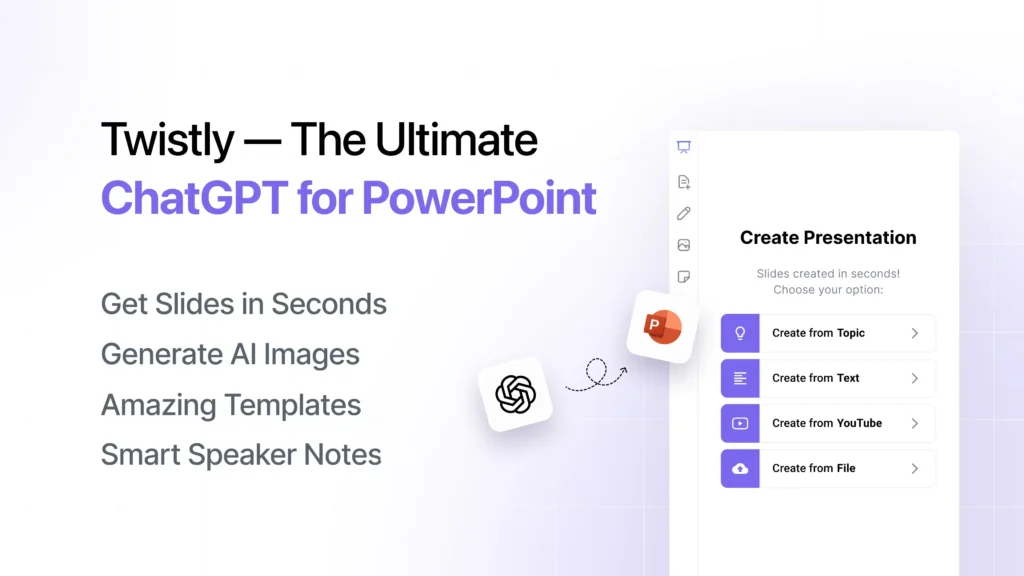
The fastest solution to create brand presentations is the automation of slide creation and design with Twistly. It is a PowerPoint add-in designed to turn raw data into professional presentations instantly.
Brand Presentations with Twistly
Twistly simplifies the entire presentation creation process by combining data automation with brand templates. Apart from the available AI PowerPoint templates, users can now upload their existing presentations, and Twistly will turn those presentations into AI templates.
“My Templates” is the latest feature that is in beta phase, but soon it will be available for all Team package subscribers. If you haven’t tried it yet, get the free version of Twistly and once satisfied, upgrade your subscription and enjoy custom templates.
What is a Custom Template in Twistly?
Many companies already have brand presentations, or they like some templates or presentations that they want to use for future presentations. A brand presentation may include:
- Company logo
- Brand color palette
- Approved fonts
- Custom slide layouts
- Styled charts and visuals
Twistly allows users to upload those files to an add-in and then extract these elements and turn them into a reusable PowerPoint template. The newly generated template is then saved in the template library of the add-in.
How to Create a Brand Presentation within Minutes?
The idea is simple: you upload an existing presentation, Twistly turns that file into a template, and then you create a brand presentation within minutes, using the custom template. For detailed steps, keep reading.
Step 1: Upload your Existing Presentation
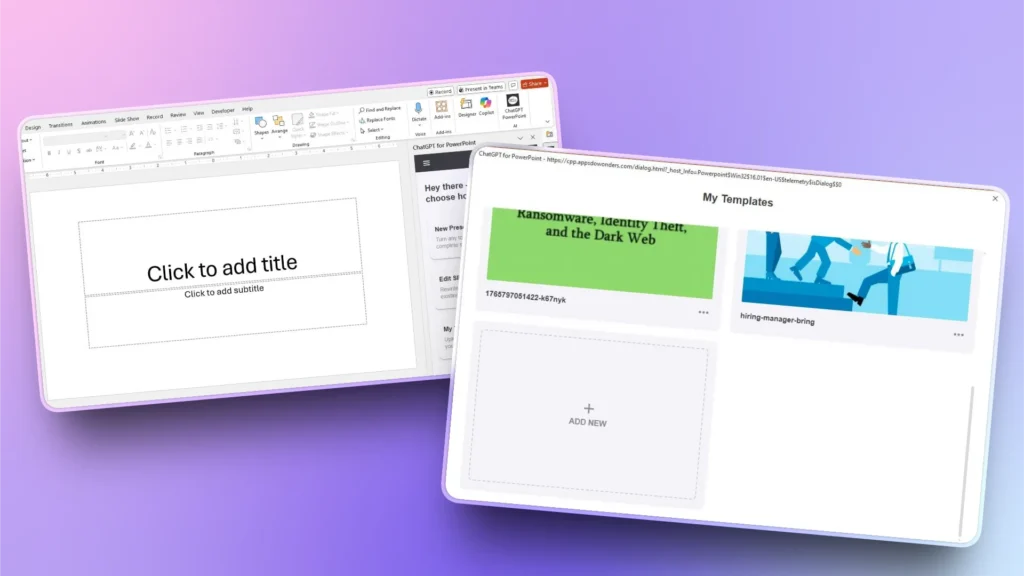
Open Twistly, click the My Template button, and then from the new window, click Add New and upload your existing presentation.
Step 2: Upload your Brand Presentation
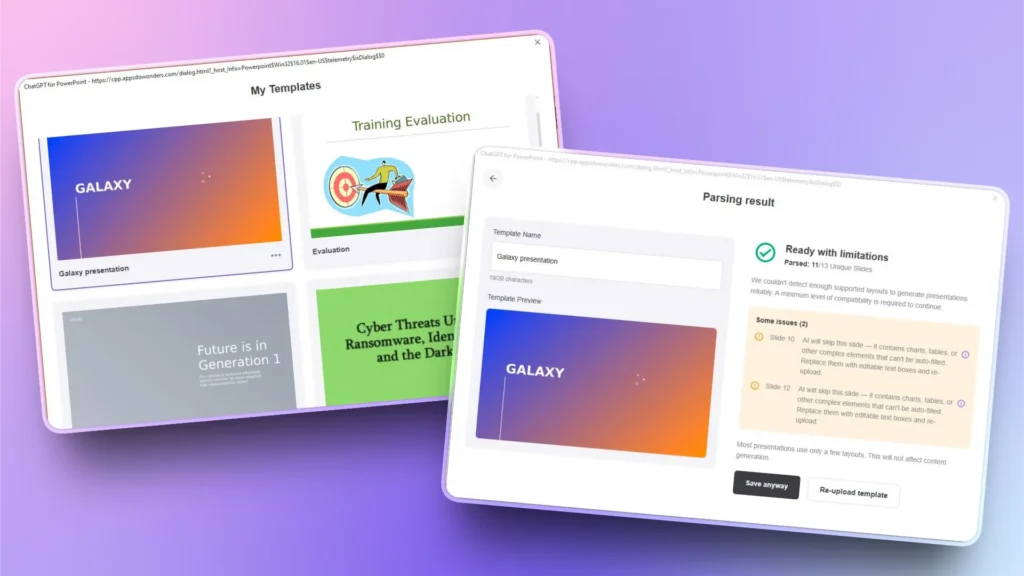
Upload your existing presentation, and AI will analyze all slides. If there are any elements that cannot be extracted, you will be notified.
You can either resolve those warnings or save the template anyway. You will see that template in the custom template library.
Step 3: Create Brand Presentation
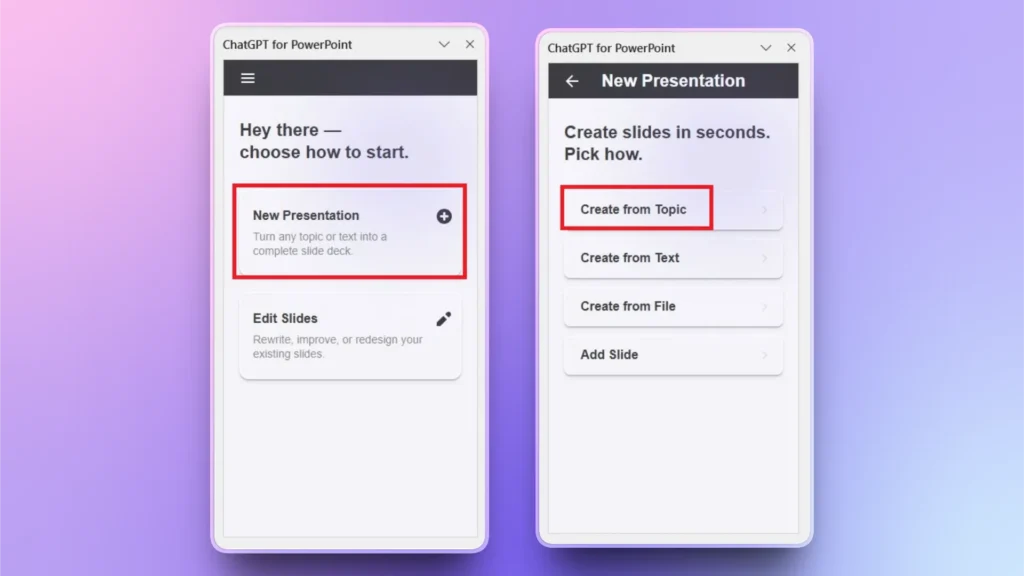
Open Twistly and select create presentation from your available data, topic, text, or document.
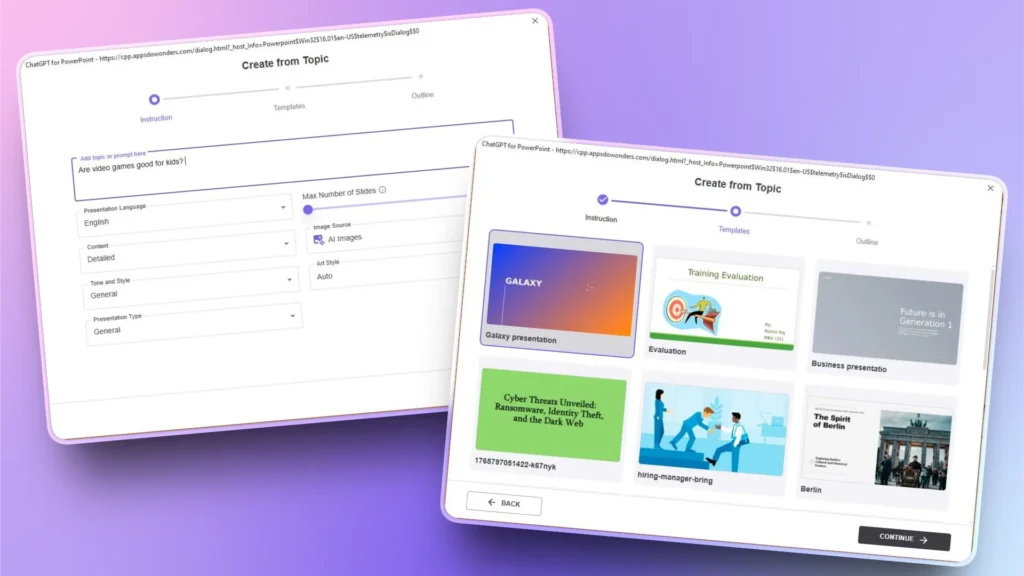
Step 4: Enter Topic and Select Template
Input your presentation topic and then select other options according to your needs. Click Continue and then select your brand template and click Continue.
Review the AI-generated outline and then wait for a few seconds while Twistly generates the final slides.
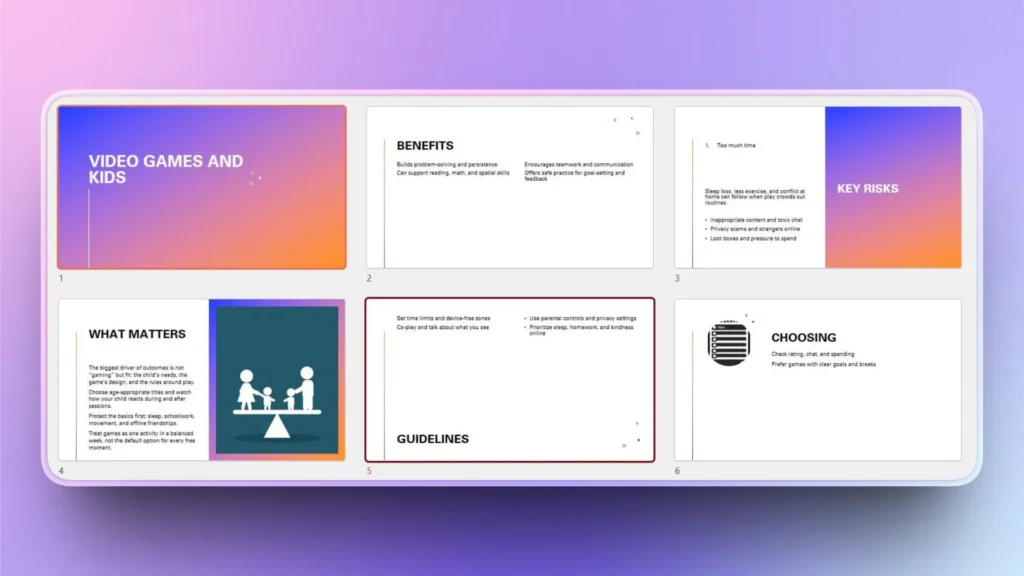
Step 5: Review your Final Brand Presentation
Your final slides are ready, inspired by the style and theme of the brand presentation. If you want to make any changes to the slides, Twistly has all the AI tools to revise or polish your presentation slides.
Is Twistly Faster than Traditional Designs?
Yes, Twistly is faster than the conventional approach, offers accurate results, and costs less than a designer. In every aspect, choosing Twistly for your presentations is a smart move. Here is the table that might clear your doubts.
| Característica | Manual Design | Twistly |
|---|---|---|
| Requires design expertise | Sí | No |
| Time required | Hours | Minutes |
| Brand consistency | Often inconsistent | Automático |
| Data-to-slide automation | No | Sí |
| Ideal for recurring reports | No | Sí |
Conclusión
Relying on designers for every presentation is expensive and slow, and the fastest way to create a brand presentation is to use Twistly. For recurring business presentations, the fastest and smartest approach is automation.
Without needing a designer or spending dollars on premium themes, upload any existing presentation and let Twistly generate a custom template for your future presentations. Try Twistly now and enjoy custom templates for building a trustworthy brand.
Crear diapositivas de PowerPoint con IA
Crea presentaciones basadas en IA a partir de cualquier mensaje, documento o vídeo

Empieza a hacer presentaciones con IA en segundos
Acceso instantáneo
Empieza a explorar inmediatamente todas las funciones de Twistly
Sin compromisos
No necesita tarjeta de crédito y puede cancelar en cualquier momento
Asistencia dedicada
Nuestro equipo está aquí para ayudarle en cada paso del camino durante su juicio.