


Home › Integrations › Claude


Twistly in Claude
Make an editable PowerPoint deck from a Claude chat
Write Use Twistly in any Claude chat, describe the deck or attach a file, and Claude replies with a link to a finished, native .pptx.
1
Ask with “Use Twistly”
Describe the deck, point to this chat, or attach a PDF, Word or PowerPoint file.
2
Allow it, Twistly designs it
Slides on one of 51 templates, with images, in 38 languages. Usually 1–3 minutes.
3
Download the .pptx
A native, editable PowerPoint file or a PDF, up to 50 slides, on a link that doesn’t expire.
Know which one you need
Four ways to get PowerPoint slides out of Claude
They’re easy to mix up now that Claude makes slides itself. This page is about the first one: Twistly, added to Claude as a connector.
You’re here
Connector by Twistly
Twistly in Claude
Pick it when
You want a finished, designed deck from a topic, notes, a file or the chat, in a few minutes
Where you work
In any Claude chat
What you get
A permanent link to a new .pptx or PDF
Design
51 templates in 80+ color themes; AI images matched to the template’s colors
Claude plans
All, including Free
Built into Claude
Claude Design and slides in chat
Pick it when
You want to shape the deck with Claude, slide by slide
Where you work
In Claude, on a slide canvas
What you get
A deck you refine in Claude, then export to PPTX or PDF
Design
Laid out by Claude, slide by slide
Claude plans
Paid plans, rolling out
Built into Claude
Claude’s file creation
Pick it when
You need a plain deck built from data or a fixed structure
Where you work
In any Claude chat
What you get
A .pptx Claude writes with code
Design
Whatever layout Claude codes
Claude plans
All, with code execution and file creation on

Anthropic add-in
Claude for PowerPoint
Pick it when
You’re already working in a deck in PowerPoint
Where you work
In a sidebar inside PowerPoint
What you get
Changes to the presentation you have open
Design
Your own template and slide masters
Claude plans
Pro, Max, Team, Enterprise
Prefer an add-in? Twistly also runs inside PowerPoint and is listed on Microsoft AppSource as GPT for PowerPoint: see Twistly’s own PowerPoint add-in.
Claude features as described in Anthropic’s help center, checked Oct 7, 2026.
Same output
A Real Deck, Wherever You Use Claude
Same engine and templates as the Twistly app. Claude starts the job; you get the file.
Output
.pptxor PDF
A native PowerPoint file, not a picture of slides. Text, tables and charts stay editable.
Ready in
1–3min
From prompt to download link.
Slides per deck
up to50
Set the count in your prompt.
Templates
51
Name one in your prompt, such as Berlin.
Works in
Every Claude App
Web
Desktop
Mobile
Claude Code
Setup
Connect Twistly to Claude in three steps
About two minutes. No API key, nothing to install.
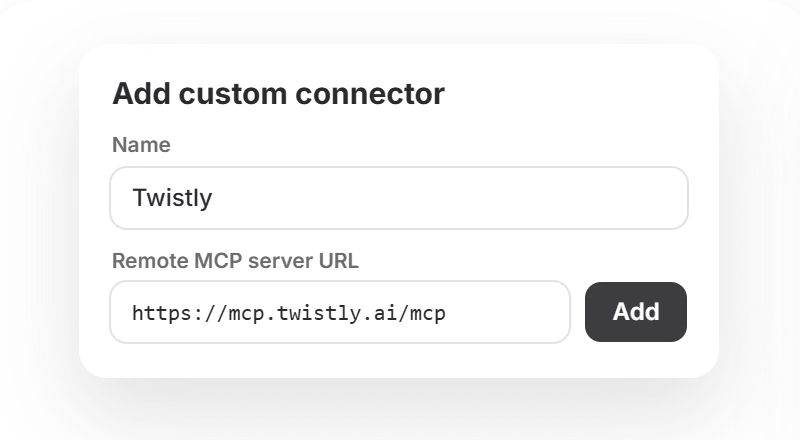
1
Add Twistly as a connector
In Claude on the web or desktop, open Customize → Connectors → Add custom connector. Name it Twistly and paste the server URL below.
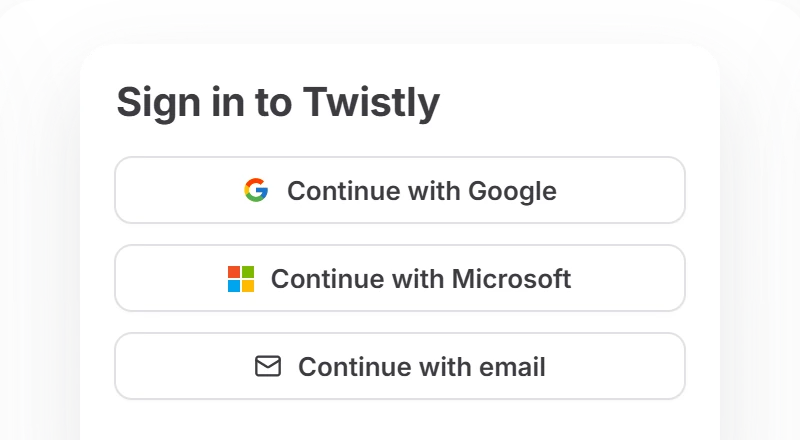
2
Select Connect and sign in
Use Google, Microsoft or a 6-digit email code. Sign in with the email of your Twistly account so your plan and credits carry over. No account yet? A free one is created with your first deck.
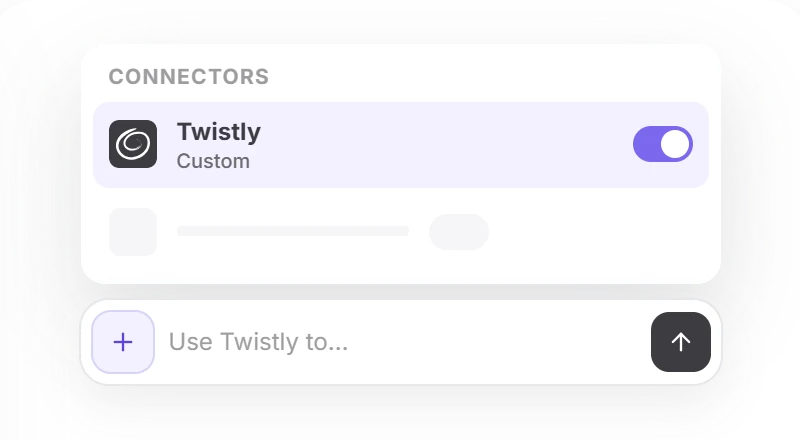
3
Turn it on and ask
In a chat, select + → Connectors and switch Twistly on. Start with “Use Twistly”, then choose Always allow when Claude asks.

Twistly server URL
https://mcp.twistly.ai/mcp
Claude Free allows one custom connector, so remove any other one first. Once added, Twistly also works in the Claude mobile apps.
Until an Owner adds Twistly, members see Request instead of Connect.
1
An Owner adds Twistly once
In Organization settings → Connectors, select Add → Custom → Web, paste the server URL and select Add.
Twistly server URL
https://mcp.twistly.ai/mcp
2
Each member connects
Open Customize → Connectors, find Twistly with the Custom label and select Connect. Each person signs in to their own Twistly account, so decks and credits stay personal.
3
Ask in any chat
Select + → Connectors, turn Twistly on and ask for a deck.
Add Twistly from your terminal
Then run /mcp in Claude Code and sign in. If you already added Twistly on claude.ai, it’s there when you sign in with the same Claude account.
$ claude mcp add --transport http twistly https://mcp.twistly.ai/mcp
Setting up Cursor, VS Code or another client, or need the full tool list? See the full setup guide.
Check it works
Send this prompt in a new chat. In 1–3 minutes, Claude replies with a link to your finished .pptx. Always name Twistly, or Claude may build the slides itself.
Use Twistly to make a 5-slide deck about the history of coffee
Prompt gallery
Prompts to start from
Name the slide count, a template, the audience or the language, and Twistly uses it. Every prompt here stays within 10 slides, so it runs on the free plan.
Use Twistly to make a 10-slide pitch deck for a meal-kit startup raising a seed round. Audience: angel investors. Berlin template.
Use Twistly to create an 8-slide lesson on the water cycle for 7th graders, with illustration-style images and short bullet points.
Use Twistly to build a 6-slide quarterly review for a customer success team, in German, and send it as a PDF.
Use Twistly to turn what we just worked out into a 9-slide summary deck for my manager.
Research the main EU rules on AI in hiring, then use Twistly to turn your findings into an 8-slide briefing for HR.
Use Twistly to turn the notes below into a 7-slide team update. Keep my wording, just structure it. [paste your notes]
Use Twistly to turn the attached PDF report into a 10-slide executive summary, Tokyo template.
Use Twistly to make an 8-slide training deck from the attached Word document. Use stock photos instead of AI images.
Use Twistly to rebuild the attached old presentation as a fresh 10-slide deck in the Oslo template.
Real runs
What went in, what came out
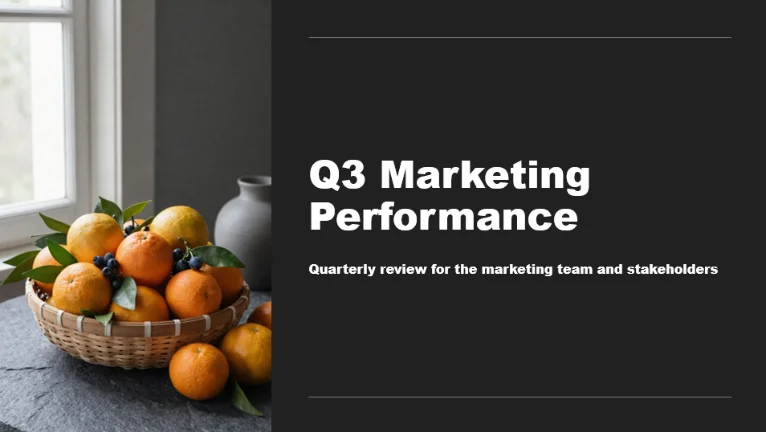
Three real runs in Claude. Download any of them and click into a text box.
In: a 40-minute research thread
Use Twistly to turn this into an 8-slide briefing for the leadership team
briefing.pptx · 8 slides
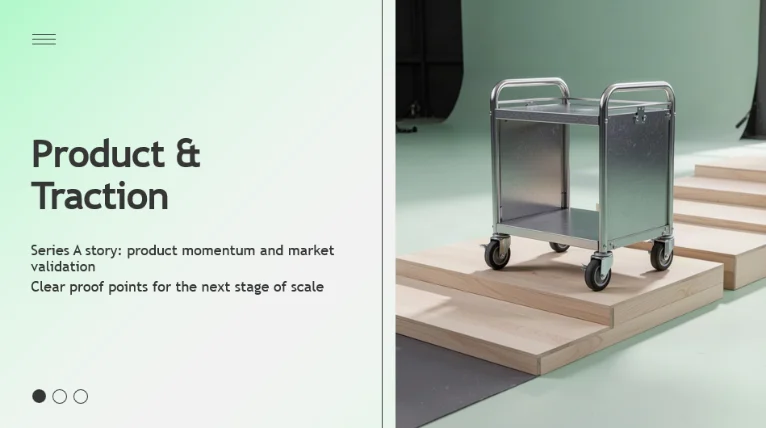
In: a topic, in Spanish
Usa Twistly para hacer una clase de 8 diapositivas sobre la fotosíntesis para 7.º grado, con ilustraciones
fotosintesis.pptx · 8 slides

In: a 42-page PDF, attached
Use Twistly to summarize the attached report in 10 slides for the board, Tokyo template
board-summary.pptx · 10 slides
What to expect
What happens after you ask
Twistly works in the background, so the chat can look quiet for a minute. That’s normal.
Claude asks to use Twistly
The first time, approve the tool. Choose Always allow and Claude won’t ask again.
0 s
The job is queued
Claude sends your topic, text or file to Twistly and gets a job ID straight away.
Twistly builds the deck: usually 1–3 minutes
It writes the slides, lays them out and adds images. Claude checks the job for you, sometimes twice for a longer deck.
A download link appears in the chat
The link is permanent. Open the .pptx in PowerPoint on Windows, Mac or the web, or in Google Slides.
?
Gone quiet? Ask “Is my Twistly deck ready?”
Claude checks the same job for free. Don’t ask for the deck again: that starts a second job and uses another 20 credits on the Free and Starter plans.
Limits in Claude
450 chars
Topic prompt
~500K words
Pasted text
100 MB
File by public https link
1–50 slides
Per deck, or Auto
51 templates
Tokyo by default
.pptx
Or PDF on request
3 free decks
Then 20 credits each
100 decks a day
On Pro and Team
7 days
Sign-in lasts
Attached files reach Twistly as text. On Free and Starter, decks from a topic stop at 10 slides. Failed decks are refunded automatically.
Security
What Twistly sees, and what it doesn’t
You approve access once, with OAuth, and can take it back at any time.
Only the request
Twistly receives only what Claude sends to its tools: your topic, text or document, your settings and your sign-in email. Never the rest of the conversation. The source and deck are stored so you can download it again.
Two permissions
Create presentations, and read the status of the ones it created. No password or API key passes through Claude.
Links open for anyone who has them
Download links don’t ask for a login, so share them the way you’d share the file.
Anthropic’s side
Your Claude settings apply to the chat. Anthropic states that feedback data doesn’t include raw content from connectors, unless you copy it into the conversation.
Disconnect or remove
In Claude, open Customize → Connectors → Twistly and select Disconnect, or ••• → Remove. On Team and Enterprise, an Owner removes it for everyone in Organization settings. Your decks and download links keep working.
FAQ
Frequently asked questions
About Twistly, Claude and your plan.
Your first 3 decks are free
No card. Connect Twistly to Claude, or make a deck on the web right now.
Last updated Oct 7, 2026 · Claude is a trademark of Anthropic, PBC. Twistly is not affiliated with or endorsed by Anthropic.
Troubleshooting
If something goes wrong
Most likely first.
