



Almost one billion people in the world have a disability, and that’s 1/7 of the world’s total population. From visually impaired people to those with limited cognitive functioning, there can be many issues with the audience sitting in front of you. Designing accessible slides for all types of audiences promotes inclusivity.
You cannot overlook the needs of diverse audiences at major platforms. A student or common user may not have to worry about designing accessible presentations for neurodivergent audiences, but for international events or major seminars, presenters and administration need to consider some extra practices.
We will learn how to make your next presentation more accessible for everyone, as designing accessible presentations for neurodivergent audiences isn’t just inclusive, but it improves clarity, engagement, and overall effectiveness for everyone.
What are Neurodivergent Audiences?
A neurodivergent person has a brain that functions, learns, and processes information differently from what is considered “typical,” encompassing variations like autism, ADHD, dyslexia, and Tourette’s.
According to Australian sociologist Judy Singer, Neurodiversity refers to the virtually infinite neuro-cognitive variability within Earth’s human population. It points to the fact that every human has a unique nervous system with a unique combination of abilities and needs.
The public needs to view these neurodivergent people as people with natural differences rather than as ill people. They respond better to certain types of data, i.e., they might prefer visual structure over dense text. Some people may need extra time to process information.
What Types of Presentations are Best for Neurodivergent Audiences?
Every neurodivergent person has different conditions and requirements related to accessible presentations. Conventional presentation slides with lots of text and information may not be suitable for people with special needs.
Usually, they prefer visual illustrations over long paragraphs, and instead of moving to the next slides instantly, keep the slow pace, as some people need more time to process these presentation slides.
While designing accessible presentations for neurodivergent audiences, follow the same design for all slides in a deck. Predictable designs are easy to understand and process for such audiences. A little attention to these details can make major differences.
Core Design Principles of Accessible Presentations
Now comes the step of designing accessible presentations for neurodivergent audiences for maximum engagement and attention retention.
Every person can follow a unique approach, design, or theme to make presentations more accessible for everyone, but here are some common rules that apply to every accessible presentation in general.
1. Clarity Comes First
Don’t use lots of text or long paragraphs in your slides, but focus on keeping things simple and manageable. Also, avoid specific industry-related terms that are unknown to the masses and use simple words by reducing the use of jargon.
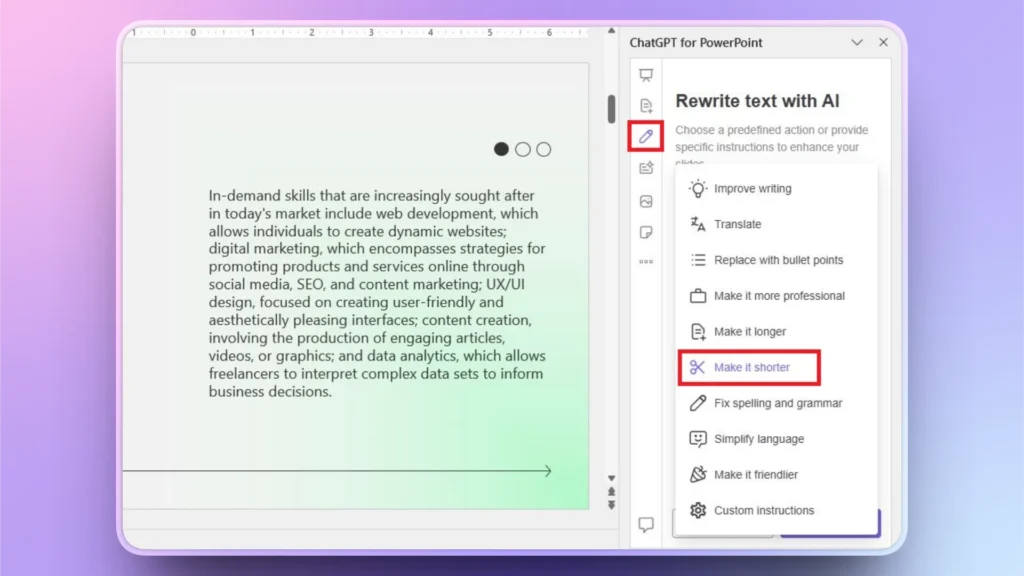
If you have complicated and longer text in your slides, you can use Twistly to simplify text or make it easy to understand. Instead of manually editing content:
- Select the slide with the target text and click the Rewrite Text option from the Twistly window
- Choose the desired action from the list, click continue, and your text will be optimized
2. Structure with Purpose
Follow simple design techniques to divide your presentation into clear sections, including introduction, key points, and action steps.
If there is a detailed paragraph in the slide, you can easily turn that paragraph into a bullet list by using the Rewrite Text feature, as shown in the above step.
3. Consistency is the Key
Neurodivergent audiences find consistent designs easier to process. Using an optimized and accessible design approach for all slides in a deck makes content easy to process for a diverse audience.
Keep fonts, colors, and layout the same across all slides in a deck.
Designing Accessible Slides with AI
When it comes to making accessible and engaging presentations, most presenters feel stressed if they need any special skill or knowledge to make it happen. Simple presentation design skills work for diverse audiences with little changes.
If you are not good at design or formatting, AI tools like Twistly can be of great use. Twistly is one of the most popular AI add-ins for PowerPoint, where users can make a presentation from scratch, with zero practical knowledge of high-level slide designing.
How to use Twistly for Special Presentations?
Twistly is packed with some amazing AI features that can turn any simple presentation into an accessible presentation for neurodivergent audiences. Imagine you have a normal presentation, made by one of your colleagues, but now you are tasked with making it more accessible for neurodivergent audiences.
Here are some possible changes that you can make to a normal presentation to make it more accessible for people with special needs.
Turning Raw Data into Charts
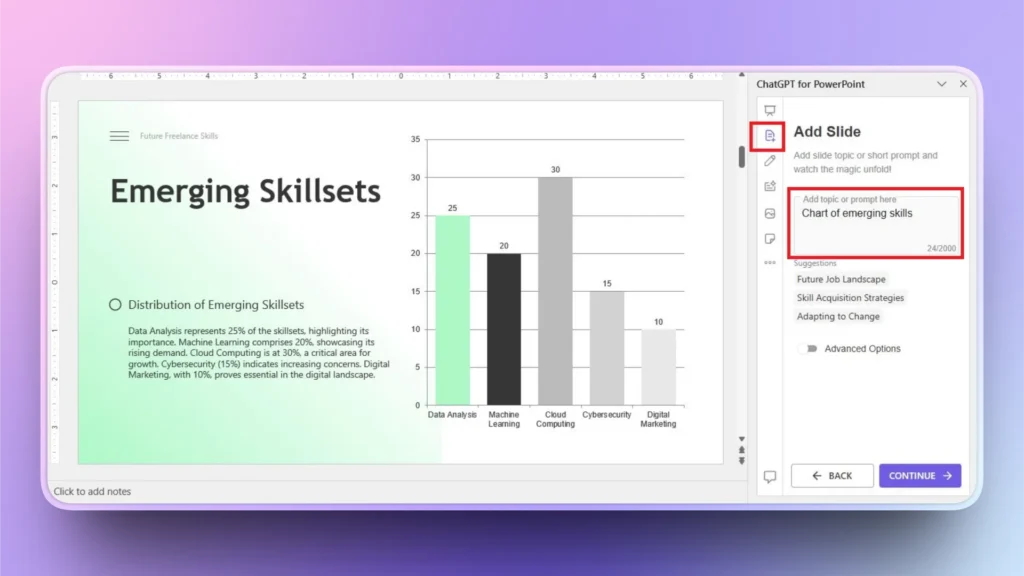
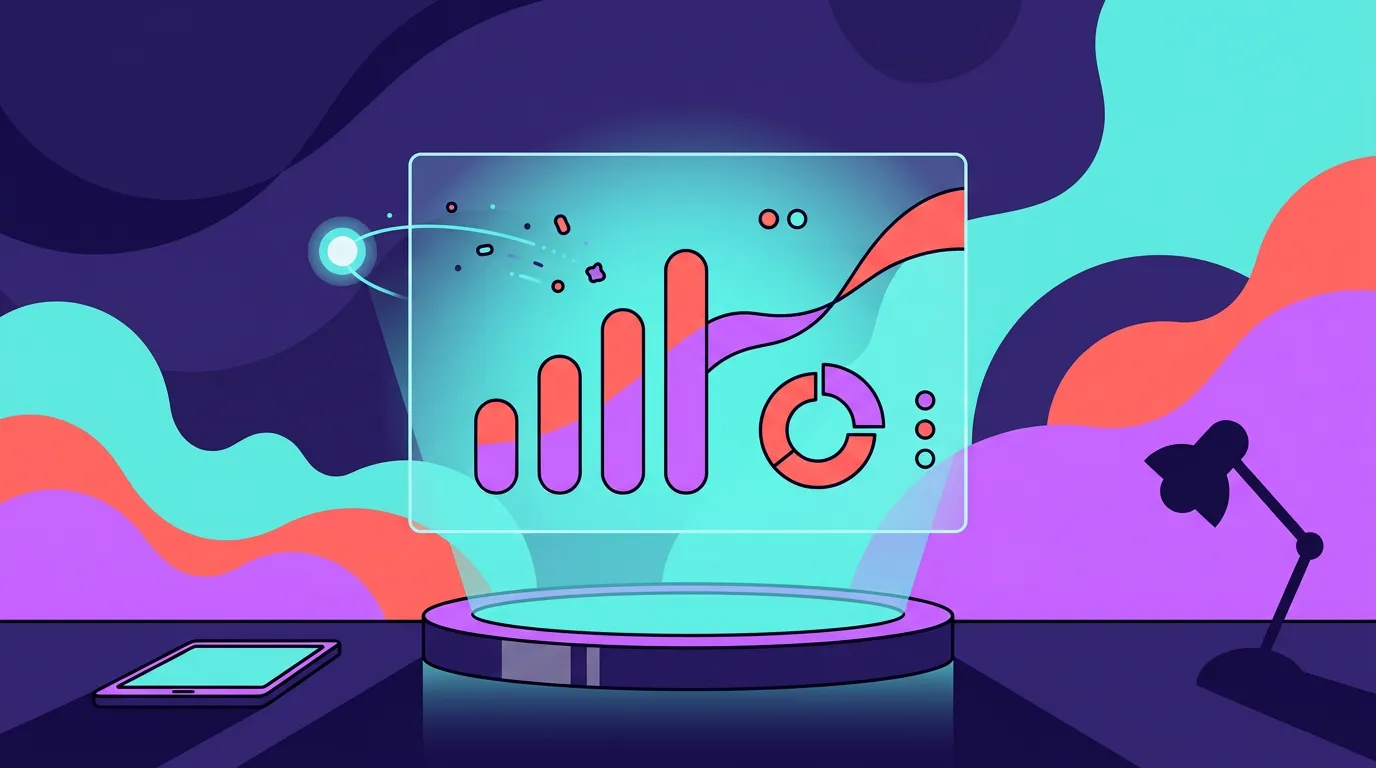
Reading through a long paragraph takes more time and energy, while looking at a nice chart can convey the same message easily. Twistly can turn any raw data into a visually appealing chart.
You can paste datasets in Twistly or describe your charts, and AI will design a data visualization for you.
Click the “Add a Slide” button and then choose the slide layout, and simply describe what type of chart you want.
Apart from charts and tables, there are many other possible changes, including:
- Make complicated text friendlier and simpler
- Change the tone and style of presentation according to the audience
- Replace generic images with customized AI visuals
- Add special slides to describe complex concepts
- Use colorful and visually accessible templates
Final Words
Twistly can be quite helpful for designing accessible presentations for neurodivergent audiences with meaningful and simple slides. Neurodivergent audiences can be overwhelmed by animations or rapid movement.
Designing accessible presentations isn’t just for neurodivergent audiences. It leads to clearer, more effective communication for everyone. If you need to try Twistly for free, use the link below to claim a free trial.
Enjoy ChatGPT for a limited time without a credit card and upgrade your subscription whenever you are fully satisfied with the results. Don’t forget to check out other useful resources in the Twistly Blog section to elevate your PowerPoint experience with AI.
Create PowerPoint
Slides with AI
Build AI-powered presentations from
any prompt, doc, or video









Start Making AI Presentations in Seconds
Instant Access
Begin exploring Twistly’s full suite of features immediately
No Commitments
No credit card required, and you can cancel anytime
Dedicated Support
Our team is here to assist you every step of the way during your trial.