


ChatGPT para PowerPoint
AI PowerPoint Notas del ponente
Presente sus diapositivas con confianza y sin sudar
Cómo crear un guión en PowerPoint
Con ChatGPT para PowerPoint, no tienes que ser un gran orador para estar preparado para tu próxima presentación. Con solo hacer clic en un botón, puedes generar un guión basado en el contenido de tu PowerPoint.
Este proceso sólo lleva unos segundos y es útil tanto para los procrastinadores como para los que tienen poco tiempo y los que tienen aversión a hablar en público. Las notas de orador generadas son precisas y suenan naturales al hablar.
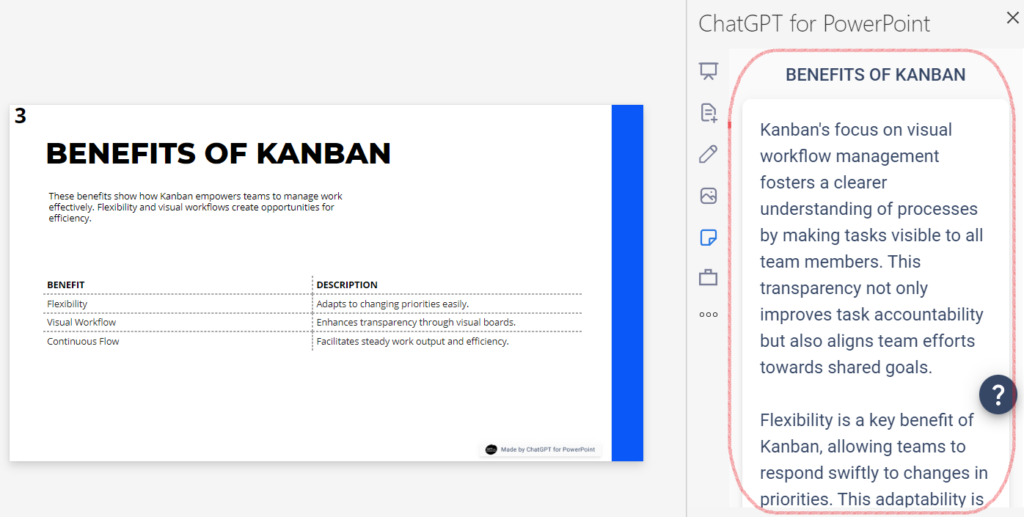
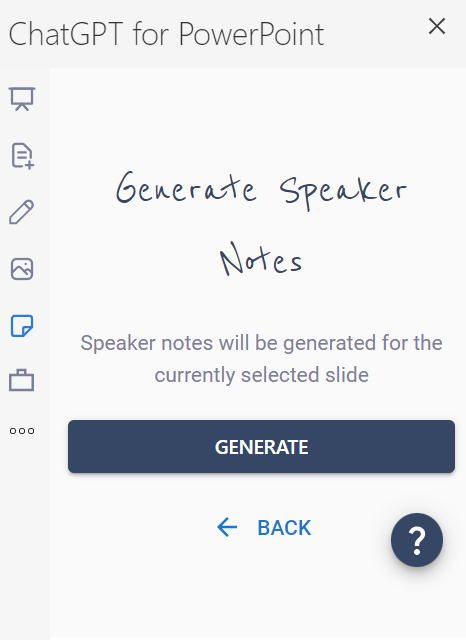
Generar puntos de discusión basados en su PowerPoint actual
Crear notas de orador con el complemento ChatGPT para PowerPoint es muy fácil. Una vez que tengas tu PowerPoint creado, navega hasta la diapositiva para la que quieres notas. A continuación, selecciona la pestaña Notas del orador en la parte izquierda del complemento y haz clic en el botón Generar. Así de sencillo. Utiliza las notas creadas o haz que se vuelvan a generar si deseas una versión diferente.
Traduzca sus notas de orador en segundos
¿Necesita traducir sus notas de orador a otro idioma? Una vez generadas las notas, seleccione el nuevo idioma al que desea traducirlas. Todas las traducciones son rápidas y precisas para garantizar una comunicación eficaz con el público. También puede traduzca el contenido de sus diapositivas en uno de los idiomas disponibles.

Preguntas más frecuentes
Empieza a hacer presentaciones con IA en segundos
Acceso instantáneo
Empieza a explorar inmediatamente todas las funciones de Twistly
Sin compromisos
No necesita tarjeta de crédito y puede cancelar en cualquier momento
Asistencia dedicada
Nuestro equipo está aquí para ayudarle en cada paso del camino durante su juicio.