


Beautiful.ai is a web-based design platform with smart templates for autoformatting. Twistly is a native PowerPoint add-in built for fast AI generation directly inside Microsoft’s software.
Users love PowerPoint for presentations, but they also want automation and AI capabilities for making slides. AI-first tools like Beautiful.ai introduced slide automation, but that came at a price, abandoning PowerPoint.
Twistly followed an innovative approach and brought AI capabilities and smart features to PowerPoint. This is the main difference between web-based Beautiful AI and PowerPoint add-in Twistly.
Beautiful AI vs Twistly- Overview
Beautiful.ai is primarily a presentation platform built around automated design. Smart Slides automatically adjust according to the text and content of slides. It is more like a drag-and-drop interface with smart AI features. You don’t need to install any software, and Beautiful.ai is an online app.
Twistly takes a more PowerPoint-first approach. It lives and works inside PowerPoint. Twistly is suitable for PowerPoint users who want to stay within the Microsoft Ecosystem. AI capabilities of any popular presentation maker are now accessible from within PowerPoint.
This comparison table will help you understand the main differences between Twistly and Beautiful.ai.
| Característica | Beautiful.ai | Twistly |
| Primary approach | AI presentation platform with automated design | AI assistant built around PowerPoint |
| Ideal para | For automated visual design | PowerPoint users who want AI-assisted creation and editing |
| PowerPoint workflow | Available through export and PowerPoint add-in | Native PowerPoint workflow |
| AI presentations | Sí | Sí |
| AI writing and images | Sí | Sí |
| Diseños inteligentes | Sí | AI-powered formatting and redesign |
| Diseños personalizados | Sí | Yes, including user-uploaded templates |
| Prueba gratuita | Sí | Free trial available without a credit card |
These are only a few factors that might interest a user who wants to make a quick decision between Beautiful.ai and Twistly. For technical details and features, keep reading.
Beautiful.ai vs Twistly- Where they Live
This single biggest aspect decides everything else relevant to Beautiful AI vs Twistly. One lives inside a web browser app and another inside PowerPoint.
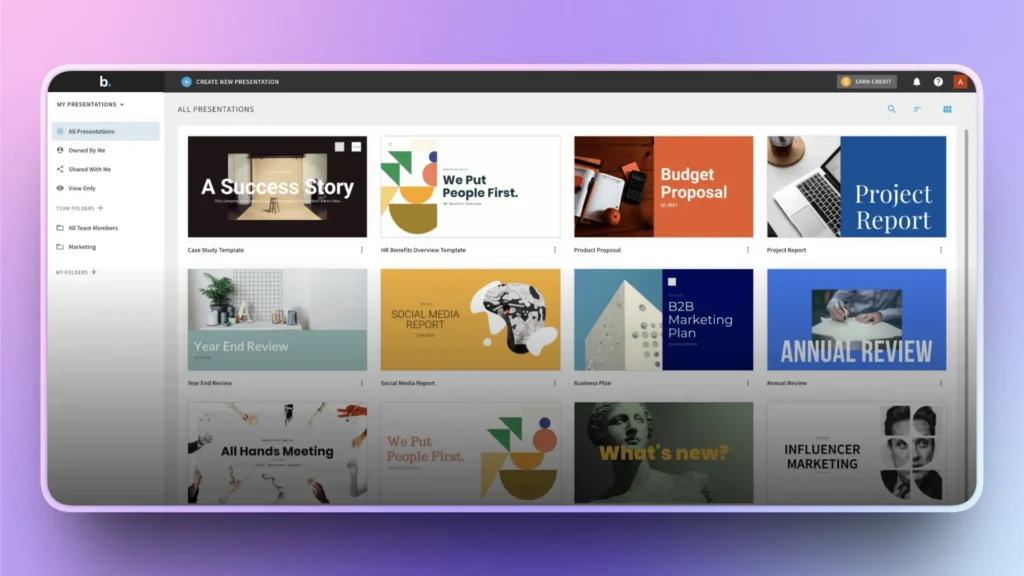
Beautiful AI- Browser App
It is an entirely cloud-based presentation platform where you create presentations inside the online editor. If you need to present a presentation offline, you download the file and export it to PowerPoint.
Here is the catch: exporting to PowerPoint may break some aspects, like formatting and layout, of your slides. Once you have downloaded the file, you need PowerPoint or similar apps to run and edit Beautiful AI presentations.
Twistly- PowerPoint Add-in
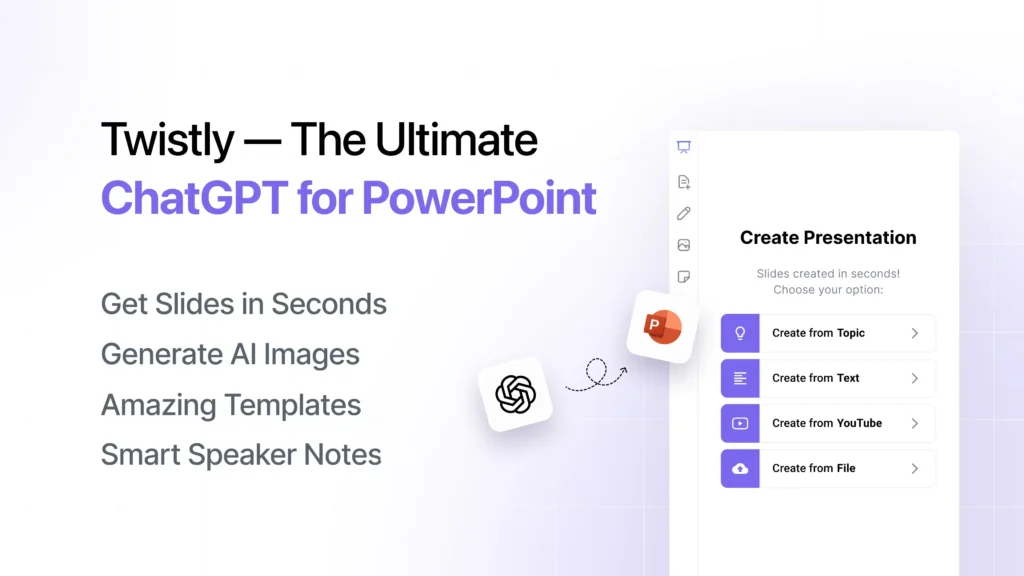
You install Twistly as an add-in for PowerPoint and start making AI slides within PowerPoint. This is a more convenient AI presentation maker for those who are already familiar with PowerPoint.
Note: Web-based Version
Twistly also has a web-based platform where users can generate and edit PowerPoint slides. Anyone who doesn’t have PowerPoint installed can use the online version of Twistly.
Veredicto: If you don’t need PowerPoint files and you make general slides, Beautiful AI is good enough. Twistly is better for users who rely on PowerPoint for daily tasks and need more powerful tools than online apps.
How to Start a Presentation
How do both platforms facilitate users, and what type of input is needed to use both platforms?
Hermosa IA
First, you open the official Beautiful.ai website and then:
- Choose a Smart Slide template
- You drop your content and data
- AI handles formatting and structure
You can create individual slides or use AI to turn your uploaded file or data into final slides.
Twistly
You can either create single slides by choosing available slide layouts or create a new presentation from scratch.
- Choose single slide or full presentation creation option
- Input your data and review the AI-generated slide layout
- Choose a template and get the final deck within seconds
Veredicto: Beautiful.ai is good at creating individual slides, but if you want to turn a topic, doc, or prompt into a complete presentation, Twistly has better options.
Beautiful vs Twistly Pricing
Both tools offer limited trial versions and paid versions for complete access to premium features. Twistly has a more user-friendly trial period because of no credit card requirements.
| Property | Twistly | Beautiful.ai |
| Free plan | Yes, limited slides per deck, watermark included | No free plan; 14-day trial requires a credit card |
| Entry paid tier | Roughly $5–7/month (annual or monthly billing) | $12/month, billed annually (Pro) |
| Mid-tier | Around $20/month (Pro), with premium limits and advanced editing | $40/seat/month, billed annually (Team) |
| Higher tiers | Team plan with central billing and admin controls | Flat-rate SMB plans and custom Enterprise pricing |
| Where AI runs | Native inside PowerPoint | Browser-based platform |
Users are advised to check recent prices for both tools before subscribing. Based on new feature updates and capabilities, the pricing may vary depending on when you subscribe.
Beautiful AI vs Twistly- Which is Suitable for You
Both tools are great and offer a bunch of AI features that can assist in presentation creation. The final decision is based on your budget, workflow, automation, and customization requirements.
Choose Twistly if
- You are comfortable with PowerPoint and don’t want to switch to new tools
- You want to turn existing materials and content into final presentations
- You are from the marketing industry and want strong data visualization tools
- You prefer powerful yet budget-friendly AI presentation tools
- You build for a wider audience who may need translation and multilingual slides
Choose Beautiful.ai if
- You want a fully browser-based tool with strict, automated visual consistency.
- Your organization needs strong brand governance across every slide
- You build recurring report decks that benefit from live-linked data
- You have no issue working outside PowerPoint
Conclusión
The winner of the Beautiful AI vs Twistly debate depends on your existing workflow and customization flexibility requirements. PowerPoint users should choose Twistly as it combines native PowerPoint tools and ChatGPT-like AI capabilities.
Beautiful AI is more suitable for users who make presentations occasionally, and they normally share those decks across online channels only.
As Twistly offers a free trial without a credit card, there is no risk in trying it now. Without any hidden charges or fear of cancelling before being charged, try Twistly now for free and see how it fits in your PowerPoint workflow.
Crear PowerPoint
Diapositivas con IA
Cree presentaciones basadas en IA a partir de
cualquier mensaje, documento o vídeo











Empieza a hacer presentaciones con IA en segundos
Acceso instantáneo
Empieza a explorar inmediatamente todas las funciones de Twistly
Sin compromisos
No necesita tarjeta de crédito y puede cancelar en cualquier momento
Asistencia dedicada
Nuestro equipo está aquí para ayudarle en cada paso del camino durante su juicio.