


Hablar en público no es una habilidad reservada únicamente a oradores y entrenadores profesionales. Desde propietarios de empresas hasta directivos y profesores, la comunicación clara y segura es importante para todos. Quizá quieras matricularte en un programa de coaching para hablar en público, pero eso sería bastante caro.
¿Cómo utilizar la IA para entrenar y ensayar la oratoria? ¿Hay alguna herramienta de IA que pueda ayudarte a mejorar tus habilidades de presentación y comunicación en general?
Twistly Blog está lleno de tutoriales y guías relacionados con PowerPoint, pero en realidad, esta herramienta de IA tiene algunas características únicas que son útiles para todo el mundo. En este artículo, exploraremos cómo utilizar la IA para entrenar y ensayar la oratoria y cómo parecer más seguro en cualquier conversación.
Practicar la oratoria con un enfoque más inteligente
Si busca consejos para mejorar la oratoria, casi todos los blogs le sugerirán que practique solo, que se grabe o que pida a sus amigos que revisen su discurso. Pero hay algunos retos comunes que no se abordan a través de estos enfoques, incluyendo:
- Organizar los pensamientos con claridad
- Respetar los plazos
- Hablar demasiado rápido o demasiado despacio
- Transmitir claramente su mensaje
Los comentarios humanos pueden ser parciales, pero las herramientas de IA ofrecen información imparcial e inmediata con recomendaciones personalizadas para tu estilo y tono. También puedes obtener información basada en datos sobre cómo transmitir tu mensaje de forma más eficaz sobre cualquier tema.
Crear PowerPoint
Diapositivas con IA
Cree presentaciones basadas en IA a partir de
cualquier mensaje, documento o vídeo


Utilización de la IA para enseñar a hablar en público
En los programas convencionales de preparación para hablar en público, hay que seguir ciertos horarios. Hoy en día todo el mundo está muy ocupado, y gestionar estas clases o sesiones extra puede resultar bastante difícil. Con las herramientas de IA, tienes acceso las 24 horas del día, los 7 días de la semana, a los recursos necesarios. Puedes aprender a tu propio ritmo y comodidad.
Una vez que haya decidido utilizar la IA para la preparación de oradores, deberá seguir ciertos pasos. Ten en cuenta que las herramientas de IA no sustituyen a los coaches humanos. Las herramientas de IA solo aceleran y mejoran su proceso de aprendizaje.
1. Empezar con un guión claro
Tanto si vas a presentar cualquier tema en un escenario como si vas a hablar ante una junta directiva, un guión es la clave para una comunicación fluida y clara. No hace falta que lo escribas todo; basta con que apuntes puntos de conversación o hagas una lista de temas de debate importantes.
Twistly también puede ofrecerte un resumen de cualquier documento o informe que vayas a utilizar como recurso. Al realizar cualquier presentación, Twistly te ofrece primero un esquema para las diapositivas. De esta forma, tendrás una idea clara de lo que vas a hablar en la presentación.
2. Elija la herramienta de IA adecuada.
Con cientos de herramientas de IA disponibles, elegir la herramienta de IA adecuada no es fácil. Todas las herramientas de IA para hablar en público o comunicarse tienen características únicas. Pero tienes que elegir una herramienta que tenga múltiples funciones para mejorar la transmisión de tu mensaje.
A diferencia de otros creadores de PPT, Twistly no es un simple diseñador de diapositivas, sino un completo asistente de IA que puede redactar contenidos, traducirlos, mejorarlos, reescribirlos o editarlos para transmitirlos con eficacia.
3. Grabe su discurso y analícelo
Una vez que hayas realizado varios ensayos y estés preparado, haz un último esfuerzo, graba tu discurso final y pide feedback a las herramientas de IA. De este modo, tendrás los puntos más importantes que debes mejorar en la siguiente y última sesión.
Tómate en serio estas sugerencias de IA y trabaja para mejorar estos puntos. Con poco esfuerzo, podrás mejorar mucho tus habilidades para hablar en público.
¿Cómo superar la ansiedad ante las presentaciones?
Muchos profesionales tienen miedo a las presentaciones en la oficina y a las reuniones de la junta directiva. El miedo a hablar en público es una cosa, pero la falta de conocimientos de PowerPoint también es un factor importante en este caso. No saben cómo hacer presentaciones capaces de atraer al público.
A muchas personas se les da bien hablar en público, pero no saben cómo crear presentaciones de forma eficaz. Para ambos tipos de usuarios, Twistly es la mejor herramienta para utilizar la IA como coaching para hablar en público y para superar la ansiedad ante las presentaciones.
¿Qué es Twistly?
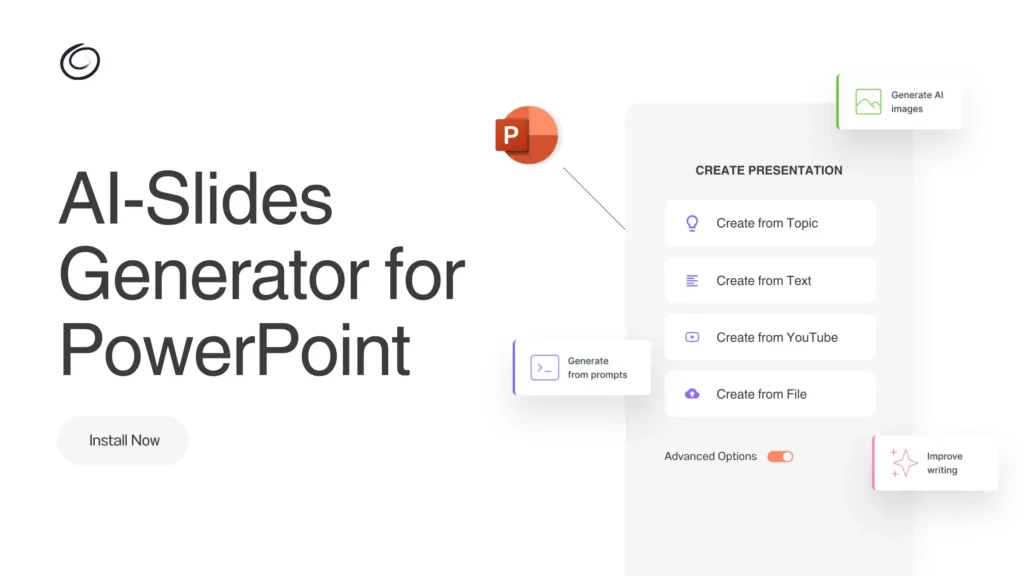
Twistly es un complemento de IA para PowerPoint que funciona dentro del software y permite a los usuarios hacer presentaciones sobre temas, indicaciones de IA, texto o documentos. Los usuarios no necesitan diseñar diapositivas desde cero. A continuación se explica cómo hacer una presentación completa y profesional con PowerPoint y Twistly:
- Abra PowerPoint y ejecute Twistly >> elija el método de entrada
- Proporcione un tema, una indicación de IA o cualquier otro dato
- Revise el esquema de diapositivas y elija una plantilla
- Revisión de las diapositivas finales y presentación en el escenario
Como puedes ver, seguir estos pasos no te llevará más de un minuto o dos, y tendrás tus diapositivas PowerPoint listas para presentar. Twistly se encargará de todo, desde el contenido hasta las imágenes y el diseño.
Generar notas de orador con Twistly
Otro problema al que se enfrentan muchos oradores es la falta de temas de conversación y datos para el tema de la presentación. Si eres nuevo en el tema, utiliza Twistly para generar notas de orador con IA. Twistly puede generar notas de orador detalladas para una diapositiva individual o para toda una presentación.
Las notas de orador pueden ser muy útiles para explicar un tema y darle confianza para presentar como un profesional. Escribir manualmente las notas del orador puede llevar horas para una presentación media. Con Twistly, puedes generar notas de orador con IA en cuestión de segundos.
Twistly analizará el contenido de la diapositiva y, a continuación, utilizará los últimos modelos de IA para ofrecerte un contenido relevante y más elaborado que apoye el argumento.
Conclusión
Tanto para principiantes como para profesionales experimentados, el uso de la IA para preparar y ensayar presentaciones en público puede ayudarles a aprender de forma más eficaz. Si te enfrentas a algún problema o reto con tus habilidades de presentación, deja que Twistly te ayude a mejorar tu experiencia con PowerPoint.
Desde escribir contenido para la diapositiva hasta generar presentaciones completas sobre diferentes temas, Twistly tiene un potencial inigualable como el mejor creador de PPT de AI en 2026. Pruebe Twistly gratis reclamando su versión de prueba gratuita desde el enlace dado.
Crear diapositivas de PowerPoint con IA
Crea presentaciones basadas en IA a partir de cualquier mensaje, documento o vídeo







Empieza a hacer presentaciones con IA en segundos
Acceso instantáneo
Empieza a explorar inmediatamente todas las funciones de Twistly
Sin compromisos
No necesita tarjeta de crédito y puede cancelar en cualquier momento
Asistencia dedicada
Nuestro equipo está aquí para ayudarle en cada paso del camino durante su juicio.