



Herramientas de inteligencia artificial como Twistly han cambiado nuestra forma de hacer presentaciones de PowerPoint. Twistly ha reducido el tiempo medio para hacer un PPT de De 4-6 horas a menos de 90 segundos.
Esto significa que, con unos conocimientos básicos de ingeniería rápida de IA para el diseño de presentaciones, cualquiera puede crea un PPT profesional en menos de dos minutos.
Con Twistly, las cosas son un poco diferentes de otros creadores de presentaciones de IA. No necesitamos que los usuarios tengan grandes conocimientos de ingeniería de IA para diseñar presentaciones.
La biblioteca de plantillas AI PowerPoint de Twistly cuenta con algunos de los temas más prácticos, optimizados e inteligentes para una amplia gama de presentaciones.
¿Qué es Prompt Engineering para el diseño de presentaciones?
Las herramientas de IA se basan en indicaciones, órdenes o instrucciones humanas para generar los resultados deseados. La habilidad de dar instrucciones claras para generar resultados precisos se denomina ingeniería de instrucciones. En el diseño de presentaciones de PowerPoint, la ingeniería de instrucciones ayuda a generar diapositivas más claras, atractivas y optimizadas.
Con Twistly, los usuarios pueden generar los resultados deseados en relación con las imágenes y el contenido de IA e incluso realizar ligeros cambios en el diseño con funciones o indicaciones de IA, pero los diseños no dependen únicamente de la ingeniería de indicaciones de Twistly.
La ingeniería de instrucciones de IA es la práctica de elaborar instrucciones precisas y bien estructuradas. Una instrucción de IA puede ser tan simple como una frase o un proceso largo y detallado de varios pasos y etapas.
Aviso AI de una línea
“Un profesional moderno creando una presentación elegante en un portátil, rodeado de gráficos flotantes impulsados por IA, iconos y elementos de diapositivas, con un estilo corporativo limpio”.”
Aviso AI detallado
“Escena de espacio de trabajo ultramoderno y de alta resolución en la que aparece un creador de contenidos profesional diseñando una presentación de PowerPoint en un ordenador portátil. La pantalla muestra diapositivas limpias y minimalistas con tablas, gráficos, iconos y diseños estructurados. Iluminación ambiental suave, colores corporativos neutros (blanco, azul y gris), poca profundidad de campo, sombras realistas y una pulida estética tecnológica.”
Ambas indicaciones de IA pueden funcionar con cualquier herramienta de IA, pero los resultados serán diferentes. Las indicaciones de IA para presentaciones ayudan a:
- Estructura de la corredera de control
- Definir el estilo visual
- Ajustar el tono y los mensajes
- Generar contenidos basados en datos
- Mantener la coherencia de la marca
Uso de la ingeniería Prompt en Twistly
Los desarrolladores de Twistly se han centrado en eliminar la desconexión entre PowerPoint y la IA o ChatGPT.
A diferencia de los creadores de PPT AI convencionales, Twistly funciona dentro de PowerPoint y permite una ingeniería rápida sin cambiar de aplicación ni de sitio web.
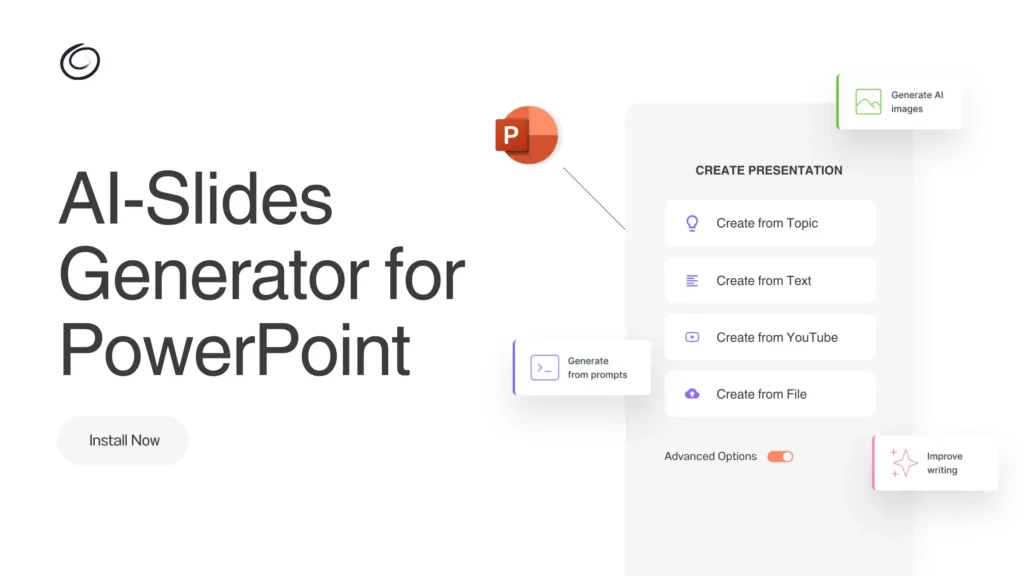
Los usuarios no dependen únicamente de la ingeniería de avisos, ya que Twistly admite múltiples métodos de entrada. Los usuarios pueden hacer presentaciones con mensajes de inteligencia artificial, temas, texto, un documento o un enlace a un vídeo de YouTube.
Incluso los no diseñadores pueden hacer diapositivas atractivas con ChatGPT para PowerPoint, ya que se puede utilizar Twistly:
- Genere presentaciones de diapositivas completas a partir de múltiples métodos de entrada
- Reescribir el contenido de las diapositivas con mayor claridad y tono
- Crear notas de orador automáticamente
- Convertir ideas en bruto en presentaciones estructuradas
- Mejorar el equilibrio visual y la disposición de las diapositivas
¿Necesita experiencia en ingeniería para Twistly?
Twistly no requiere ninguna experiencia previa en ingeniería para el diseño de presentaciones. Puede personalizar los resultados con una indicación AI detallada, pero un tema de una sola línea o un documento cargado también pueden generar diapositivas profesionales para usted.
Elementos de una sugerencia de IA eficaz para una presentación de PowerPoint
La ingeniería de avisos de AI para el diseño de presentaciones es una habilidad candente que cualquiera puede dominar si comprende los elementos básicos de un aviso eficaz para una presentación.
Este cuadro le dará una idea clara de cómo redactar un aviso de IA detallado y eficaz para presentaciones profesionales.
| Elemento | Explicación | Ejemplo de pregunta |
| Presentación Objetivo | Exponga claramente el objetivo de la presentación. | “Crea un pitch deck persuasivo para convencer a los inversores de que financien una startup SaaS”.” |
| Público destinatario | Defina a quién va dirigida la presentación. | “El público son ejecutivos de empresa no técnicos”.” |
| Longitud y estructura de la corredera | Especifique el número de diapositivas y la estructura. | “Genera una presentación de 10 diapositivas con una introducción, 6 diapositivas de contenido, 2 diapositivas de datos y una conclusión”.” |
| Tono y estilo | La IA se adapta mejor cuando el tono está claramente definido. | “Utiliza un tono profesional pero amable con viñetas concisas”.” |
| Preferencias visuales y de diseño | Definir la dirección visual. | “Diseña diapositivas limpias y modernas con un texto mínimo y una fuerte jerarquía visual”.” |
¿Por qué los usuarios de Twistly no necesitan experiencia previa en ingeniería de avisos de IA para el diseño de presentaciones? Los usuarios pueden notar claramente que la mayoría de los elementos de un prompt AI efectivo pueden ser definidos con una GUI y menús en Twistly.
En Twistly no es necesario definir el número de diapositivas ni la longitud del contenido. Sólo tiene que poner un aviso simple y luego especificar la longitud, el tono del contenido y otros elementos mediante el uso de menús dentro de Twistly.
Ejemplos de mensajes de AI para presentaciones de PowerPoint
Para hacer presentaciones de PowerPoint con Twistly no necesitas ninguna instrucción de IA específica. Solo tienes que pegar el tema de la presentación o cargar el texto o documento, y Twistly hará el resto, automáticamente.
Para los lectores que se hayan quedado atascados con los creadores de PPT de IA convencionales de la vieja escuela, he aquí algunos ejemplos de indicaciones de IA para presentaciones:
- Genere una presentación educativa que explique la ingeniería rápida para principiantes. Utiliza un lenguaje sencillo, ejemplos y explicaciones paso a paso.
- Generar una idea de presentación sobre cómo las pequeñas empresas pueden aprovechar el marketing en las redes sociales para aumentar su visibilidad.
- Cree un esquema de presentación sobre [Tema] para [Público destinatario] con [Número] puntos principales.
- Esboza una presentación sobre [Tema] utilizando una analogía o metáfora para hacerla más memorable.
- Diseñe una presentación persuasiva para una herramienta de marketing SaaS. Enfócate en la narración de problemas y soluciones, los beneficios y una fuerte llamada a la acción.
La herramienta de IA más sencilla para hacer presentaciones en PowerPoint
La ingeniería de indicaciones de IA para el diseño de presentaciones no es opcional con muchas herramientas de IA. Los desarrolladores de Twistly han seguido un enfoque único y fácil de usar para minimizar la dependencia de los diseños de presentaciones de PowerPoint en la precisión de las indicaciones de IA.
Pruebe Twistly gratis y empiece a hacer presentaciones de PowerPoint profesionales y atractivas sin dominar la ingeniería rápida de IA.
Incluso un usuario normal de PowerPoint que no tenga experiencia en ingeniería rápida de IA puede generar diapositivas de nivel profesional con Twistly.
Crear PowerPoint
Diapositivas con IA
Cree presentaciones basadas en IA a partir de
cualquier mensaje, documento o vídeo


Veredicto final
Cuando se combina con potentes creadores de PPT de IA como Twistly, la ingeniería de avisos de IA para el diseño de presentaciones se convierte en un gran recurso. Puedes ahorrar tiempo y generar resultados más precisos y personalizados aprendiendo a escribir indicaciones de IA eficaces, o simplemente puedes dejar que Twistly haga el trabajo duro por ti.








Empieza a hacer presentaciones con IA en segundos
Acceso instantáneo
Empieza a explorar inmediatamente todas las funciones de Twistly
Sin compromisos
No necesitas tarjeta de crédito y puedes cancelar cuando quieras
Asistencia dedicada
Nuestro equipo te ayudará en cada paso durante tu periodo de prueba